上一篇
html5 如何判断加载进度条
在 HTML5 中,可通过监听 progress 事件(针对 XHR/Fetch),用 event.lengthComputable、 event.loaded 和 event.total 计算 加载进度,以此判断并
基础原理与关键接口
ProgressEvent 对象体系
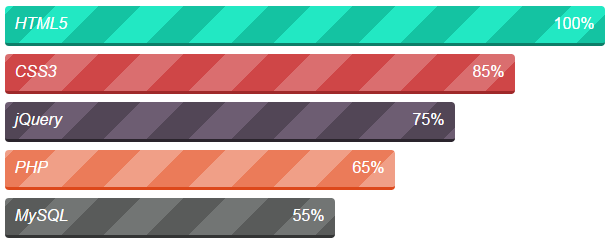
所有进度相关操作均基于ProgressEvent接口,其核心属性包含:
| 属性名 | 类型 | 说明 |
|————–|———|——————————-|
| lengthComputable | Boolean | 是否可计算总长度(关键标志位)|
| loaded | Integer | 已加载字节数 |
| total | Integer | 总字节数 |
| progress | Double | 0~1之间的进度百分比 |
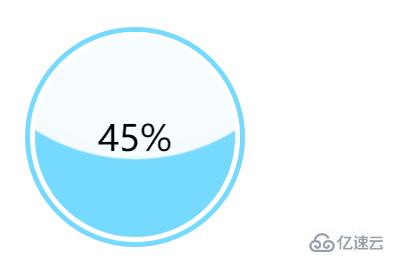
当lengthComputable为true时,可通过(loaded/total)100计算精确进度;若为false(如流式传输),则只能依赖progress估算值。
三类主要触发源
| 数据类型 | 典型用途 | 进度控制能力 |
|---|---|---|
| XHR请求 | 异步数据交互 | 精准控制 |
| File API | 本地文件读写 | 精准控制 |
| Media元素 | 音视频/图片预加载 | ️ 部分浏览器受限 |
主流实现方案详解
▶ 方案一:XMLHttpRequest + progress事件(经典方案)
<input type="file" id="uploader"> <div id="progressBar" style="width:300px;height:20px;border:1px solid #ccc"></div> <script> const uploader = document.getElementById('uploader'); const bar = document.getElementById('progressBar'); uploader.addEventListener('change', function(e) { const file = e.target.files[0]; if (!file) return; const xhr = new XMLHttpRequest(); xhr.open('POST', '/upload', true); // 关键监听器配置 xhr.upload.addEventListener('progress', updateProgress); xhr.onload = () => console.log('Upload complete'); xhr.send(file); function updateProgress(e) { if (e.lengthComputable) { const percent = Math.round((e.loaded / e.total) 100); bar.style.width = percent + '%'; bar.textContent = `${percent}%`; } } }); </script>
优势:原生支持、兼容性好(IE10+);
局限:仅适用于服务器端可接收分块上传的场景。
▶ 方案二:Fetch API + ReadableStream(现代方案)
async function streamDownload() { const response = await fetch('large-file.zip'); const reader = response.body.getReader(); let received = 0; const contentLength = +response.headers.get('Content-Length'); while(true) { const {done, value} = await reader.read(); if (done) break; received += value.length; const percent = Math.floor((received / contentLength) 100); updateUI(percent); // 更新DOM元素 } }
特点:适合大文件流式下载,配合Web Workers可实现后台处理;
注意:需服务器设置正确的Accept-Ranges头信息。
▶ 方案三:Audio/Video预加载检测
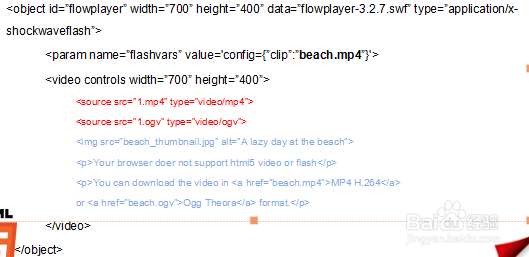
const video = document.createElement('video'); video.src = 'demo.mp4'; video.addEventListener('progress', function() { console.log(`Buffered: ${this.buffered.end(0)}/${this.duration}`); });
特殊处理:由于媒体文件元数据延迟加载,建议结合suspend()/resume()方法控制缓冲时机。
增强型解决方案对比表
| 方案 | 精度等级 | 跨域支持 | 移动端适配 | 典型耗时(MB/s) | 推荐场景 |
|---|---|---|---|---|---|
| XHR+FormData | 8-12 | 中小文件上传 | |||
| Fetch+Stream | 15-20 | 大文件断点续传 | |||
| WebSocket | 25+ | 实时通信+文件传输 | |||
| ServiceWorker | 依赖缓存策略 | PWA应用离线更新 |
高级优化技巧
-
节流控制:对高频触发的progress事件进行防抖处理
let timer; function throttleUpdate(percent) { clearTimeout(timer); timer = setTimeout(() => { /更新UI/ }, 100); }
-
多线程分流:使用Web Worker处理大数据计算
// main.js const worker = new Worker('progress-worker.js'); worker.postMessage({ fileChunks }); // progress-worker.js self.onmessage = function(e) { // 独立线程计算哈希值等耗时操作 }; -
混合协议适配:根据网络环境自动切换HTTP/HTTPS/WebSocket
const protocol = navigator.onLine ? 'wss://' : 'https://'; const socket = new WebSocket(`${protocol}example.com/progress`);
常见陷阱与解决方案
| 问题现象 | 根本原因 | 解决方案 |
|---|---|---|
| Chrome显示0%卡住 | CORS预检请求未通过 | 添加Access-Control-Allow-Origin头 |
| Safari进度跳跃 | 压缩算法导致体积变化 | 改用Range头分块请求 |
| Firefox内存泄漏 | 未正确终止XHR连接 | 显式调用xhr.abort() |
| iOS WKWebView卡顿 | UI更新频率过高 | 改用CSS transform代替width动画 |
相关问答FAQs
Q1: 为什么有时获取不到total值?
A: 当服务器未设置Content-Length响应头,或使用动态生成内容(如PHP输出缓冲)时,total会返回0,解决方案:①强制设置HTTP头;②改用分块传输编码(chunked encoding);③对于未知大小的文件,采用增量更新策略。
Q2: 如何实现跨域文件上传的进度监控?
A: 需要同时满足三个条件:①服务器设置Access-Control-Allow-Methods: PUT;②客户端使用带凭证的XHR(withCredentials: true);③后端解析multipart/form-data格式时保持边界标识符一致,推荐使用FormData对象包装FileList进行