上一篇
如何用Java直接读取文件?
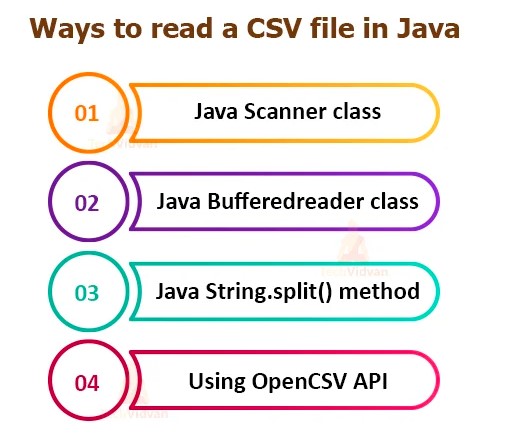
在Java中直接读取文件可使用 java.io或 java.nio.file包,用 Files.readAllBytes(Paths.get("路径"))读取字节,或用 BufferedReader逐行读取文本文件,需处理 IOException确保健壮性。
核心方法及代码示例
使用 Files 类(Java 7+ 推荐)
import java.nio.file.Files; import java.nio.file.Paths; import java.io.IOException; public class ReadFileExample { public static void main(String[] args) { String filePath = "data.txt"; // 文件路径 try { // 一次性读取所有内容(适合小文件) String content = new String(Files.readAllBytes(Paths.get(filePath))); System.out.println(content); // 逐行读取(适合大文件) Files.lines(Paths.get(filePath)).forEach(System.out::println); } catch (IOException e) { System.err.println("读取文件失败: " + e.getMessage()); } } }
- 优点:代码简洁,自动管理资源,支持Lambda表达式。
- 注意:readAllBytes() 适用于小文件(避免内存溢出)。
使用 BufferedReader(大文件首选)
import java.io.BufferedReader; import java.io.FileReader; import java.io.IOException; public class ReadLargeFile { public static void main(String[] args) { String filePath = "large_data.log"; // try-with-resources 自动关闭资源 try (BufferedReader reader = new BufferedReader(new FileReader(filePath))) { String line; while ((line = reader.readLine()) != null) { System.out.println(line); // 逐行处理 } } catch (IOException e) { System.err.println("错误: " + e.getMessage()); } } }
- 优点:内存效率高,适合GB级文件。
- 关键点:try-with-resources 确保资源释放(Java 7+)。
使用 FileInputStream(二进制文件)
import java.io.FileInputStream; import java.io.IOException; public class ReadBinaryFile { public static void main(String[] args) { String filePath = "image.png"; try (FileInputStream fis = new FileInputStream(filePath)) { byte[] buffer = new byte[1024]; int bytesRead; while ((bytesRead = fis.read(buffer)) != -1) { // 处理二进制数据(如保存或转码) } } catch (IOException e) { System.err.println("读取失败: " + e.getMessage()); } } }
- 适用场景:图片、视频等非文本文件。
关键注意事项
-
文件路径问题:
- 相对路径:基于项目根目录(IDE中可能是项目文件夹,生产环境可能是JAR包路径)。
- 绝对路径:如 C:/data/file.txt(Windows)或 /home/user/data.txt(Linux)。
- 建议使用 Paths.get() 解析路径,避免平台差异。
-
字符编码:
- 文本文件需明确编码(默认UTF-8): BufferedReader reader = new BufferedReader( new InputStreamReader(new FileInputStream("file.txt"), StandardCharsets.UTF_8) );
-
异常处理:
- 必须捕获 IOException,避免程序崩溃。
- 日志记录应使用 java.util.logging 或 SLF4J 替代 System.err。
-
资源释放:
- 始终用 try-with-resources 或手动 close() 释放文件句柄。
- 避免 FileInputStream/BufferedReader 未关闭导致内存泄漏。
方法对比
| 方法 | 适用场景 | 内存占用 | 代码复杂度 |
|---|---|---|---|
| Files.readAllBytes | 小文本文件(<100MB) | 高 | |
| Files.lines | 大文本文件 | 低 | |
| BufferedReader | 超大文本/日志文件 | 极低 | |
| FileInputStream | 二进制文件 | 可控 |
- 小文件:优先用 Files.readAllBytes() 或 Files.lines()。
- 大文本:选择 BufferedReader 逐行读取。
- 二进制数据:使用 FileInputStream 分块处理。
- 通用原则:
- 用 try-with-resources 确保资源安全。
- 明确指定字符编码。
- 生产环境添加权限校验(如 Files.isReadable(path))。
引用说明:
本文代码基于 Oracle Java 17 官方文档,遵循 Java NIO 和 IO 标准库规范,实践建议参考《Effective Java》及 Java API 文档。