上一篇
服务器配置文件在哪?Linux系统查找路径详解
服务器配置文件的位置取决于您使用的服务器类型和操作系统,以下列出常见服务器的默认配置文件路径:
Web 服务器
Apache
- Linux:
- 主配置文件:/etc/apache2/apache2.conf(Debian/Ubuntu) 或 /etc/httpd/httpd.conf(CentOS/RHEL)
- 虚拟主机配置:/etc/apache2/sites-available/(Debian/Ubuntu) 或 /etc/httpd/conf.d/(CentOS/RHEL)
- Windows:
C:Program FilesApache GroupApache2confhttpd.conf
Nginx
- Linux:
- 主配置文件:/etc/nginx/nginx.conf
- 站点配置:/etc/nginx/conf.d/ 或 /etc/nginx/sites-available/
- Windows:
C:nginxconfnginx.conf
IIS (Windows)
- 主配置:C:WindowsSystem32inetsrvconfigapplicationHost.config
- 站点配置:各网站根目录下的 web.config 文件。
数据库服务器
MySQL / MariaDB
- Linux:
/etc/mysql/my.cnf 或 /etc/my.cnf
- Windows:
C:Program FilesMySQLMySQL Server X.Xmy.ini
PostgreSQL
- Linux:
/etc/postgresql/<version>/main/postgresql.conf
- Windows:
C:Program FilesPostgreSQL<version>datapostgresql.conf
应用服务器
Tomcat
- Linux/Windows:
[Tomcat安装目录]/conf/server.xml
- 示例:/opt/tomcat/conf/server.xml(Linux) 或 C:Program FilesApache Tomcatconfserver.xml(Windows)
Node.js (PM2)
- 配置文件通常由开发者自定义(如 ecosystem.config.js),位置不固定。
其他服务
- SSH (Linux):
/etc/ssh/sshd_config
- FTP (vsftpd):
/etc/vsftpd.conf
如何查找?
-
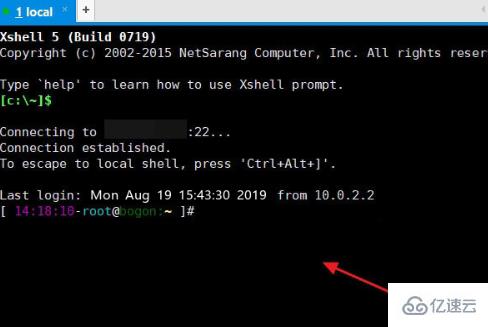
通过命令搜索(Linux):
-
检查服务状态(Systemd):
systemctl status nginx # 查看 Nginx 路径 systemctl status apache2 # 查看 Apache 路径
-
查看进程信息(Linux):
ps aux | grep nginx - 权限问题:修改配置文件需管理员权限(Linux 用 sudo,Windows 用管理员身份运行编辑器)。
- 备份:修改前务必备份原文件!
- 重载配置:修改后重启服务生效: sudo systemctl restart nginx # 重启 Nginx sudo systemctl restart apache2 # 重启 Apache
注意事项
请根据您的具体服务器类型和操作系统定位文件,如需进一步帮助,请提供服务器软件名称和系统环境!