
上一篇
ASP读取配置文件如何实现?配置文件操作技巧详解
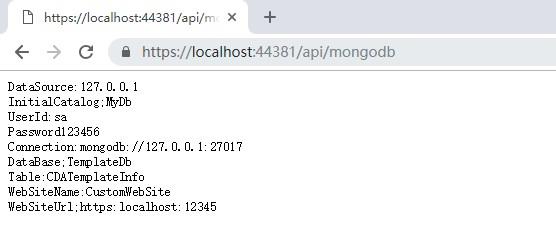
在ASP(Classic ASP)中读取配置文件,通常有以下几种方法,以下是最常用的两种方案,包括详细步骤和代码示例:
方法1:使用文本文件(如 .ini 或 .txt)作为配置文件
配置文件示例 (config.ini)
[Database] Server=localhost Database=MyDB User=admin Password=123456 [Settings] DebugMode=true MaxUsers=100
ASP 读取代码
<% ' 读取配置文件函数 Function ReadConfig(section, key) Dim fso, file, filePath, line, currentSection filePath = Server.MapPath("/config/config.ini") ' 配置文件路径 Set fso = Server.CreateObject("Scripting.FileSystemObject") Set file = fso.OpenTextFile(filePath, 1) ' 1=只读模式 currentSection = "" ReadConfig = "" Do Until file.AtEndOfStream line = Trim(file.ReadLine) ' 跳过注释和空行 If Left(line, 1) = ";" Or line = "" Then Continue Do End If ' 检测节 (Section) If Left(line, 1) = "[" And Right(line, 1) = "]" Then currentSection = Mid(line, 2, Len(line)-2) ElseIf currentSection = section Then ' 解析键值对 Dim parts parts = Split(line, "=", 2) If UBound(parts) >= 1 And Trim(parts(0)) = key Then ReadConfig = Trim(parts(1)) Exit Do End If End If Loop file.Close Set file = Nothing Set fso = Nothing End Function ' 调用示例 Dim dbServer dbServer = ReadConfig("Database", "Server") Response.Write "数据库服务器: " & dbServer %>
方法2:使用XML文件作为配置文件(更结构化)
配置文件示例 (config.xml)
<?xml version="1.0" encoding="utf-8"?> <Config> <Database> <Server>localhost</Server> <Database>MyDB</Database> <User>admin</User> <Password>123456</Password> </Database> <Settings> <DebugMode>true</DebugMode> <MaxUsers>100</MaxUsers> </Settings> </Config>
ASP 读取代码
<% ' 读取XML配置函数 Function GetXMLConfig(section, key) Dim xmlDoc, xmlPath, node xmlPath = Server.MapPath("/config/config.xml") Set xmlDoc = Server.CreateObject("Microsoft.XMLDOM") xmlDoc.async = False xmlDoc.load(xmlPath) If xmlDoc.parseError <> 0 Then Response.Write "XML解析错误: " & xmlDoc.parseError.reason Exit Function End If ' 定位节点://Config/Database/Server Set node = xmlDoc.selectSingleNode("//Config/" & section & "/" & key) If Not node Is Nothing Then GetXMLConfig = node.text Else GetXMLConfig = "" End If Set xmlDoc = Nothing End Function ' 调用示例 Dim dbName dbName = GetXMLConfig("Database", "Database") Response.Write "数据库名称: " & dbName %>
方法3:直接包含ASP文件(简单但需谨慎)
配置文件 (config.asp)
<% ' 数据库配置 Const DB_Server = "localhost" Const DB_Name = "MyDB" Const DB_User = "admin" Const DB_Password = "123456" ' 系统设置 Const DebugMode = True Const MaxUsers = 100 %>
主文件调用
<!-- #include virtual="/config/config.asp" --> <% Response.Write "数据库用户: " & DB_User %>
注意:此方法将配置直接作为ASP代码执行,存在安全风险(如配置被直接访问暴露),建议将 config.asp 放在虚拟目录外或通过IIS禁止直接访问。
最佳实践建议
-
配置文件位置
将配置文件放在网站根目录外(如 D:AppConfig),避免通过URL直接访问。
-
加密敏感信息
对数据库密码等敏感信息进行加密(如使用简单Base64编码,但非绝对安全)。
-
错误处理
添加错误处理机制(如文件不存在、XML解析失败等)。
-
缓存配置
频繁读取文件会影响性能,可在Application/Session中缓存配置值。
- 简单配置 → 文本文件 (INI)
- 结构化配置 → XML文件
- 快速开发(非敏感信息)→ ASP包含文件
示例:缓存XML配置
If Application("ConfigCache") = "" Then Application.Lock Set Application("ConfigCache") = LoadXMLConfig() ' 自定义加载函数 Application.UnLock End If Set config = Application("ConfigCache")
根据需求选择合适的方法:
需要更安全的方案?建议结合Windows权限控制 + 加密敏感字段。








