
上一篇
asp.net中如何实现文件上传与删除功能的详细代码疑问解答?
在ASP.NET中,文件上传和文件删除是常见的功能,涉及到客户端和服务器端的交互,以下是一篇关于如何在ASP.NET下实现文件上传和文件删除的详细指南。
文件上传
准备工作
在开始之前,确保你的ASP.NET项目已经配置了必要的文件上传控件和服务器端处理逻辑。
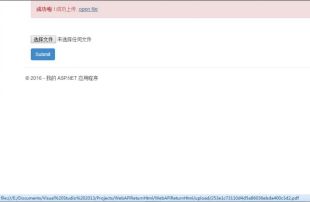
HTML表单
在HTML中创建一个表单,包含文件选择控件和提交按钮。
<form action="UploadHandler.ashx" method="post" enctype="multipart/form-data"> <input type="file" name="fileUpload" /> <input type="submit" value="Upload" /> </form>
服务器端处理
在ASP.NET中,可以使用HttpPostedFile对象来处理上传的文件。

文件删除
显示文件列表
需要有一个页面来显示用户可以删除的文件列表。

<table> <tr> <th>File Name</th> <th>Actions</th> </tr> @foreach (var file in Model.Files) { <tr> <td>@file.FileName</td> <td><a href="DeleteHandler.ashx?file=@file.FileName">Delete</a></td> </tr> } </table>
服务器端删除逻辑
在服务器端,创建一个处理程序来删除文件。
public class DeleteHandler : IHttpHandler { public void ProcessRequest(HttpContext context) { string fileName = context.Request.QueryString["file"]; string path = context.Server.MapPath("~/UploadedFiles/") + fileName; if (File.Exists(path)) { File.Delete(path); context.Response.Write("File deleted successfully."); } else { context.Response.Write("File not found."); } } public bool IsReusable { get { return false; } } }
| 功能 | 代码片段 |
|---|---|
| 文件上传 | HttpPostedFile file = context.Request.Files[0]; |
| 文件保存路径 | string path = context.Server.MapPath("~/UploadedFiles/"); |
| 文件删除 | File.Delete(path); |
FAQs
Q1: 如何处理文件上传的大小限制?
A1: 在HttpModule或HttpHandler中,可以使用Request.TotalBytes来检查上传文件的总大小,并根据需要进行限制。
Q2: 如何处理文件上传时的异常?
A2: 在文件上传逻辑中,使用try-catch块来捕获并处理可能发生的异常,例如文件保存失败或磁盘空间不足等。















