上一篇
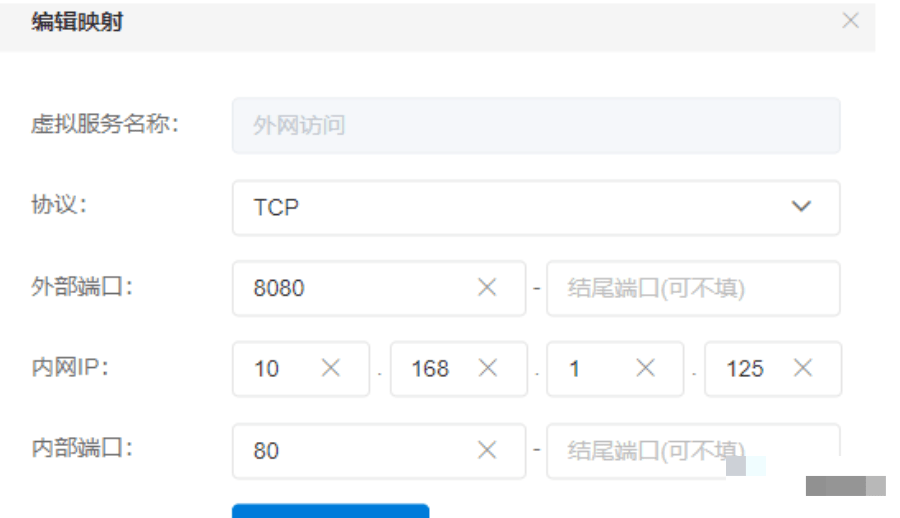
如何解析域名端口?域名端口映射教程详解
要解析包含域名和端口的字符串,需处理多种格式(如带协议头、IPv6地址等),以下是解析逻辑及代码示例:
解析规则
- 移除协议头:若存在 ,取其后部分(如 http://example.com:80 → example.com:80)。
- IPv6地址处理(以 [ 开头):
- 找到第一个 ]:
- 若有 ]:端口,域名取 [...] 内内容,端口取冒号后部分(如 [::1]:8080 → 域名 :1,端口 8080)。
- 若只有 [...],域名取方括号内内容,端口用默认值。
- 若找不到 ],整个字符串视为域名。
- 找到第一个 ]:
- 普通域名/IPv4处理:
- 找最后一个冒号(因域名无冒号):
- 若有冒号,左侧为域名,右侧为端口(如 example.com:80)。
- 若无冒号,整个字符串为域名,端口默认。
- 找最后一个冒号(因域名无冒号):
- 端口处理:
- 端口字符串为空 → 默认端口(如80)。
- 端口非数字 → 使用默认端口(非严格模式)或报错(严格模式)。
Python代码实现
def parse_host_port(host_str, default_port=80, strict=False): # 移除协议头 (如 "http://") if "://" in host_str: host_str = host_str.split("://", 1)[1] # 处理 IPv6 地址 (如 [::1]:8080) if host_str.startswith("["): bracket_end = host_str.find("]") if bracket_end != -1: host = host_str[1:bracket_end] remainder = host_str[bracket_end+1:] port_str = remainder[1:] if remainder.startswith(":") else "" else: host = host_str # 无闭合括号,整个作为域名 port_str = "" else: # 普通域名/IPv4:找最后一个冒号 last_colon = host_str.rfind(":") if last_colon != -1: host = host_str[:last_colon] port_str = host_str[last_colon+1:] else: host = host_str port_str = "" # 处理端口 port = default_port if port_str: try: port = int(port_str) except ValueError: if strict: raise ValueError(f"Invalid port: {port_str}") return host, port
测试用例
# 普通域名 print(parse_host_port("example.com")) # ("example.com", 80) print(parse_host_port("example.com:8080")) # ("example.com", 8080) # IPv4 地址 print(parse_host_port("192.168.1.1:80")) # ("192.168.1.1", 80) # IPv6 地址 print(parse_host_port("[::1]")) # ("::1", 80) print(parse_host_port("[::1]:8080")) # ("::1", 8080) # 带协议头 print(parse_host_port("http://example.com")) # ("example.com", 80) print(parse_host_port("https://[::1]:443")) # ("::1", 443) # 特殊/错误情况 print(parse_host_port(":8080")) # ("", 8080) print(parse_host_port("[::1]::invalid")) # ("::1", 80) 非严格模式
关键点说明
- 协议头移除:使用 split("://") 确保兼容 http/https 等。
- IPv6方括号:确保正确解析 [xx]:xx 格式。
- 最后冒号:普通域名中冒号仅用于端口分隔,故用 rfind(":")。
- 端口转换:
- 非数字端口在非严格模式下回退到默认端口。
- 严格模式(strict=True)对非法端口抛出异常。
此实现覆盖常见格式,可根据需求调整默认端口或错误处理策略。