上一篇
如何在mac上配置命令行? | mac终端设置优化完全指南
更换默认 Shell(推荐 Zsh)
macOS Catalina 及以上版本默认使用 Zsh,若需手动更换:
# 查看可用 Shell cat /etc/shells # 切换默认 Shell(如 Zsh) chsh -s /bin/zsh
配置文件
- Zsh:配置文件为 ~/.zshrc
- Bash:配置文件为 ~/.bash_profile 或 ~/.bashrc
常用配置示例(添加到 ~/.zshrc):
# 环境变量 export PATH="/usr/local/bin:$PATH" # Homebrew 路径 export EDITOR="nano" # 默认编辑器 # 别名(Aliases) alias ll="ls -alh" alias update="brew update && brew upgrade" # 提示符主题(启用颜色) autoload -Uz colors && colors PS1="%{$fg[green]%}%n@%m %{$fg[blue]%}%~ %{$reset_color%}$ " # 加载额外配置(如已安装 Oh My Zsh) source $HOME/.oh-my-zsh/oh-my-zsh.sh
加载配置:
source ~/.zshrc
安装必备工具
通过 Homebrew(包管理器):
# 安装 Homebrew /bin/bash -c "$(curl -fsSL https://raw.githubusercontent.com/Homebrew/install/HEAD/install.sh)" # 常用工具 brew install git # 版本控制 brew install wget # 下载工具 brew install tree # 树状目录 brew install htop # 进程监控
增强 Shell 体验
推荐安装 Oh My Zsh(Zsh 配置框架):
sh -c "$(curl -fsSL https://raw.githubusercontent.com/ohmyzsh/ohmyzsh/master/tools/install.sh)"
- 启用插件(编辑 ~/.zshrc): plugins=(git zsh-autosuggestions zsh-syntax-highlighting)
- 安装插件: git clone https://github.com/zsh-users/zsh-autosuggestions ${ZSH_CUSTOM:-~/.oh-my-zsh/custom}/plugins/zsh-autosuggestions git clone https://github.com/zsh-users/zsh-syntax-highlighting ${ZSH_CUSTOM:-~/.oh-my-zsh/custom}/plugins/zsh-syntax-highlighting
主题推荐(~/.zshrc):
ZSH_THEME="agnoster" # 或 "robbyrussell", "af-magic"
终端模拟器优化
-
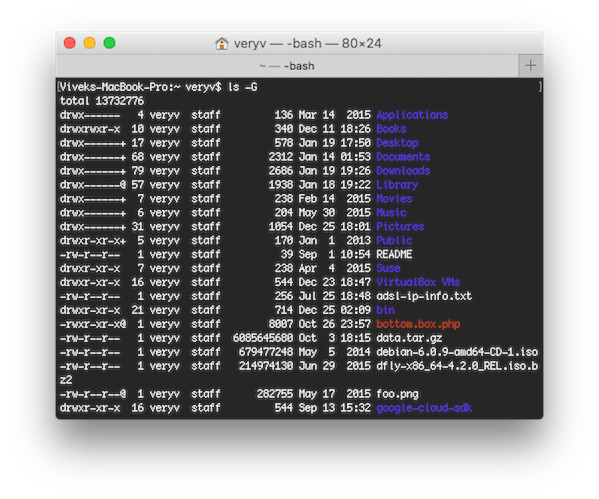
系统自带 Terminal:
前往 设置 > 描述文件 调整字体(推荐 Monaco 或 Fira Code)、颜色方案。
-
iTerm2(推荐):
- 安装:brew install --cask iterm2
- 导入配色方案:iTerm2-Color-Schemes
- 启用连字(Ligatures):Preferences > Profiles > Text > Use Ligatures
其他实用配置
解决 Homebrew 权限问题:
sudo chown -R $(whoami) /usr/local/*
设置 SSH 密钥:
ssh-keygen -t ed25519 -C "your_email@example.com" eval "$(ssh-agent -s)" ssh-add ~/.ssh/id_ed25519 cat ~/.ssh/id_ed25519.pub # 复制到 GitHub/GitLab
备份配置
将配置文件同步到 Git 仓库(如 dotfiles):
# 示例备份命令 git init --bare $HOME/.dotfiles alias config="git --git-dir=$HOME/.dotfiles --work-tree=$HOME" config add ~/.zshrc config commit -m "Add zshrc"