
上一篇
ASP.NET性能优化实战,自定义文件缓存构建全解析 | 如何构建ASP.NET自定义文件缓存? – ASP.NET性能优化
在ASP.NET中构建自定义文件缓存可以显著提升性能,尤其适用于频繁读取的静态文件(如CSS、JS、图像),以下是完整实现方案,包含LRU淘汰策略、线程安全和文件监控:
解决方案设计
using System; using System.Collections.Concurrent; using System.Collections.Generic; using System.IO; using System.Linq; using System.Threading; public class FileCache { // 缓存项 private class CachedFile { public byte[] Content { get; set; } public DateTime LastModified { get; set; } public LinkedListNode<string> LruNode { get; set; } public int Size => Content?.Length ?? 0; } // 核心数据结构 private readonly ConcurrentDictionary<string, CachedFile> _cache = new(); private readonly LinkedList<string> _lruList = new(); private readonly object _lruLock = new(); private long _totalSize = 0; // 配置参数 public long MaxCacheSize { get; } public TimeSpan FileCheckInterval { get; } public FileCache(long maxCacheSize = 100 * 1024 * 1024, // 默认100MB TimeSpan? fileCheckInterval = null) { MaxCacheSize = maxCacheSize; FileCheckInterval = fileCheckInterval ?? TimeSpan.FromMinutes(5); // 启动后台清理线程 var cleanupThread = new Thread(CacheMaintenanceLoop) { IsBackground = true, Priority = ThreadPriority.BelowNormal }; cleanupThread.Start(); } public byte[] GetFile(string filePath) { // 1. 尝试从缓存获取 if (_cache.TryGetValue(filePath, out var cachedFile)) { lock (_lruLock) { // 移动至LRU链表头部 _lruList.Remove(cachedFile.LruNode); _lruList.AddFirst(cachedFile.LruNode); } return cachedFile.Content; } // 2. 缓存未命中则加载文件 var fileInfo = new FileInfo(filePath); if (!fileInfo.Exists) throw new FileNotFoundException(); var content = File.ReadAllBytes(filePath); var newEntry = new CachedFile { Content = content, LastModified = fileInfo.LastWriteTimeUtc }; // 3. 检查文件是否过大 if (content.Length > MaxCacheSize * 0.1) // >10% 最大缓存 return content; // 跳过缓存直接返回 // 4. 添加缓存项 lock (_lruLock) { // 处理重复添加 if (_cache.TryGetValue(filePath, out cachedFile)) { _lruList.Remove(cachedFile.LruNode); _lruList.AddFirst(cachedFile.LruNode); return cachedFile.Content; } // 创建新节点 var node = new LinkedListNode<string>(filePath); newEntry.LruNode = node; // 添加至缓存 if (_cache.TryAdd(filePath, newEntry)) { _lruList.AddFirst(node); Interlocked.Add(ref _totalSize, content.Length); EvictIfNeeded(); } } return content; } private void EvictIfNeeded() { while (_totalSize > MaxCacheSize && _lruList.Count > 0) { string keyToRemove; lock (_lruLock) { if (_lruList.Last == null) break; keyToRemove = _lruList.Last.Value; } if (_cache.TryRemove(keyToRemove, out var removed)) { lock (_lruLock) { _lruList.Remove(removed.LruNode); Interlocked.Add(ref _totalSize, -removed.Size); } } } } private void CacheMaintenanceLoop() { while (true) { Thread.Sleep(FileCheckInterval); CheckForModifiedFiles(); } } private void CheckForModifiedFiles() { var keys = _cache.Keys.ToList(); foreach (var filePath in keys) { if (!File.Exists(filePath)) { RemoveFromCache(filePath); continue; } var currentWriteTime = File.GetLastWriteTimeUtc(filePath); if (_cache.TryGetValue(filePath, out var cachedFile) && cachedFile.LastModified != currentWriteTime) { RemoveFromCache(filePath); } } } private void RemoveFromCache(string filePath) { if (_cache.TryRemove(filePath, out var removed)) { lock (_lruLock) { _lruList.Remove(removed.LruNode); Interlocked.Add(ref _totalSize, -removed.Size); } } } }
关键优化点说明
-
LRU淘汰策略
- 使用LinkedList + ConcurrentDictionary实现高效LRU
- 访问时移动节点到链表头部
- 淘汰时从尾部移除最久未使用项
-
两级线程安全
- ConcurrentDictionary保证字典操作原子性
- lock保护链表结构修改(LRU操作)
- Interlocked保证_size计数的原子性
-
文件变更监控

- 后台线程定期检查文件修改时间
- 自动移除已修改/删除的文件缓存
- 可配置的检查间隔(默认5分钟)
-
大文件处理策略
// 跳过大于10%缓存上限的文件 if (content.Length > MaxCacheSize * 0.1) return content; -
内存管理
- 精确跟踪缓存总大小(字节级)
- 动态淘汰确保内存用量可控
- 避免大文件导致缓存抖动
-
分层缓存策略
// 添加内存压力检测 protected override void OnMemoryPressure() { MaxCacheSize = (long)(MaxCacheSize * 0.7); // 自动缩容 EvictIfNeeded(); } -
智能预加载
// 启动时预加载常用文件 public void PreloadFiles(IEnumerable<string> hotFiles) { Parallel.ForEach(hotFiles, file => { if (File.Exists(file)) GetFile(file); }); } -
压缩支持
// 存储时自动压缩 if (content.Length > 1024) { cachedFile.Content = GZipCompress(content); cachedFile.IsCompressed = true; }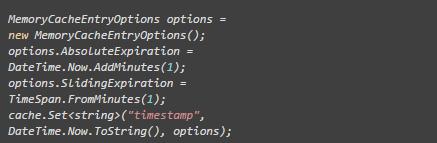
-
分布式缓存集成
// 当本地缓存失效时 if (distributedCache.TryGetValue(filePath, out var bytes)) { AddToCache(filePath, bytes); return bytes; } - 静态资源服务:CSS/JS/图像等不变文件
- 模板缓存:Razor视图/邮件模板
- 配置加载:频繁读取的JSON/XML配置文件
- 国际化资源:多语言文本资源文件
- 精确控制文件缓存逻辑
- 基于文件修改时间的自动刷新
- 避免内存泄漏风险
- 专门优化的文件读取路径
使用示例
// 初始化缓存(100MB上限) var cache = new FileCache(100 * 1024 * 1024); // 获取文件(自动缓存) var cssContent = cache.GetFile(@"C:sitestylesmain.css"); // 在ASP.NET中输出 context.Response.ContentType = "text/css"; context.Response.OutputStream.Write(cssContent, 0, cssContent.Length);
性能优化建议
适用场景
注意:动态文件(如经常更新的用户上传内容)不适合此缓存方案,建议使用短期缓存或直接读取。
此实现相比ASP.NET内置缓存优势:
可根据实际需求扩展缓存过期策略、添加性能计数器或集成到ASP.NET Core的IFileProvider体系。















