上一篇
AngularJS表单使用详解,如何实现表单验证与数据绑定?
AngularJS的表单使用详解
AngularJS作为一款经典的前端JavaScript框架,其强大的表单处理能力一直是开发者关注的重点,通过内置的表单验证、数据绑定和控件管理功能,AngularJS能够显著简化表单开发流程,提升用户体验,本文将详细介绍AngularJS表单的核心概念、常用指令、验证机制及最佳实践。
表单基础概念
AngularJS中的表单主要分为两种类型:模板驱动表单(Template-Driven Forms)和模型驱动表单(Model-Driven Forms,亦称响应式表单),模板驱动表单适合简单场景,通过指令直接在HTML模板中定义表单结构;模型驱动表单则更灵活,适合复杂业务逻辑,通过JavaScript代码动态构建表单模型。
表单指令
AngularJS提供了丰富的表单指令,核心指令包括:
- ng-form:用于在表单内嵌套子表单,实现分组管理。
- ng-model:双向数据绑定,将表单控件与$scope对象中的属性关联。
- ng-submit:绑定表单提交事件,阻止默认提交行为并执行自定义逻辑。
表单控件
常见的表单控件包括input、select、textarea等,AngularJS通过ng-model实现数据双向绑定。
<input type="text" ng-model="user.name" required>
上述代码中,user.name将与输入框的值实时同步,且required属性表示该字段为必填项。
表单验证机制
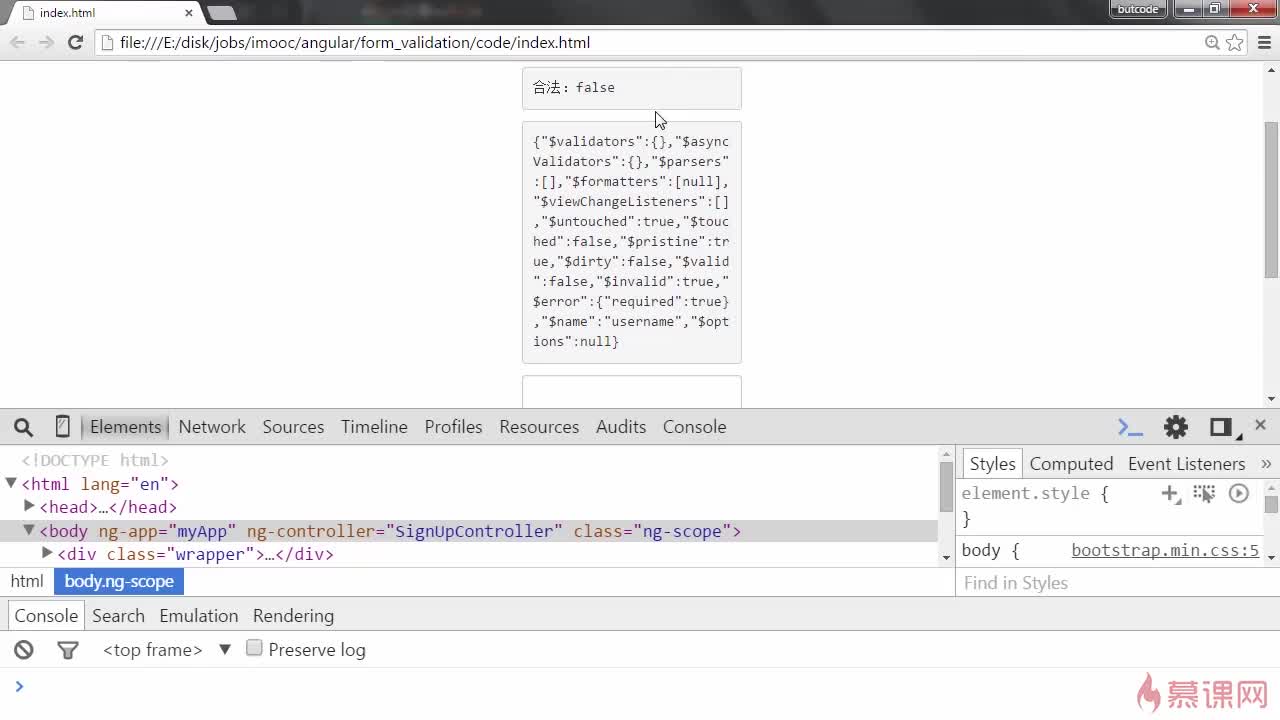
AngularJS的表单验证通过内置验证指令和属性实现,支持实时反馈用户输入的有效性。
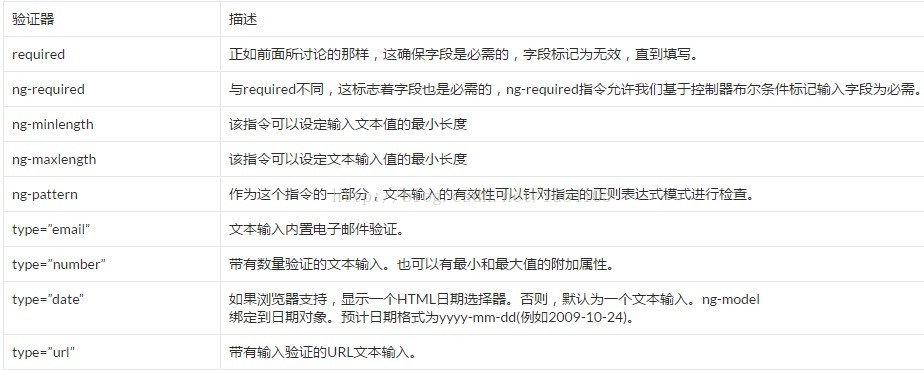
常用验证指令
| 指令 | 功能 | 示例 |
|---|---|---|
| required | 字段必填 | <input ng-model="email" required> |
| ng-minlength | 最小长度 | <input ng-model="password" ng-minlength="6"> |
| ng-maxlength | 最大长度 | <input ng-model="username" ng-maxlength="10"> |
| pattern | 正则匹配 | <input ng-model="phone" pattern="^1[3-9]d{9}$"> |
| type="email" | 邮箱格式 | <input type="email" ng-model="email"> |
验证状态访问
AngularJS会自动为表单和控件添加CSS类,反映其验证状态:
- $valid:验证通过
- $invalid:验证失败
- $dirty:用户已修改
- $pristine:用户未修改
可通过formName.inputName.$valid判断输入是否有效:
<div ng-show="myForm.username.$invalid && myForm.username.$dirty"> <span ng-show="myForm.username.$error.required">用户名不能为空</span> </div>
自定义验证
通过$validators服务可扩展自定义验证规则,验证密码强度:
在模板中使用:
<input ng-model="password" strong-password>
表单提交与数据处理
提交表单
使用ng-submit指令捕获表单提交事件,并通过ng-disabled控制提交按钮状态:
<form name="myForm" ng-submit="submitForm()" ng-disabled="myForm.$invalid"> <input ng-model="user.name" required> <button type="submit">提交</button> </form>
在控制器中处理提交逻辑:
$scope.submitForm = function() { if ($scope.myForm.$valid) { $http.post('/api/users', $scope.user) .then(function(response) { alert('提交成功!'); }); } };
表单重置
通过调用$setPristine()和$setUntouched()方法重置表单状态:
$scope.resetForm = function() { $scope.user = {}; $scope.myForm.$setPristine(); $scope.myForm.$setUntouched(); };
高级表单技巧
动态表单生成
根据数据动态渲染表单控件,适合配置化场景:
<div ng-repeat="field in formFields"> <input ng-model="formData[field.name]" type="{{field.type}}" required> <label>{{field.label}}</label> </div>
表单分组
使用ng-form实现嵌套表单,提升逻辑清晰度:
<form name="userForm"> <ng-form name="profileForm"> <input ng-model="user.profile.name" required> </ng-form> <ng-form name="addressForm"> <input ng-model="user.address.city" required> </ng-form> </form>
跨字段验证
验证两次输入的密码是否一致:
app.directive('passwordMatch', function() { return { require: 'ngModel', scope: { otherModelValue: '=passwordMatch' }, link: function(scope, element, attrs, ngModelCtrl) { ngModelCtrl.$validators.passwordMatch = function(modelValue) { return modelValue === scope.otherModelValue; }; scope.$watch('otherModelValue', function() { ngModelCtrl.$validate(); }); } }; });
模板中使用:
<input type="password" ng-model="password"> <input type="password" ng-model="confirmPassword" password-match="password">
最佳实践
- 命名规范:表单和控件名称应语义化,如userLoginForm、emailInput。
- 错误提示:在用户完成输入后($dirty状态)显示验证错误,避免干扰。
- 性能优化:对于大型表单,使用ng-if替代ng-show减少DOM节点。
- 安全性:对提交数据进行服务端二次验证,避免前端验证被绕过。
通过合理运用AngularJS的表单功能,开发者可以构建出交互友好、维护高效的表单应用,无论是简单的用户注册还是复杂的数据录入场景,AngularJS都能提供灵活且可靠的解决方案。