
上一篇
AngularJS进度条功能示例如何实现动态更新与样式定制?
AngularJS作为一款经典的前端框架,凭借其双向数据绑定、依赖载入等特性,在构建动态交互式应用中具有独特优势,本文将通过一个完整的示例,详细介绍如何使用AngularJS实现进度条功能,涵盖基础实现、动态更新、样式定制及高级应用场景,帮助开发者快速掌握这一实用技能。
基础进度条实现
在AngularJS中实现进度条功能,首先需要构建一个基础模板,通过ng-app和ng-controller指令初始化应用,并利用ng-model绑定进度值,以下是一个简单的HTML结构示例:
<div ng-app="progressApp" ng-controller="ProgressController"> <div class="progress-container"> <div class="progress-bar" ng-style="{width: progress + '%'}"> {{progress}}% </div> </div> <button ng-click="startProgress()">开始</button> <button ng-click="resetProgress()">重置</button> </div>
对应的AngularJS控制器代码如下:
CSS样式美化
为提升用户体验,需要为进度条添加样式设计,以下是推荐的CSS代码:
.progress-container { width: 100%; max-width: 600px; height: 30px; background-color: #f0f0f0; border-radius: 15px; margin: 20px 0; overflow: hidden; } .progress-bar { height: 100%; background: linear-gradient(90deg, #4CAF50, #45a049); border-radius: 15px; transition: width 0.3s ease; display: flex; align-items: center; justify-content: center; color: white; font-weight: bold; } button { padding: 8px 16px; margin: 0 5px; background-color: #2196F3; color: white; border: none; border-radius: 4px; cursor: pointer; } button:hover { background-color: #0b7dda; }
动态进度控制
在实际应用中,进度条通常需要根据后台任务或用户操作动态更新,以下展示如何通过$http服务模拟异步数据加载并更新进度:
angular.module('progressApp') .controller('ProgressController', function($scope, $http, $interval) { $scope.progress = 0; $scope.loading = false; $scope.loadData = function() { $scope.loading = true; $scope.progress = 0; var interval = $interval(function() { if ($scope.progress < 90) { $scope.progress += 10; } }, 200); $http.get('/api/data') .then(function(response) { $scope.progress = 100; $interval.cancel(interval); $scope.loading = false; // 处理返回数据 }) .catch(function(error) { $scope.progress = 0; $interval.cancel(interval); $scope.loading = false; console.error('数据加载失败:', error); }); }; });
多级进度条实现
在复杂场景中,可能需要展示多个任务的并行进度,可以通过嵌套控制器或指令实现多级进度条:
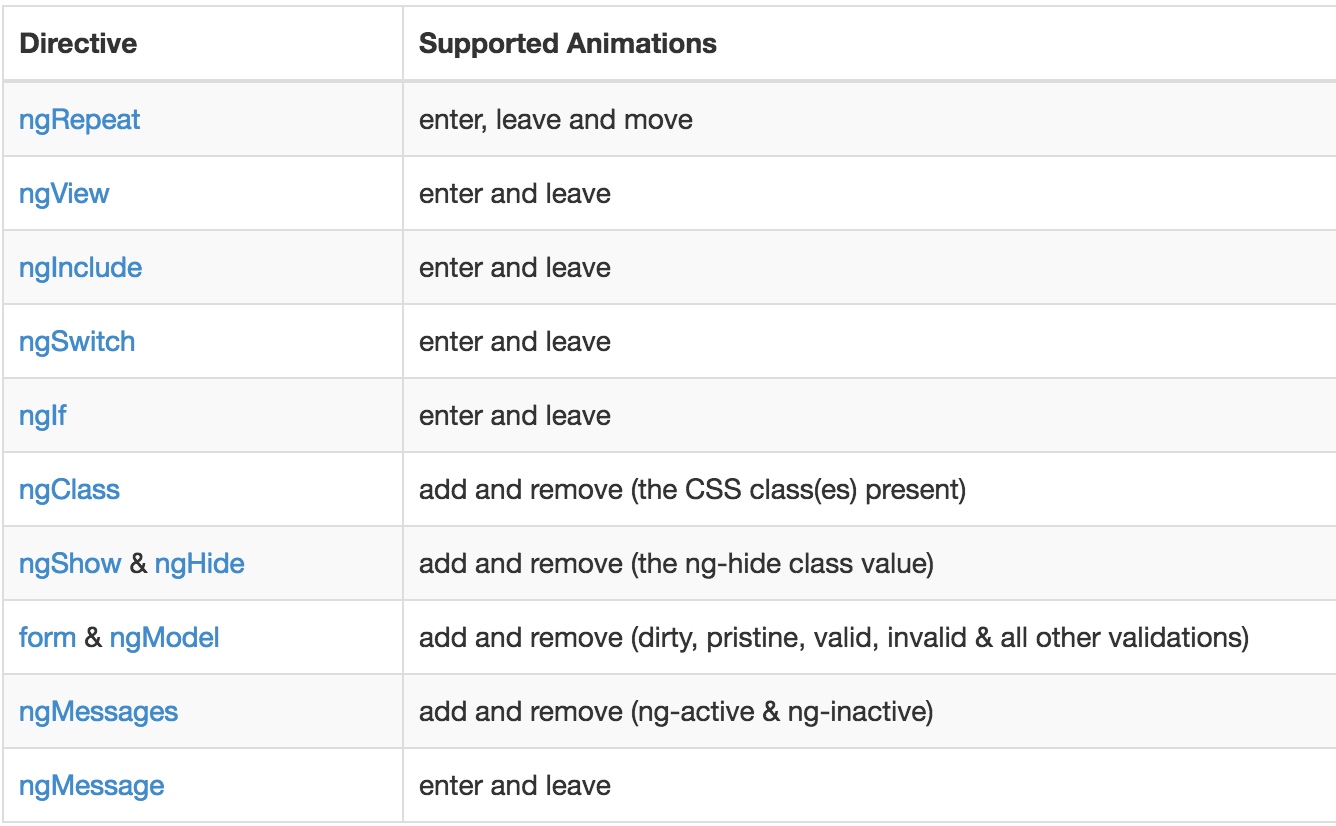
<div ng-app="multiProgressApp" ng-controller="MainController"> <div ng-repeat="task in tasks"> <h3>{{task.name}}</h3> <div class="progress-container"> <div class="progress-bar" ng-style="{width: task.progress + '%'}"> {{task.progress}}% </div> </div> </div> <button ng-click="startAllTasks()">开始所有任务</button> </div>
控制器代码:
angular.module('multiProgressApp', []) .controller('MainController', function($scope, $interval) { $scope.tasks = [ {name: '任务A', progress: 0}, {name: '任务B', progress: 0}, {name: '任务C', progress: 0} ]; $scope.startAllTasks = function() { $scope.tasks.forEach(function(task) { (function(task) { var interval = $interval(function() { if (task.progress < 100) { task.progress += Math.random() * 10; if (task.progress > 100) task.progress = 100; } else { $interval.cancel(interval); } }, 500); })(task); }); }; });
进度条状态管理
根据不同应用场景,进度条可能需要显示不同状态(如成功、失败、警告),可以通过动态添加CSS类实现:

$scope.startProgress = function() { $scope.status = 'loading'; $interval(function() { if ($scope.progress < 100) { $scope.progress += 1; } else { $scope.status = 'success'; } }, 100); };
对应的CSS:
.progress-bar.success { background: linear-gradient(90deg, #4CAF50, #45a049); } .progress-bar.error { background: linear-gradient(90deg, #f44336, #d32f2f); } .progress-bar.warning { background: linear-gradient(90deg, #ff9800, #f57c00); }
HTML模板中绑定状态类:
<div class="progress-bar" ng-class="{ 'success': status === 'success', 'error': status === 'error', 'warning': status === 'warning' }" ng-style="{width: progress + '%'}"> {{progress}}% </div>
性能优化与最佳实践
在实现进度条功能时,需要注意以下优化点:
- 避免频繁DOM操作:利用AngularJS的脏检查机制,减少不必要的样式更新
- 合理使用$interval:在组件销毁时记得取消定时器,防止内存泄漏
- 响应式设计:通过CSS媒体查询确保进度条在不同设备上正常显示
- 可访问性:添加ARIA属性提升屏幕阅读器兼容性
以下是完整的性能优化示例:
angular.module('optimizedProgressApp') .controller('ProgressController', function($scope, $interval, $timeout) { var intervalPromise; $scope.$on('$destroy', function() { if (intervalPromise) { $interval.cancel(intervalPromise); } }); $scope.startProgress = function() { $scope.progress = 0; intervalPromise = $interval(function() { $scope.progress += 1; if ($scope.progress >= 100) { $interval.cancel(intervalPromise); } }, 50); }; });
通过本文的示例,我们掌握了使用AngularJS实现进度条功能的多种方法,从基础实现到高级应用场景,AngularJS的双向数据绑定特性使得进度条的动态更新变得简单高效,而结合CSS样式和状态管理,可以创建出既美观又实用的用户界面,在实际开发中,开发者应根据具体需求选择合适的实现方式,并注重性能优化和用户体验的提升,随着前端技术的不断发展,AngularJS的经典思想仍对现代框架开发具有借鉴意义。
相关文章
-

VPS性能优化教程怎么做?Making Implicit Concepts Explicit隐式概念显式化原则
-
VPS性能优化教程,Language of the Domain领域语言原则是什么?
-
VPS性能优化教程,Binding Model绑定模型实现原则是什么?
-
VPS性能优化教程怎么做?VPS性能优化方法详解
-
VPS性能优化教程怎么做?VPS优化方法详解
-
VPS性能优化教程,Refactoring Toward Deeper Insight重构深入洞察原则,VPS如何进行性能优化?
-
VPS性能优化教程:Hands-On Modelers实践建模者原则
-
AS4837青云互联悉尼VPS路由分析,青云互联悉尼VPS怎么样







