上一篇
Hibernate配置文件加载失败怎么办?Hibernate配置加载详解
Hibernate 加载配置文件通常指加载核心配置文件(如 hibernate.cfg.xml)或映射文件(如 *.hbm.xml),以下是详细步骤和示例:
核心配置文件加载
Hibernate 会自动在类路径(classpath)根目录下查找默认的 hibernate.cfg.xml 文件。
示例代码:
import org.hibernate.SessionFactory; import org.hibernate.boot.MetadataSources; import org.hibernate.boot.registry.StandardServiceRegistry; import org.hibernate.boot.registry.StandardServiceRegistryBuilder; public class HibernateUtil { private static final SessionFactory sessionFactory = buildSessionFactory(); private static SessionFactory buildSessionFactory() { // 创建服务注册器(自动加载 hibernate.cfg.xml) final StandardServiceRegistry registry = new StandardServiceRegistryBuilder() .configure() // 默认加载 src/main/resources/hibernate.cfg.xml .build(); try { return new MetadataSources(registry) .buildMetadata() .buildSessionFactory(); } catch (Exception e) { StandardServiceRegistryBuilder.destroy(registry); throw new ExceptionInInitializerError(e); } } public static SessionFactory getSessionFactory() { return sessionFactory; } }
指定自定义配置文件路径
若配置文件不在默认位置或名称不同,需显式指定路径:
编程式配置(无XML文件)
直接通过代码配置参数:
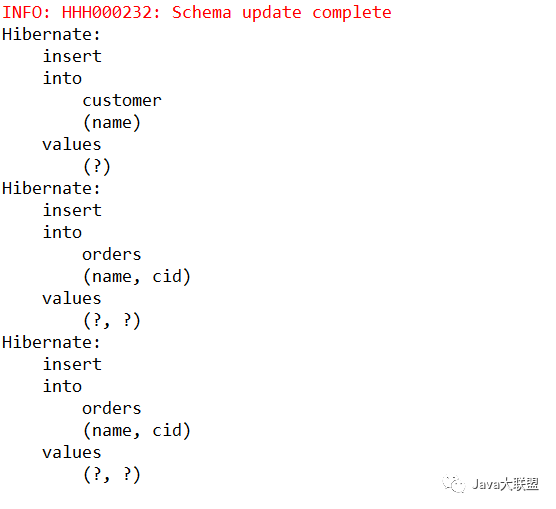
StandardServiceRegistry registry = new StandardServiceRegistryBuilder() .applySetting("hibernate.connection.driver_class", "com.mysql.cj.jdbc.Driver") .applySetting("hibernate.connection.url", "jdbc:mysql://localhost:3306/testdb") .applySetting("hibernate.connection.username", "root") .applySetting("hibernate.connection.password", "password") .applySetting("hibernate.dialect", "org.hibernate.dialect.MySQL8Dialect") .build();
映射文件加载
在 hibernate.cfg.xml 中声明映射文件:
<!-- hibernate.cfg.xml --> <hibernate-configuration> <session-factory> <!-- 数据库配置 --> <property name="hibernate.connection.driver_class">com.mysql.cj.jdbc.Driver</property> <!-- 其他属性... --> <!-- 加载映射文件 --> <mapping resource="com/example/User.hbm.xml"/> </session-factory> </hibernate-configuration>
或通过代码添加映射:
MetadataSources sources = new MetadataSources(registry) .addResource("com/example/User.hbm.xml"); // 手动添加映射文件
注解配置(无XML映射文件)
使用注解实体类时,在 hibernate.cfg.xml 中注册实体类:
<session-factory> <!-- 数据库配置 --> <property name="hibernate.connection.url">jdbc:mysql:///test</property> <!-- ... --> <!-- 注册带注解的实体类 --> <mapping class="com.example.User"/> </session-factory>
或通过代码注册:
MetadataSources sources = new MetadataSources(registry) .addAnnotatedClass(User.class); // 添加注解实体类
- 默认加载:configure() 自动加载 classpath:hibernate.cfg.xml。
- 自定义路径:使用 .configure("path/to/config.xml")。
- 编程式配置:通过 .applySetting(key, value) 设置属性。
- 映射文件:在配置中通过 <mapping resource="..."/> 或代码添加。
- 注解实体:通过 <mapping class="..."/> 或 addAnnotatedClass() 注册。
配置文件示例 (hibernate.cfg.xml):
<!DOCTYPE hibernate-configuration PUBLIC "-//Hibernate/Hibernate Configuration DTD 3.0//EN" "http://www.hibernate.org/dtd/hibernate-configuration-3.0.dtd"> <hibernate-configuration> <session-factory> <!-- 数据库连接设置 --> <property name="hibernate.connection.driver_class">com.mysql.cj.jdbc.Driver</property> <property name="hibernate.connection.url">jdbc:mysql://localhost:3306/testdb</property> <property name="hibernate.connection.username">root</property> <property name="hibernate.connection.password">password</property> <!-- 方言 --> <property name="hibernate.dialect">org.hibernate.dialect.MySQL8Dialect</property> <!-- 显示SQL --> <property name="hibernate.show_sql">true</property> <!-- 自动更新表结构 --> <property name="hibernate.hbm2ddl.auto">update</property> <!-- 注解实体类 --> <mapping class="com.example.User"/> </session-factory> </hibernate-configuration>
通过以上方式,Hibernate 可正确加载配置并初始化 SessionFactory。