
上一篇
ASP.NET如何在不依赖IIS的情况下实现类似伪静态路由的URL重写?
在ASP.NET开发中,IIS(Internet Information Services)是常用的Web服务器,它提供了强大的功能,包括URL重写,有时我们可能希望在不配置IIS的情况下实现类似伪静态路由的功能,以下是如何在不设置IIS的情况下,在ASP.NET中实现URL重写的方法。
使用ASP.NET路由
ASP.NET MVC和ASP.NET Web API都内置了路由功能,可以用来实现URL重写,以下是如何配置和使用ASP.NET路由的步骤:
1 添加路由配置
在ASP.NET MVC项目中,你可以在Global.asax文件中添加路由配置:
public class WebApiApplication : System.Web.HttpApplication { protected void Application_Start() { GlobalConfiguration.Configure(WebApiConfig.Register); RouteTable.Routes.MapHttpRoute( name: "DefaultApi", routeTemplate: "api/{controller}/{id}", defaults: new { id = RouteParameter.Optional } ); } }
2 使用路由
在控制器中,你可以使用路由参数来访问URL中的不同部分:
[Route("api/[controller]")] public class ProductsController : ApiController { public IHttpActionResult Get(int id) { // 模拟获取产品信息 return Ok("Product ID: " + id); } }
使用URL Rewrite Module
如果你使用的是ASP.NET Web Forms,可以通过安装URL Rewrite Module来实现URL重写,以下是如何配置URL Rewrite Module的步骤:
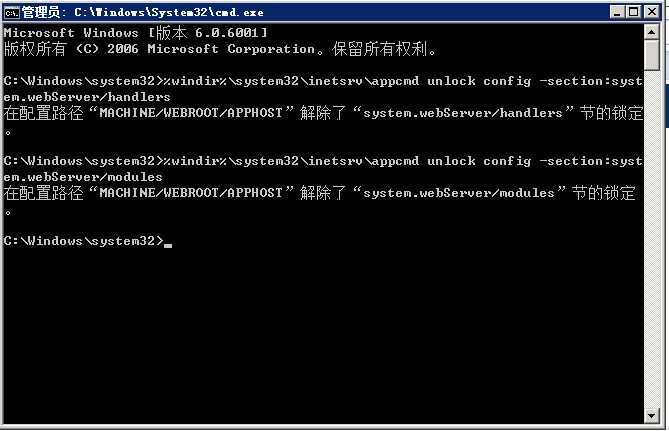
1 安装URL Rewrite Module
在IIS中,你可以通过添加URL Rewrite Module来启用URL重写功能。
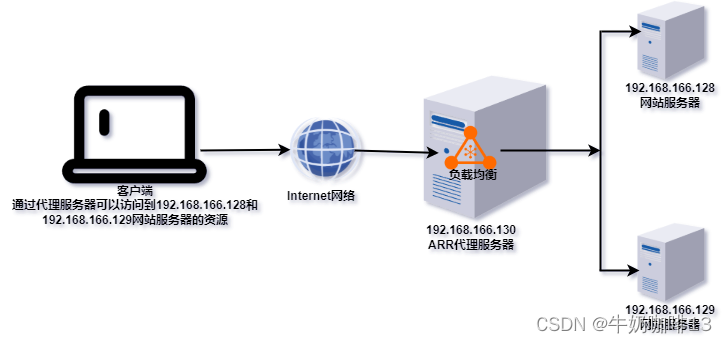
2 配置URL Rewrite规则
在IIS中,创建一个新的URL Rewrite规则,配置重写模式:
<rewrite> <rules> <rule name="Redirect to Controller" stopProcessing="true"> <match url="^(Products)/(d+)$" /> <conditions> <add input="{REQUEST_FILENAME}" matchType="IsFile" negate="true" /> <add input="{REQUEST_FILENAME}" matchType="IsDirectory" negate="true" /> </conditions> <action type="Redirect" url="/Products/{R:1}" /> </rule> </rules> </rewrite>
使用自定义URL重写
如果你不想使用IIS或内置的ASP.NET路由,可以创建一个自定义的URL重写中间件,以下是一个简单的示例:
public class CustomUrlRewriter : IHttpModule { public void Init(HttpApplication context) { context.BeginRequest += new EventHandler(Application_BeginRequest); } private void Application_BeginRequest(object sender, EventArgs e) { HttpApplication application = (HttpApplication)sender; HttpRequest request = application.Request; if (request.Path.StartsWithSegments("/products/")) { string productId = request.Path.TrimStart('/').Split('/')[1]; request.Path = "/Products/" + productId; } } public void Dispose() { } }
在Global.asax中注册中间件:
protected void Application_Start() { // 注册中间件 HttpContext.Current.Application.Add("CustomUrlRewriter", new CustomUrlRewriter()); }
FAQs
Q1: 为什么要在ASP.NET中实现URL重写?
A1: URL重写可以提供更友好的URL,提高搜索引擎优化(SEO)效果,并且使应用程序的URL结构更加清晰和易于管理。
Q2: 不使用IIS的URL重写模块,如何测试自定义URL重写中间件?
A2: 你可以通过启动ASP.NET开发服务器(如IIS Express或Visual Studio Development Server),然后在浏览器中访问重写后的URL来测试自定义URL重写中间件,确保在Global.asax中正确注册了中间件。
















