
上一篇
如何用PHP识别图片验证码文字?| PHP验证码识别技术
在PHP中实现验证码图片文字识别通常涉及以下步骤,需要注意的是,验证码设计的初衷是防止自动化识别,因此复杂验证码的识别可能涉及高级OCR技术或第三方服务。
基础方法:简单验证码识别(纯PHP)
适用于低干扰、固定字体的验证码:
<?php // 步骤1: 预处理验证码图片 (使用GD库) function preprocessImage($imagePath) { $img = imagecreatefrompng($imagePath); // 根据格式调整函数 $width = imagesx($img); $height = imagesy($img); // 创建二值化图像 $binaryImg = imagecreatetruecolor($width, $height); $white = imagecolorallocate($binaryImg, 255, 255, 255); imagefill($binaryImg, 0, 0, $white); // 简单阈值二值化 for ($x = 0; $x < $width; $x++) { for ($y = 0; $y < $height; $y++) { $rgb = imagecolorat($img, $x, $y); $r = ($rgb >> 16) & 0xFF; $g = ($rgb >> 8) & 0xFF; $b = $rgb & 0xFF; $gray = ($r + $g + $b) / 3; // 阈值处理 (根据验证码调整) if ($gray < 128) { imagesetpixel($binaryImg, $x, $y, 0); // 黑色 } } } // 保存处理后的图片 imagepng($binaryImg, 'processed.png'); imagedestroy($img); return 'processed.png'; } // 步骤2: 使用Tesseract OCR识别 function recognizeWithTesseract($imagePath) { // 确保服务器已安装Tesseract OCR // Ubuntu安装: sudo apt install tesseract-ocr $command = "tesseract $imagePath stdout --psm 7 digits"; // 调整参数 exec($command, $output, $returnCode); if ($returnCode !== 0) { throw new Exception("OCR识别失败"); } return trim(implode("", $output)); } // 使用示例 try { $processedImage = preprocessImage('captcha.png'); $text = recognizeWithTesseract($processedImage); echo "识别结果: " . htmlspecialchars($text); } catch (Exception $e) { echo "错误: " . $e->getMessage(); } ?>
关键点说明
-
预处理优化(需根据验证码特性调整):
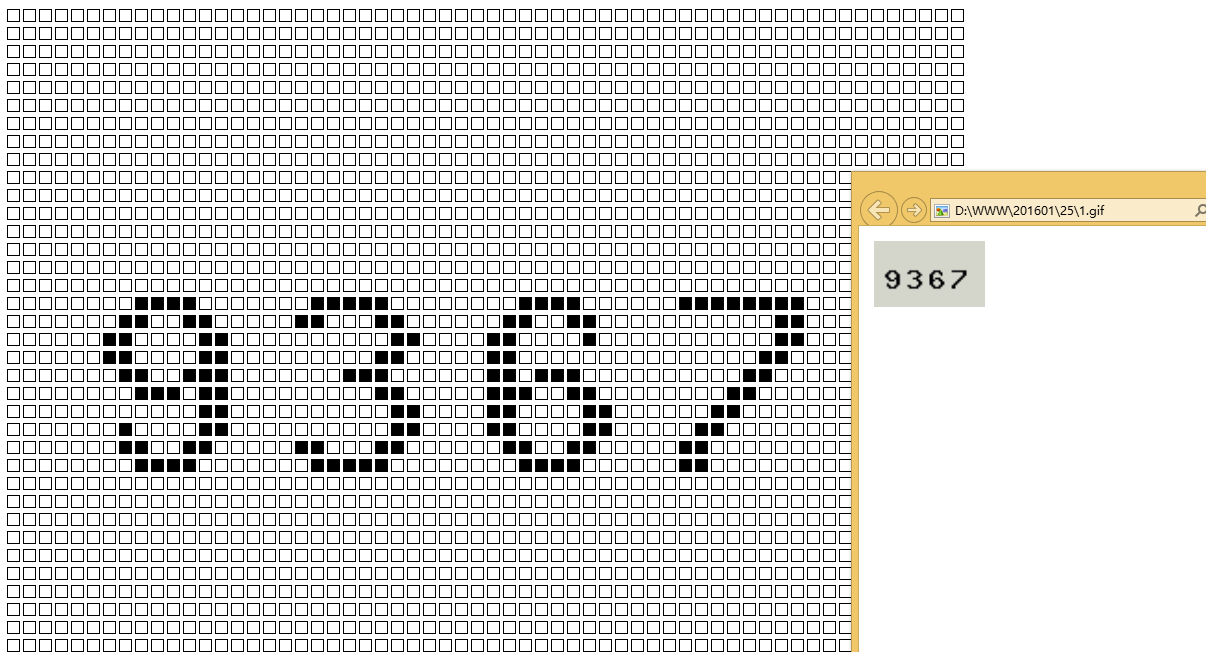
- 去噪点(移除孤立像素)
- 线条干扰消除
- 颜色分离(针对彩色验证码)
- 字符分割(分割为单个字符)
-
Tesseract参数调整:
// 常用参数 $command = "tesseract $imagePath stdout -l eng --oem 3 --psm 7";- --psm 7:视为单行文本
- -l eng:英语语言(中文用chi_sim)
- digits:只识别数字(自定义配置文件)
-
提高识别率技巧:
- 训练自定义字体:使用jTessBoxEditor训练特定字体
- 添加字典约束:限制可能的字符组合
- 多次识别:不同参数组合投票选择
- OCR.space(免费额度每天500次)
- Google Cloud Vision
- Amazon Textract
-
法律合规性:
- 仅识别自己拥有权限的验证码
- 禁止绕过他人网站的验证码(违法)
-
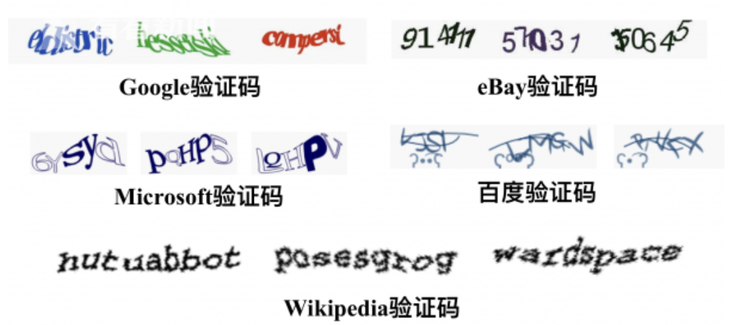
验证码复杂度:
- 简单验证码:纯PHP方案可达到60-80%准确率
- 中等验证码:需要定制预处理+机器学习
- 高级验证码(如Google reCAPTCHA):目前无法可靠免费
-
替代方案建议:
- 网站所有者:考虑使用无验证码方案(如行为分析)
- 自动化测试:使用测试环境禁用验证码
完整解决方案需要根据具体验证码特征进行调整,复杂场景建议优先考虑商业OCR服务。
高级方案:第三方API服务
对于复杂验证码(如扭曲、重叠字符),推荐使用专业OCR API:
<?php function recognizeWithApi($imagePath, $apiKey) { $url = "https://api.ocr.space/parse/image"; $postData = [ 'apikey' => $apiKey, 'language' => 'eng', 'isOverlayRequired' => false, 'file' => new CURLFile($imagePath) ]; $ch = curl_init(); curl_setopt($ch, CURLOPT_URL, $url); curl_setopt($ch, CURLOPT_POST, 1); curl_setopt($ch, CURLOPT_POSTFIELDS, $postData); curl_setopt($ch, CURLOPT_RETURNTRANSFER, true); $response = curl_exec($ch); curl_close($ch); $result = json_decode($response, true); if ($result['OCRExitCode'] !== 1) { throw new Exception("API识别失败: " . ($result['ErrorMessage'] ?? '未知错误')); } return trim($result['ParsedResults'][0]['ParsedText']); } // 使用示例 try { $apiKey = 'YOUR_OCR_API_KEY'; // OCR.space 的免费Key $text = recognizeWithApi('captcha.png', $apiKey); echo "API识别结果: " . htmlspecialchars($text); } catch (Exception $e) { echo "API错误: " . $e->getMessage(); } ?>
推荐第三方服务
注意事项







