
上一篇
fly.js请求如何发送?,常见错误有哪些?
fly.js 请求详解
fly.js 是一个基于 Promise 的轻量级 HTTP 请求库,支持浏览器环境和 Node.js,语法简洁且功能强大,下面从基础用法、配置选项、拦截器、错误处理、并发请求等方面进行详细说明。
基础请求方法
- GET 请求:获取资源,使用 fly.get(url, data, options)。
- POST 请求:提交数据,使用 fly.post(url, data, options)。
- PUT 请求:更新资源,使用 fly.put(url, data, options)。
- DELETE 请求:删除资源,使用 fly.delete(url, data, options)。
示例:
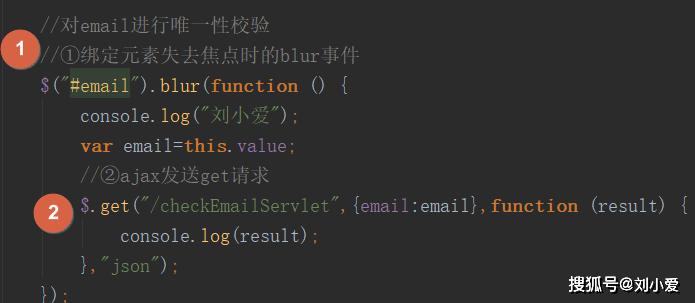
fly.get('/user?id=1').then(response => { console.log(response.data); }); fly.post('/user', { name: 'fly' }, { headers: { 'Content-Type': 'application/json' } }).then(res => { console.log(res.data); });
请求配置选项
fly.js 支持丰富的配置项,可在请求时传入或通过 fly.config 全局设置,常用配置如下:
| 配置项 | 类型 | 说明 |
|---|---|---|
| baseURL | String | 请求基础路径,拼接在相对 URL 前 |
| headers | Object | 自定义请求头 |
| timeout | Number | 请求超时时间(毫秒),超时自动中断 |
| params | Object | URL 查询参数,会拼接到 URL 末尾 |
| withCredentials | Boolean | 跨域是否携带 Cookie |
| responseType | String | 响应数据类型,如 'json'、'text'、'blob' |
| onProgress | Function | 上传 / 下载进度回调 |
示例:
fly.config.baseURL = 'https://api.example.com'; fly.config.timeout = 5000; fly.get('/user', { id: 1 }, { headers: { 'Authorization': 'Bearer token' } });
拦截器(Interceptors)
可通过 fly.interceptors.request.use() 和 fly.interceptors.response.use() 添加请求 / 响应拦截器,用于统一处理日志、修改请求、错误处理等。

- 请求拦截器:在请求发出前执行,可修改配置或终止请求。
- 响应拦截器:在收到响应后执行,可处理数据或统一错误。
// 请求拦截器 fly.interceptors.request.use(config => { config.headers['X-Request-ID'] = Date.now(); return config; // 必须返回 config }); // 响应拦截器 fly.interceptors.response.use( response => response.data, // 直接返回数据 error => { console.error('请求错误:', error); return Promise.reject(error); } );
错误处理
fly.js 的请求失败会进入 catch 分支,错误对象包含 status(状态码)、message(错误描述)、request(请求对象)等属性。
fly.get('/user').then(res => { // 成功 }).catch(err => { if (err.status === 0) { console.log('网络错误或请求被取消'); } else if (err.status === 404) { console.log('资源未找到'); } else { console.log(`服务器错误: ${err.status}`); } });
并发请求
使用 fly.all() 或 Promise.all 组合多个请求,在所有请求完成后统一处理。

const req1 = fly.get('/user/1'); const req2 = fly.get('/user/2'); fly.all([req1, req2]).then(responses => { const [user1, user2] = responses; // 处理数据 });
文件上传与下载
- 上传:使用 FormData 对象,通过 POST 请求发送。
- 下载:设置 responseType: 'blob',然后通过 Blob 创建下载链接。
// 上传文件 const form = new FormData(); form.append('file', fileInput.files[0]); fly.post('/upload', form, { headers: { 'Content-Type': 'multipart/form-data' } }); // 下载文件 fly.get('/download', { id: 1 }, { responseType: 'blob' }).then(res => { const url = URL.createObjectURL(res.data); const a = document.createElement('a'); a.href = url; a.download = 'file.pdf'; a.click(); });
相关问题与解答
问题1:如何设置 fly.js 请求超时并处理超时错误?
解答:
在请求配置中设置 timeout 属性,单位为毫秒,超时后请求会被中断,并在 catch 中得到错误对象,其 status 为 0,message 为 'timeout'。
示例:
fly.get('/slow-api', {}, { timeout: 3000 }).catch(err => { if (err.status === 0 && err.message === 'timeout') { console.log('请求超时,请重试'); } });
也可通过全局配置统一设置超时时间:fly.config.timeout = 5000;。
问题2:fly.js 如何实现取消请求?(例如组件卸载时中止未完成的请求)
解答:
fly.js 支持通过 AbortController 取消请求,先创建一个 AbortController 实例,将 signal 绑定到请求的 options 中,在需要取消时调用 controller.abort()。
示例:
const controller = new AbortController(); fly.get('/large-data', { signal: controller.signal }).then(res => { // 处理数据 }).catch(err => { if (err.status === 0 && err.message === 'aborted') { console.log('请求已被取消'); } }); // 取消请求 controller.abort();
在 Vue 或 React 组件中,可在 beforeDestroy 或 useEffect 清理函数中调用 abort() 以避免内存泄漏。








