
上一篇
Java中如何调整对话框大小及实现自适应变化的最佳实践是什么?
在Java中,改变对话框(Dialog)的大小可以通过设置其宽度和高度属性来实现,以下是一些具体的方法和步骤,帮助您了解如何调整Java Swing对话框的大小。
使用setBounds()方法
setBounds()方法是调整对话框大小最直接的方法,您需要知道对话框的起始x和y坐标以及宽度和高度。
示例代码:
import javax.swing.JDialog; import javax.swing.JFrame; public class DialogSizeExample { public static void main(String[] args) { JFrame frame = new JFrame("主窗口"); frame.setSize(300, 200); frame.setDefaultCloseOperation(JFrame.EXIT_ON_CLOSE); frame.setVisible(true); JDialog dialog = new JDialog(frame, "对话框"); dialog.setBounds(50, 50, 300, 200); // x, y, width, height dialog.setVisible(true); } }
使用setPreferredSize()方法
setPreferredSize()方法可以设置组件的首选大小,这通常会影响组件的显示大小。
示例代码:
import javax.swing.JDialog; import javax.swing.JFrame; public class DialogSizeExample { public static void main(String[] args) { JFrame frame = new JFrame("主窗口"); frame.setSize(300, 200); frame.setDefaultCloseOperation(JFrame.EXIT_ON_CLOSE); frame.setVisible(true); JDialog dialog = new JDialog(frame, "对话框"); dialog.setPreferredSize(new java.awt.Dimension(300, 200)); dialog.setVisible(true); } }
使用pack()方法
pack()方法会自动调整对话框的大小以适应其子组件的大小。
示例代码:
import javax.swing.JDialog; import javax.swing.JFrame; import javax.swing.JButton; public class DialogSizeExample { public static void main(String[] args) { JFrame frame = new JFrame("主窗口"); frame.setSize(300, 200); frame.setDefaultCloseOperation(JFrame.EXIT_ON_CLOSE); frame.setVisible(true); JDialog dialog = new JDialog(frame, "对话框"); JButton button = new JButton("点击我"); dialog.add(button); dialog.pack(); // 自动调整大小 dialog.setVisible(true); } }
使用setLocationRelativeTo()方法
如果您想要对话框相对于主窗口居中显示,可以使用setLocationRelativeTo()方法。
示例代码:
import javax.swing.JDialog; import javax.swing.JFrame; public class DialogSizeExample { public static void main(String[] args) { JFrame frame = new JFrame("主窗口"); frame.setSize(300, 200); frame.setDefaultCloseOperation(JFrame.EXIT_ON_CLOSE); frame.setLocationRelativeTo(null); // 设置窗口居中 frame.setVisible(true); JDialog dialog = new JDialog(frame, "对话框"); dialog.setSize(300, 200); dialog.setLocationRelativeTo(frame); // 设置对话框相对于主窗口居中 dialog.setVisible(true); } }
FAQs
Q1: 如何让对话框的标题栏显示在屏幕顶部?
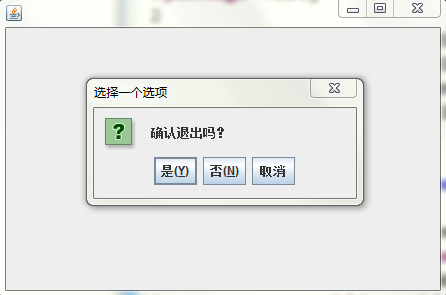
A1: 默认情况下,Swing对话框的标题栏位于对话框的顶部,如果需要确保标题栏始终显示在屏幕顶部,可以在创建对话框时使用setModalExclusionType()方法。
dialog.setModalExclusionType(Dialog.ModalExclusionType.APPLICATION_EXCLUDE);
Q2: 如何在对话框中添加滚动条?
A2: 如果对话框中的内容超过了其大小,可以添加一个滚动面板(JScrollPane)来包含需要的内容,以下是一个示例:
import javax.swing.JDialog; import javax.swing.JFrame; import javax.swing.JScrollPane; import javax.swing.JTextArea; public class DialogSizeExample { public static void main(String[] args) { JFrame frame = new JFrame("主窗口"); frame.setSize(300, 200); frame.setDefaultCloseOperation(JFrame.EXIT_ON_CLOSE); frame.setVisible(true); JDialog dialog = new JDialog(frame, "对话框"); JTextArea textArea = new JTextArea(); JScrollPane scrollPane = new JScrollPane(textArea); dialog.add(scrollPane); dialog.setSize(300, 200); dialog.setVisible(true); } }
通过以上方法,您可以在Java中灵活地调整对话框的大小和位置。
















