上一篇
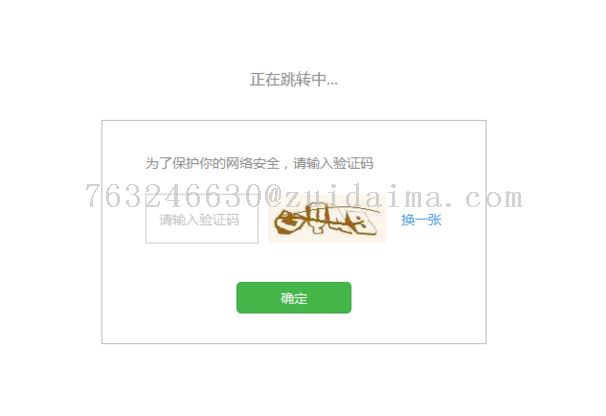
读取验证码java怎么写
使用HttpClient获取验证码图片,结合Tesseract OCR识别,示例: HttpGet请求获取图片流, ImageIO.read转为图像, Tesseract.doOCR解析文本,需添加T
在Java中实现验证码的自动读取通常涉及光学字符识别(OCR)技术与图像预处理技术的结合,以下是一套完整的实现方案,涵盖从获取验证码图像到识别内容的全流程,并附相关优化策略与常见问题解答。
核心流程与技术选型
| 步骤 | 技术方案 | 关键工具/库 |
|---|---|---|
| 获取验证码图像 | 通过HTTP请求下载图片,需处理Cookie、会话或动态加载 | HttpClient/Jsoup |
| 图像预处理 | 灰度化、二值化、降噪、字符分割 | OpenCV/Java自带API |
| OCR识别 | 使用Tesseract引擎或深度学习模型 | Tesseract/Tess4j |
| 结果校验与重构 | 校正识别误差,处理模糊字符 | 正则表达式/自定义逻辑 |
详细实现步骤
获取验证码图像
// 使用HttpClient获取验证码图片 CloseableHttpClient httpClient = HttpClients.createDefault(); HttpGet request = new HttpGet("https://example.com/captcha?timestamp=" + System.currentTimeMillis()); HttpResponse response = httpClient.execute(request); BufferedImage captchaImage = ImageIO.read(response.getEntity().getContent());
关键点:
- 添加时间戳避免缓存
- 处理Cookie或Token(如需要)
图像预处理
// 灰度化与二值化 BufferedImage grayscale = new BufferedImage(width, height, BufferedImage.TYPE_BYTE_GRAY); Graphics g = grayscale.getGraphics(); g.drawImage(captchaImage, 0, 0, null); // 自定义阈值二值化 int threshold = 128; for (int y = 0; y < height; y++) { for (int x = 0; x < width; x++) { int gray = new Color(grayscale.getRGB(x, y)).getRed(); int binary = gray > threshold ? 255 : 0; binaryImage.setRGB(x, y, new Color(binary, binary, binary).getRGB()); } }
优化方向:
- 使用OpenCV的Imgproc.threshold()方法
- 形态学处理(腐蚀/膨胀)去除干扰线
OCR识别
// 配置Tesseract Tesseract tesseract = new Tesseract(); tesseract.setDatapath("tessdata"); // 语言包路径 tesseract.setLanguage("eng"); // 设置语言 tesseract.setPageSegMode(6); // 单行模式 try { String result = tesseract.doOCR(binaryImage); System.out.println("识别结果:" + result.trim()); } catch (TesseractException e) { e.printStackTrace(); }
注意事项:
- 训练自定义字体库(针对特殊字体)
- 调整setPageSegMode参数适应不同布局
处理复杂场景
- 干扰线处理:使用OpenCV的HoughLinesP检测并移除直线
- 字符粘连:通过垂直投影法分割字符
- 畸变矫正:基于轮廓检测的显示变换
完整代码示例
import net.sourceforge.tess4j.; import java.awt.image.BufferedImage; import javax.imageio.ImageIO; import java.io.File; public class CaptchaOCR { public static void main(String[] args) throws Exception { // 1. 加载图片 BufferedImage image = ImageIO.read(new File("captcha.jpg")); // 2. 预处理(简化版) ImageIO.write(convertToBinary(image), "jpg", new File("processed.jpg")); // 3. OCR识别 Tesseract tesseract = new Tesseract(); tesseract.setDatapath("tessdata"); String text = tesseract.doOCR(ImageIO.read(new File("processed.jpg"))); System.out.println("识别结果: " + text); } private static BufferedImage convertToBinary(BufferedImage src) { // 实现二值化逻辑 return src; } }
常见问题与解决方案
FAQs:
Q1:识别率低下如何解决?
- 检查预处理效果(对比度、噪点)
- 使用更精准的二值化算法(如OTSU自适应阈值)
- 针对性训练Tesseract语言包
Q2:如何处理中文验证码?
- 下载并配置chi_sim语言包:tesseract.setLanguage("chi_sim");
- 若出现乱码,可尝试指定OEM模式:`tesseract.setOemMode(OEM.