上一篇
HTML 中如何实现元素覆盖及覆盖策略探讨
HTML(超文本标记语言)是一种用于创建网页的标准标记语言,在HTML中,有时候我们需要覆盖某些元素或内容,使其显示在其他元素之上,以下是一些常用的方法来覆盖HTML中的内容。
使用CSS定位
CSS(层叠样式表)是用于描述HTML文档样式的语言,通过使用CSS定位,我们可以将一个元素放置在另一个元素之上。
示例:
<!DOCTYPE html> <html> <head> <style> .overlay { position: absolute; top: 0; left: 0; width: 100%; height: 100%; backgroundcolor: rgba(0, 0, 0, 0.5); color: white; display: flex; justifycontent: center; alignitems: center; } </style> </head> <body> <div class="overlay"> <p>覆盖内容</p> </div> <div style="height: 200px; backgroundcolor: #f0f0f0;"> <p>原始内容</p> </div> </body> </html>
在这个例子中,.overlay 类定义了一个绝对定位的元素,它覆盖了下面的元素。
使用zindex属性
zindex属性用于控制元素的堆叠顺序,具有更高zindex值的元素将显示在具有较低zindex值的元素之上。
示例:
<!DOCTYPE html> <html> <head> <style> .overlay { position: absolute; top: 0; left: 0; width: 100%; height: 100%; backgroundcolor: rgba(0, 0, 0, 0.5); color: white; display: flex; justifycontent: center; alignitems: center; zindex: 2; } .content { position: relative; zindex: 1; } </style> </head> <body> <div class="overlay"> <p>覆盖内容</p> </div> <div class="content" style="height: 200px; backgroundcolor: #f0f0f0;"> <p>原始内容</p> </div> </body> </html>
在这个例子中,.overlay 的zindex设置为2,而.content 的zindex设置为1,因此.overlay 将显示在.content 之上。

使用绝对定位
绝对定位可以将元素从正常文档流中移除,并放置在任何位置,通过调整元素的top、left、right和bottom属性,我们可以将元素放置在所需的位置。
示例:
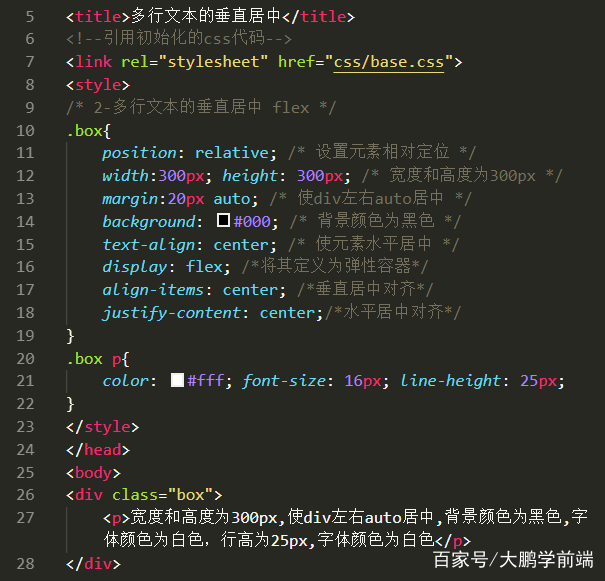
<!DOCTYPE html> <html> <head> <style> .overlay { position: absolute; top: 50%; left: 50%; transform: translate(50%, 50%); width: 200px; height: 200px; backgroundcolor: rgba(0, 0, 0, 0.5); color: white; display: flex; justifycontent: center; alignitems: center; } </style> </head> <body> <div class="overlay"> <p>覆盖内容</p> </div> <div style="height: 200px; backgroundcolor: #f0f0f0;"> <p>原始内容</p> </div> </body> </html>
在这个例子中,.overlay 被放置在页面中心,覆盖了下面的元素。

FAQs
Q1:如何确保覆盖内容不会影响页面的布局?
A1: 使用CSS定位和zindex属性时,确保覆盖元素的position属性设置为absolute或fixed,并且调整其top、left、right和bottom属性,使其不会与页面上的其他元素重叠。
Q2:如果覆盖内容包含多个元素,如何确保它们一起显示?
A2: 使用CSS的display属性将覆盖内容中的元素设置为flex或grid布局,这样就可以确保它们一起显示并保持正确的顺序。