
上一篇
如何轻松实现Android设备连接FTP服务器?详细步骤解析!
Android 连接 FTP 服务器
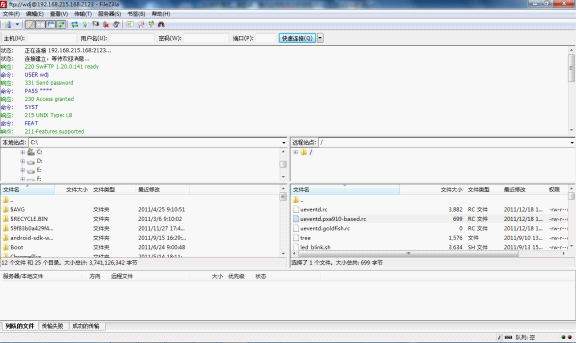
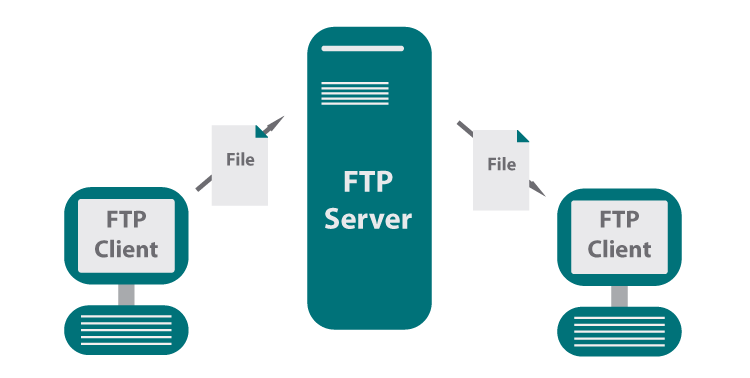
FTP(文件传输协议)是一种在网络上用于文件传输的标准协议,在 Android 开发中,连接到 FTP 服务器可以方便地实现文件的下载和上传,以下是如何在 Android 应用中连接 FTP 服务器的详细步骤。

准备工作
在开始之前,请确保您已经:
- 获取了 FTP 服务器的 IP 地址、端口号、用户名和密码。
- 安装了 Java 开发工具包(JDK)。
- 安装了 Android Studio。
- 创建了一个新的 Android 项目。
添加依赖
在项目的 build.gradle 文件中,添加以下依赖:
dependencies { implementation 'org.apache.commons:commonsnet:3.8.0' }
创建 FTP 客户端
创建一个 FTP 客户端类,用于连接和操作 FTP 服务器。
import org.apache.commons.net.ftp.FTP; import org.apache.commons.net.ftp.FTPClient; public class FTPClientUtil { private FTPClient ftpClient; public FTPClientUtil() { ftpClient = new FTPClient(); } public boolean connect(String ip, int port, String username, String password) throws Exception { ftpClient.connect(ip, port); boolean login = ftpClient.login(username, password); if (login) { ftpClient.enterLocalPassiveMode(); ftpClient.setFileType(FTP.BINARY_FILE_TYPE); } return login; } public void disconnect() throws Exception { if (ftpClient.isConnected()) { ftpClient.logout(); ftpClient.disconnect(); } } public boolean uploadFile(String remoteFilePath, String localFilePath) throws Exception { return ftpClient.storeFile(remoteFilePath, new FileInputStream(localFilePath)); } public boolean downloadFile(String remoteFilePath, String localFilePath) throws Exception { return ftpClient.retrieveFile(remoteFilePath, new FileOutputStream(localFilePath)); } public String[] listFiles(String directory) throws Exception { return ftpClient.listNames(directory); } }
使用 FTP 客户端
在您的 Activity 或 Fragment 中,使用 FTP 客户端类连接到 FTP 服务器并操作文件。
import android.os.Bundle; import android.util.Log; import androidx.appcompat.app.AppCompatActivity; public class FTPActivity extends AppCompatActivity { private static final String TAG = "FTPActivity"; @Override protected void onCreate(Bundle savedInstanceState) { super.onCreate(savedInstanceState); setContentView(R.layout.activity_ftp); FTPClientUtil ftpClientUtil = new FTPClientUtil(); try { boolean connected = ftpClientUtil.connect("192.168.1.100", 21, "username", "password"); if (connected) { boolean uploaded = ftpClientUtil.uploadFile("/remote/path/file.txt", "/local/path/file.txt"); boolean downloaded = ftpClientUtil.downloadFile("/remote/path/file.txt", "/local/path/file.txt"); String[] files = ftpClientUtil.listFiles("/remote/path"); Log.d(TAG, "Connected: " + connected); Log.d(TAG, "Uploaded: " + uploaded); Log.d(TAG, "Downloaded: " + downloaded); Log.d(TAG, "Files: " + Arrays.toString(files)); } } catch (Exception e) { Log.e(TAG, "Error: " + e.getMessage()); } finally { try { ftpClientUtil.disconnect(); } catch (Exception e) { Log.e(TAG, "Error: " + e.getMessage()); } } } }
FAQs
Q1:如何处理 FTP 连接超时?
A1:在 FTPClient 类中,您可以使用 setControlKeepAlive(true) 方法启用控制连接的保活机制,您还可以在连接时设置超时时间,
ftpClient.setConnectTimeout(5000); // 设置连接超时时间为 5000 毫秒 ftpClient.setSoTimeout(5000); // 设置读取超时时间为 5000 毫秒
Q2:如何处理 FTP 文件上传失败?
A2:在 uploadFile 方法中,如果上传失败,storeFile 方法将返回 false,您可以在调用此方法后检查返回值,并根据需要进行错误处理。
boolean uploaded = ftpClientUtil.uploadFile("/remote/path/file.txt", "/local/path/file.txt"); if (!uploaded) { Log.e(TAG, "Error: File upload failed."); }







