上一篇
Linux系统如何彻底禁用111端口保障服务器安全?
要关闭Linux系统的111端口,需停止并禁用rpcbind服务:执行 systemctl stop rpcbind及 systemctl disable rpcbind,若使用防火墙,需用 iptables或 firewalld封锁该端口,如 firewall-cmd --remove-port=111/tcp --permanent并重载配置。
如何安全关闭Linux系统中的111端口?详细操作指南
111端口是Linux系统中RPC(远程过程调用)服务的默认端口,通常由rpcbind或portmap服务启用,该端口若暴露在公网环境中,可能成为潜在的安全风险,以下是关闭111端口的专业操作流程,适用于主流Linux发行版(如CentOS、Ubuntu等)。
确认111端口的使用情况
检查端口监听状态
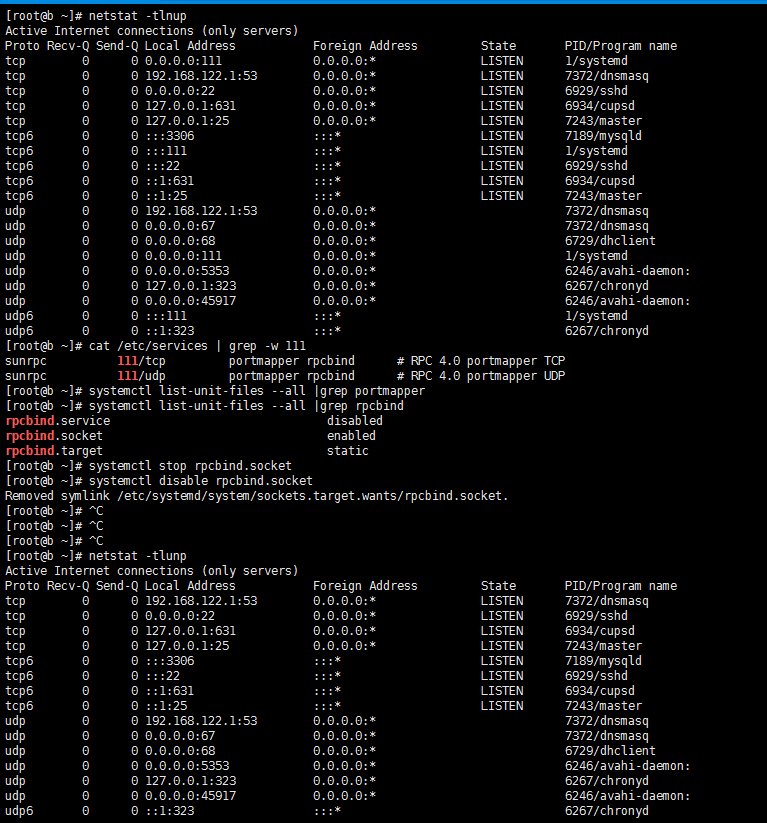
使用以下命令查看111端口是否处于监听状态:
sudo ss -tulnp | grep ':111' 或 sudo netstat -tulnp | grep ':111'
若输出结果包含rpcbind或portmap,说明该端口已被启用。
确认关联服务
通过以下命令检查相关服务状态:
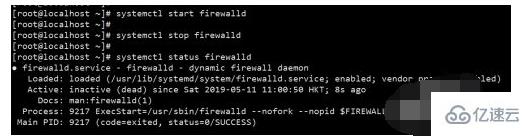
systemctl status rpcbind # 适用于Systemd系统(如CentOS 7+/Ubuntu 16.04+) 或 service rpcbind status # 旧版本系统
关闭111端口的两种核心方法
方法1:通过防火墙封锁端口
-
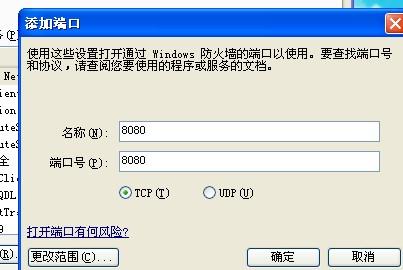
使用firewalld(CentOS/RHEL/Fedora)
sudo firewall-cmd --permanent --remove-port=111/tcp # 关闭TCP协议 sudo firewall-cmd --permanent --remove-port=111/udp # 关闭UDP协议 sudo firewall-cmd --reload
-
使用UFW(Ubuntu/Debian)
-
使用iptables(通用)
sudo iptables -A INPUT -p tcp --dport 111 -j DROP sudo iptables -A INPUT -p udp --dport 111 -j DROP sudo iptables-save > /etc/sysconfig/iptables # 保存规则(路径可能因系统而异) -
再次检查端口监听状态
重复执行第一部分中的命令,确认111端口无监听信息。
-
外部扫描验证
使用另一台设备执行扫描:
若返回filtered或closed即表示端口已关闭。
注意事项与风险提示
- 依赖性问题:部分服务(如NFS)依赖rpcbind,关闭前需确认系统是否使用相关功能。
- 临时关闭与永久关闭:防火墙规则重启后可能失效,建议使用--permanent或保存iptables配置。
- 安全加固:若需保留服务,建议通过内网防火墙限制访问来源IP。
引用说明
本文参考了以下资源:
- Red Hat官方文档:使用firewalld管理端口
- Ubuntu Wiki:UFW防火墙指南
- Linux man pages:rpcbind(8)
方法2:彻底禁用rpcbind服务
步骤1:停止并禁用服务
sudo systemctl stop rpcbind # 停止服务 sudo systemctl disable rpcbind # 禁止开机启动
步骤2:卸载rpcbind(非必要,谨慎操作)
sudo apt purge rpcbind # Debian/Ubuntu sudo yum remove rpcbind # CentOS/RHEL
验证端口是否成功关闭