
上一篇
如何通过HTML精确控制动画效果与行为?揭秘动画控制技巧与代码实例。
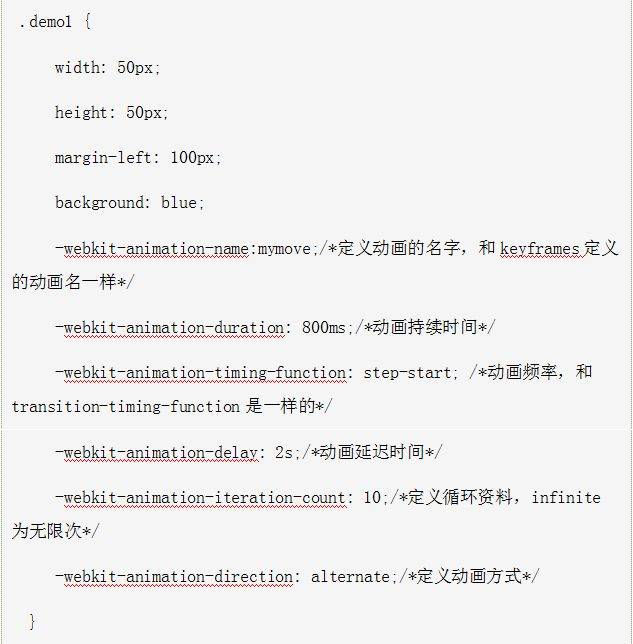
HTML中控制动画可以通过多种方式实现,包括使用CSS动画、JavaScript动画以及HTML5的<canvas>元素,以下是一些常用的方法:
CSS动画
CSS动画是使用CSS3的@keyframes规则来定义动画的,以下是一个简单的例子:
<!DOCTYPE html> <html lang="en"> <head> <meta charset="UTF8">CSS动画示例</title> <style> @keyframes slideIn { 0% { transform: translateX(100%); } 100% { transform: translateX(0); } } .animatedbox { width: 100px; height: 100px; backgroundcolor: red; animation: slideIn 2s ease forwards; } </style> </head> <body> <div class="animatedbox"></div> </body> </html>
在这个例子中,.animatedbox元素会从屏幕左侧滑入到屏幕中央。

JavaScript动画
JavaScript动画通常使用requestAnimationFrame方法来实现平滑的动画效果,以下是一个使用JavaScript的例子:
<!DOCTYPE html> <html lang="en"> <head> <meta charset="UTF8">JavaScript动画示例</title> <style> .animatedbox { width: 100px; height: 100px; backgroundcolor: blue; position: absolute; } </style> </head> <body> <div class="animatedbox" id="box"></div> <script> var box = document.getElementById('box'); var pos = 0; function animate() { pos += 1; box.style.left = pos + 'px'; if (pos < 500) { requestAnimationFrame(animate); } } requestAnimationFrame(animate); </script> </body> </html>
在这个例子中,<div>元素会从屏幕左侧移动到右侧。
HTML5 <canvas>元素
<canvas>元素允许你使用JavaScript来绘制图形和动画,以下是一个简单的例子:
<!DOCTYPE html> <html lang="en"> <head> <meta charset="UTF8">Canvas动画示例</title> <style> canvas { border: 1px solid black; } </style> </head> <body> <canvas id="myCanvas" width="500" height="500"></canvas> <script> var canvas = document.getElementById('myCanvas'); var ctx = canvas.getContext('2d'); var x = canvas.width / 2; var y = canvas.height 30; var dx = 2; var dy = 2; function draw() { ctx.clearRect(0, 0, canvas.width, canvas.height); ctx.beginPath(); ctx.arc(x, y, 10, 0, Math.PI*2); ctx.fillStyle = "#0095DD"; ctx.fill(); ctx.closePath(); x += dx; y += dy; if (x + dx > canvas.width || x + dx < 0) { dx = dx; } if (y + dy > canvas.height || y + dy < 0) { dy = dy; } requestAnimationFrame(draw); } draw(); </script> </body> </html>
在这个例子中,一个圆形会在画布上移动,并且当它到达边缘时会反弹。
FAQs
Q1: 如何让CSS动画循环播放?
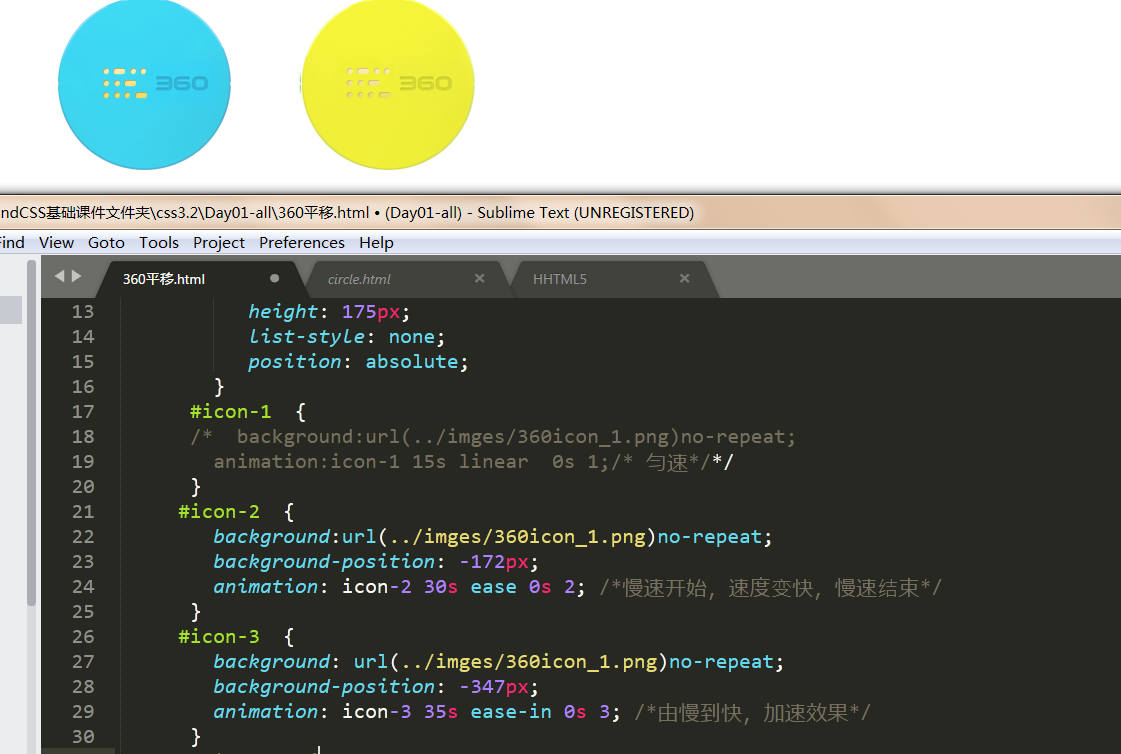
A1: 在CSS中,你可以通过设置animationiterationcount属性为infinite来让动画无限循环播放。
.animatedbox { animation: slideIn 2s ease infinite; }
Q2: 如何让JavaScript动画暂停和继续?
A2: 你可以使用JavaScript来控制动画的暂停和继续,以下是一个简单的例子:
var animate = function() { // 动画逻辑 }; var isAnimating = true; function toggleAnimation() { if (isAnimating) { cancelAnimationFrame(animate); isAnimating = false; } else { requestAnimationFrame(animate); isAnimating = true; } }















