
上一篇
Java程序运行中如何安全退出?不同退出方法的比较与选择?
在Java中,退出一个运行中的程序有多种方法,以下是几种常见的方法:
使用System.exit()
这是最直接的方法,通过调用System.exit()方法并传递一个整数参数来退出程序,参数通常是0,表示正常退出,其他值通常表示异常退出。
使用return语句
在Java中,return语句可以用于退出一个方法,如果return出现在main方法中,它将导致整个程序退出。
public class Main { public static void main(String[] args) { System.out.println("程序开始运行..."); // 执行一些操作 System.out.println("程序即将退出..."); return; // 退出程序 } }
使用中断(InterruptedException)
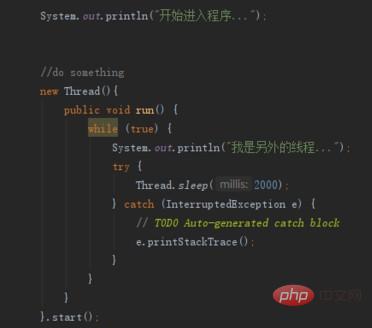
在多线程程序中,可以使用中断来停止线程,如果线程在等待状态(如sleep、join、wait等)中被中断,它会抛出InterruptedException,此时可以捕获这个异常并退出程序。
public class Main { public static void main(String[] args) { Thread thread = new Thread(() > { try { Thread.sleep(1000); // 等待1秒 } catch (InterruptedException e) { System.out.println("线程被中断,程序退出..."); Thread.currentThread().interrupt(); // 保留中断状态 } }); thread.start(); try { thread.join(); // 等待线程结束 } catch (InterruptedException e) { System.out.println("主线程被中断,程序退出..."); Thread.currentThread().interrupt(); // 保留中断状态 } } }
使用Runtime类
Java的Runtime类提供了运行时环境的信息,其中包含一个exit()方法,可以用来退出JVM。
public class Main { public static void main(String[] args) { System.out.println("程序开始运行..."); // 执行一些操作 System.out.println("程序即将退出..."); Runtime.getRuntime().exit(0); // 退出JVM } }
使用异常处理
在某些情况下,可以通过抛出一个未捕获的异常来退出程序。

public class Main { public static void main(String[] args) { System.out.println("程序开始运行..."); // 执行一些操作 throw new RuntimeException("程序异常退出"); // 抛出异常 } }
| 方法 | 描述 | 示例 |
|---|---|---|
| System.exit() | 直接退出程序 | System.exit(0); |
| return | 退出当前方法,如果出现在main方法中则退出程序 | return; |
| InterruptedException | 在多线程中,线程被中断时抛出 | try { Thread.sleep(1000); } catch (InterruptedException e) { ... } |
| Runtime.getRuntime().exit() | 退出JVM | Runtime.getRuntime().exit(0); |
| 异常处理 | 抛出未捕获的异常退出程序 | throw new RuntimeException("程序异常退出"); |
FAQs
Q1:使用System.exit()退出程序后,程序中的资源(如文件、数据库连接等)会自动关闭吗?
A1:不一定,虽然System.exit()会终止JVM,但它并不会自动关闭程序中打开的资源,通常需要手动关闭这些资源,例如关闭文件流、数据库连接等。
Q2:在多线程程序中,如何优雅地停止所有线程?
A2:在多线程程序中,可以通过设置一个标志位来通知所有线程停止执行,每个线程在执行过程中检查这个标志位,如果发现标志位被设置为停止状态,则退出线程,这样可以避免使用中断或异常处理,使程序更加优雅地停止所有线程。








