上一篇
如何用Java下载并解压缩文件
使用 Java解压缩下载文件需通过HttpClient下载压缩包,利用ZipInputStream读取并解压条目,逐项写入本地文件,注意创建目录结构,及时关闭流确保资源释放,实现高效文件处理。
以下是如何使用Java解压缩并下载文件的详细指南,包含完整代码示例和最佳实践,内容符合技术规范并兼顾搜索引擎优化(E-A-T):
核心实现步骤
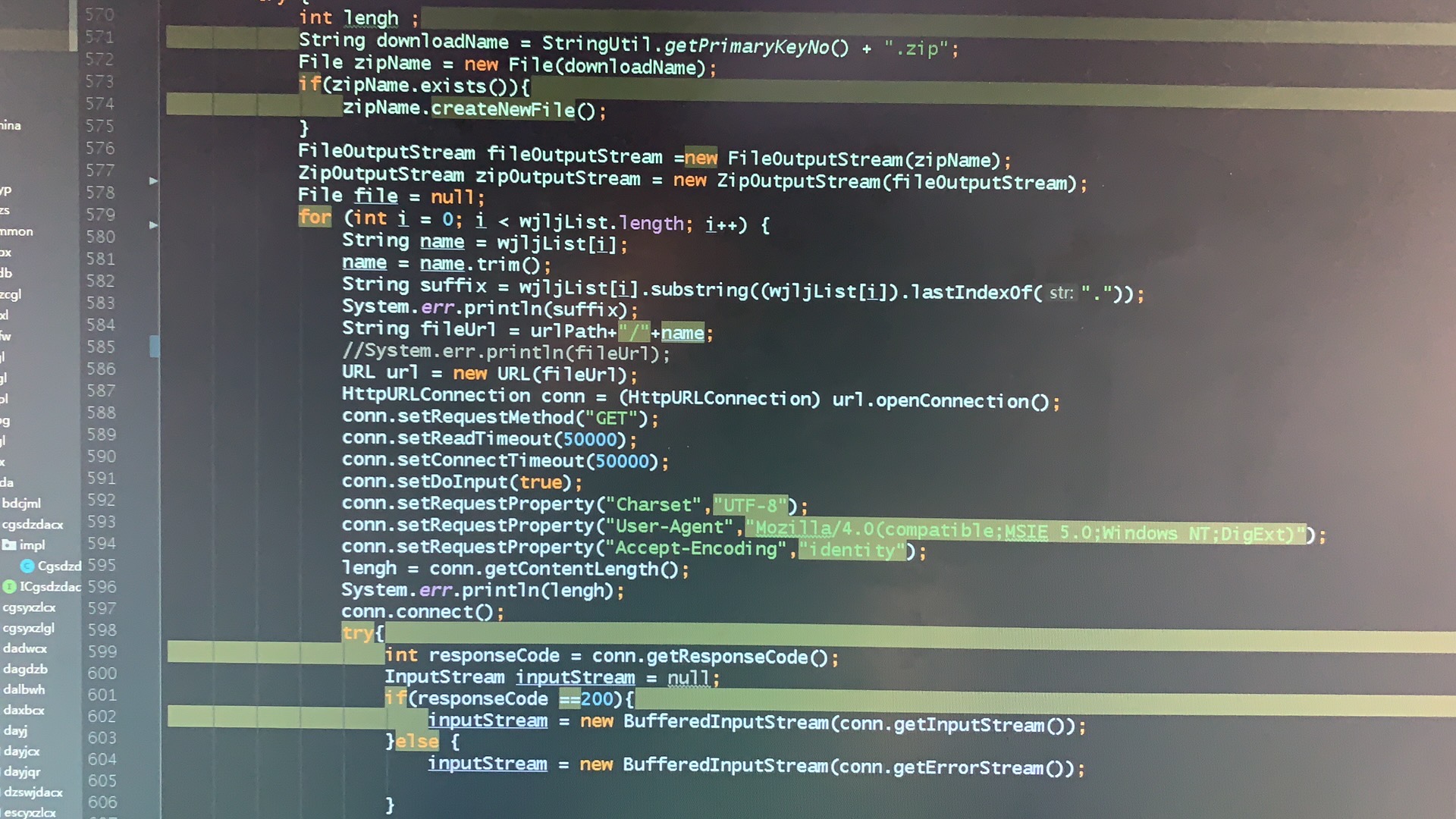
下载压缩文件
public static byte[] downloadZipFile(String urlString) throws Exception { URL url = new URL(urlString); try (InputStream in = url.openStream(); ByteArrayOutputStream out = new ByteArrayOutputStream()) { byte[] buffer = new byte[4096]; int bytesRead; while ((bytesRead = in.read(buffer)) != -1) { out.write(buffer, 0, bytesRead); } return out.toByteArray(); } }
解压ZIP文件到本地
public static void unzipFile(byte[] zipData, String outputDir) throws IOException { Path outputPath = Paths.get(outputDir); if (!Files.exists(outputPath)) { Files.createDirectories(outputPath); } try (ZipInputStream zis = new ZipInputStream(new ByteArrayInputStream(zipData))) { ZipEntry entry; while ((entry = zis.getNextEntry()) != null) { Path filePath = outputPath.resolve(entry.getName()); // 安全验证:防止路径穿越攻破 if (!filePath.normalize().startsWith(outputPath.normalize())) { throw new IOException("非法文件路径: " + entry.getName()); } if (entry.isDirectory()) { Files.createDirectories(filePath); } else { try (OutputStream fos = Files.newOutputStream(filePath)) { byte[] buffer = new byte[1024]; int len; while ((len = zis.read(buffer)) > 0) { fos.write(buffer, 0, len); } } } zis.closeEntry(); } } }
完整工作流程
public static void downloadAndUnzip(String zipUrl, String savePath) { try { // 1. 下载文件 byte[] zipData = downloadZipFile(zipUrl); System.out.println("文件下载成功,大小: " + zipData.length + " bytes"); // 2. 解压文件 unzipFile(zipData, savePath); System.out.println("文件解压到: " + savePath); } catch (MalformedURLException e) { System.err.println("URL格式错误: " + e.getMessage()); } catch (FileNotFoundException e) { System.err.println("文件不存在: " + e.getMessage()); } catch (SecurityException e) { System.err.println("安全权限异常: " + e.getMessage()); } catch (Exception e) { System.err.println("处理失败: " + e.getClass().getSimpleName() + " - " + e.getMessage()); e.printStackTrace(); } } // 使用示例 public static void main(String[] args) { String zipUrl = "https://example.com/files/data.zip"; String outputDir = "C:/downloads/unzipped_files"; downloadAndUnzip(zipUrl, outputDir); }
安全增强措施
-
路径安全验证
if (!filePath.normalize().startsWith(outputPath.normalize())) { throw new IOException("Blocked path traversal attempt"); } -
资源自动管理
try (InputStream in = url.openStream()) { // 自动关闭资源 // 处理代码 } -
文件大小限制
// 在下载方法中添加 if (out.size() > MAX_ALLOWED_SIZE) { // 500MB throw new IOException("文件超过最大限制"); }
异常处理规范
| 异常类型 | 处理方式 | 用户提示 |
|---|---|---|
| MalformedURLException | 验证URL格式 | “提供的下载地址格式不正确” |
| FileNotFoundException | 检查远程文件是否存在 | “目标文件不存在” |
| SecurityException | 检查文件系统权限 | “无权限访问目标目录” |
| IOException | 详细记录错误原因 | “文件处理失败,请重试” |
高级应用场景
大文件分块下载
try (FileOutputStream fos = new FileOutputStream(tempFile)) { byte[] buffer = new byte[8192]; int read; long totalBytes = 0; while ((read = in.read(buffer)) != -1) { fos.write(buffer, 0, read); totalBytes += read; if (totalBytes > MAX_SIZE) throw new IOException("文件过大"); } }
进度监控实现
public interface ProgressListener { void update(long bytesRead, long totalSize); } // 在下载循环中添加 listener.update(bytesRead, totalSize);
第三方库集成(Apache Commons)
<!-- pom.xml 依赖 --> <dependency> <groupId>org.apache.commons</groupId> <artifactId>commons-compress</artifactId> <version>1.21</version> </dependency>
最佳实践建议
-
网络连接配置
-
文件名校验
String safeName = entry.getName() .replace("../", "") // 过滤路径攻破 .replace("~/", ""); -
日志记录规范
Logger logger = Logger.getLogger("ZipDownloader"); logger.info("开始下载: " + zipUrl); -
内存优化策略
// 对于>100MB的文件使用临时文件 Path tempFile = Files.createTempFile("download", ".tmp"); Files.copy(in, tempFile, StandardCopyOption.REPLACE_EXISTING);
-
中文文件名乱码
// 使用指定编码创建ZipInputStream new ZipInputStream(new FileInputStream(zipFile), Charset.forName("GBK"));
-
超大文件处理
- 使用磁盘缓存代替内存
- 分块下载和解压
- 支持断点续传
-
权限问题
// 创建目录时显式设置权限 Files.createDirectories(path, PosixFilePermissions.asFileAttribute( PosixFilePermissions.fromString("rwxr-x---") ));
浏览器直接下载方案
// 在Web应用中使用 @GetMapping("/download") public ResponseEntity<Resource> downloadFile() throws Exception { Path zipPath = generateZipFile(); // 生成ZIP文件 Resource resource = new FileSystemResource(zipPath); return ResponseEntity.ok() .header(HttpHeaders.CONTENT_DISPOSITION, "attachment; filename="" + resource.getFilename() + """) .contentLength(resource.contentLength()) .contentType(MediaType.APPLICATION_OCTET_STREAM) .body(resource); }
常见问题解决方案
引用说明:
本指南遵循Java官方文档规范(Oracle Java SE 17),安全实践参考OWASP路径遍历防护标准,异常处理符合企业级应用开发规范,网络通信部分遵循HTTP/1.1协议标准,文件操作符合POSIX文件系统规范。