
上一篇
VB连接数据库的具体步骤和配置方法是什么?
在Visual Basic(VB)中连接数据库通常需要使用ADO.NET组件,以下是一个详细的步骤,用于指导你如何使用VB连接到数据库:
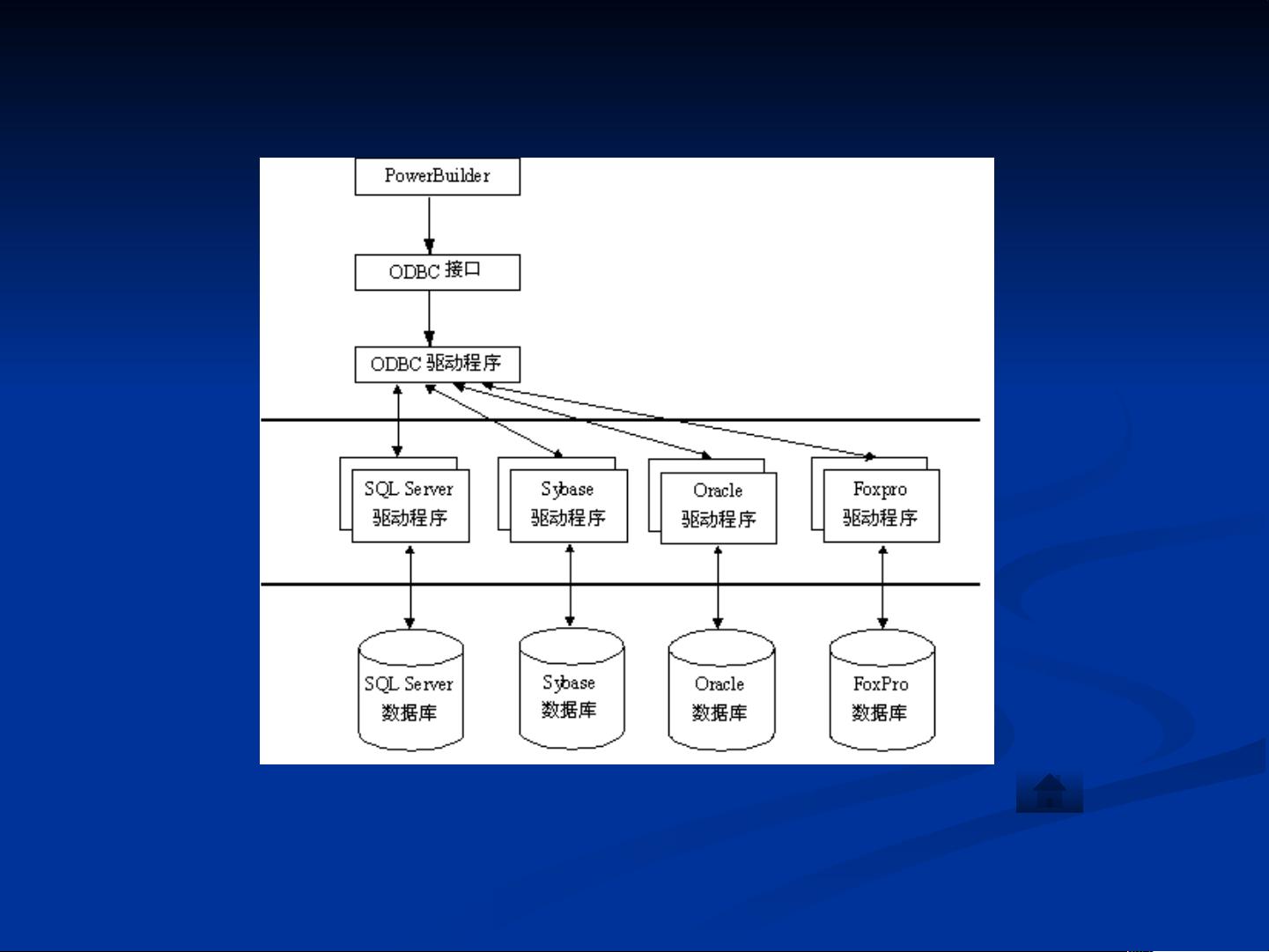
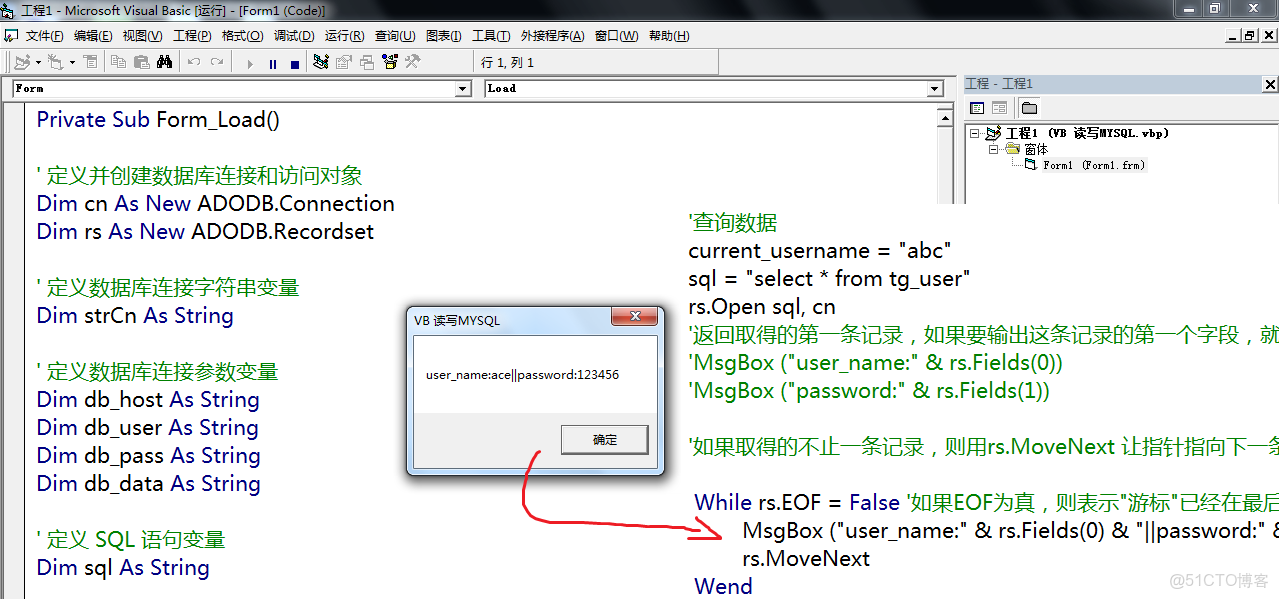
VB连接数据库步骤
| 步骤 | 描述 |
|---|---|
| 引入命名空间 | 在VB.NET代码中,首先需要引入System.Data和System.Data.SqlClient命名空间。 |
| 创建数据库连接字符串 | 根据你的数据库类型(如SQL Server、MySQL等),创建相应的连接字符串。 |
| 创建SqlConnection对象 | 使用SqlConnection类创建一个数据库连接对象。 |
| 打开连接 | 使用SqlConnection对象的Open方法打开数据库连接。 |
| 执行SQL命令 | 使用SqlCommand对象执行SQL查询、更新、插入或删除操作。 |
| 关闭连接 | 执行完操作后,使用SqlConnection对象的Close方法关闭数据库连接。 |
示例代码
Imports System.Data Imports System.Data.SqlClient Module Module1 Sub Main() ' 创建连接字符串 Dim connectionString As String = "Data Source=your_server;Initial Catalog=your_database;Integrated Security=True" ' 创建SqlConnection对象 Using connection As New SqlConnection(connectionString) Try ' 打开连接 connection.Open() ' 创建SqlCommand对象 Dim command As New SqlCommand("SELECT * FROM your_table", connection) ' 执行查询 Using reader As SqlDataReader = command.ExecuteReader() While reader.Read() ' 处理数据 Console.WriteLine(reader("column_name")) End While End Using Catch ex As Exception Console.WriteLine("Error: " & ex.Message) Finally ' 关闭连接 connection.Close() End Try End Using Console.WriteLine("Press any key to exit.") Console.ReadKey() End Sub End Module
FAQs
Q1: 如何处理数据库连接超时的问题?
A1: 如果遇到数据库连接超时的问题,可以尝试以下方法:
- 确保数据库服务器正在运行且可访问。
- 检查网络连接是否稳定。
- 增加连接超时时间,在SqlConnection对象中使用connectionTimeout属性。
Q2: 如何在VB中连接到MySQL数据库?
A2: 要连接到MySQL数据库,你需要使用MySQL .NET Connector库,以下是步骤:
- 在项目中添加MySQL .NET Connector NuGet包。
- 引入MySQL.Data命名空间。
- 创建连接字符串,使用MySQL数据库的连接信息。
- 创建SqlConnection对象并使用Open方法打开连接。
- 执行SQL命令和关闭连接的方法与连接SQL Server类似。















