
上一篇
如何实现HTML div元素在不同设备上固定位置的技巧探讨?
在HTML中,使用div元素来创建布局是常见做法,有时,你可能需要将div元素固定在页面的某个位置,而不是让它随着滚动条滚动,以下是一些常用的方法来实现div的固定位置。
使用CSS定位属性
CSS定位属性包括position、top、right、bottom和left,以下是如何使用这些属性来固定div位置的步骤:
-
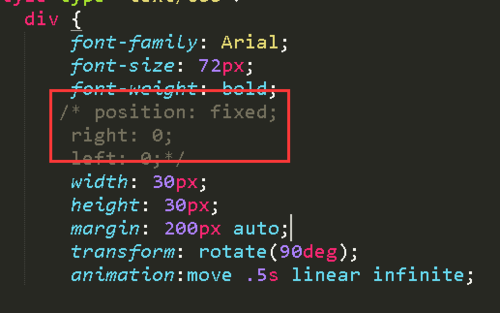
设置position属性为fixed:这是固定div的关键属性,当position设置为fixed时,div将相对于视口(即浏览器窗口)进行定位,而不是相对于其包含元素。
-
设置top、right、bottom和left属性:这些属性用于确定div在页面上的具体位置,设置top: 10px;将div的顶部固定在距离窗口顶部10像素的位置。
以下是一个简单的例子:
<!DOCTYPE html> <html lang="en"> <head> <meta charset="UTF8">Fixed Div Example</title> <style> .fixeddiv { position: fixed; top: 10px; right: 10px; backgroundcolor: #f0f0f0; padding: 10px; border: 1px solid #ccc; } </style> </head> <body> <div class="fixeddiv">I'm fixed!</div> <p>Scroll down to see the effect.</p> <! Your content here > </body> </html>
使用CSS的position: absolute;和position: relative;
-
使用position: relative;:为包含div的父元素设置position: relative;,这样,div就可以相对于这个父元素进行定位。
-
使用position: absolute;:对于要固定的div,设置position: absolute;,并使用top、right、bottom和left属性来指定其位置。
以下是一个例子:
<!DOCTYPE html> <html lang="en"> <head> <meta charset="UTF8">Relative and Absolute Positioning Example</title> <style> .container { position: relative; height: 2000px; /* Just for demonstration */ } .fixeddiv { position: absolute; top: 10px; right: 10px; backgroundcolor: #f0f0f0; padding: 10px; border: 1px solid #ccc; } </style> </head> <body> <div class="container"> <div class="fixeddiv">I'm fixed!</div> <! Your content here > </div> </body> </html>
使用JavaScript
除了CSS,你也可以使用JavaScript来动态地固定div的位置,以下是一个简单的例子:
<!DOCTYPE html> <html lang="en"> <head> <meta charset="UTF8">JavaScript Fixed Div Example</title> <style> .fixeddiv { backgroundcolor: #f0f0f0; padding: 10px; border: 1px solid #ccc; } </style> </head> <body> <div class="fixeddiv" id="myDiv">I'm fixed with JavaScript!</div> <script> window.onscroll = function() { var div = document.getElementById("myDiv"); if (window.pageYOffset > 100) { div.style.position = "fixed"; div.style.top = "10px"; div.style.right = "10px"; } else { div.style.position = "static"; } }; </script> <p>Scroll down to see the effect.</p> <! Your content here > </body> </html>
FAQs
Q1:如何使div在页面的底部固定?
A1:要使div在页面的底部固定,你可以设置top属性为0,bottom属性为0,并使用transform属性来确保div始终在视口的底部,以下是一个例子:
.fixeddivbottom { position: fixed; bottom: 0; left: 0; right: 0; transform: translateY(100%); transformorigin: top left; backgroundcolor: #f0f0f0; padding: 10px; border: 1px solid #ccc; }
Q2:如何使div在页面的左侧固定?
A2:要使div在页面的左侧固定,你可以设置right属性为0,left属性为0,并使用transform属性来确保div始终在视口的左侧,以下是一个例子:
.fixeddivleft { position: fixed; left: 0; top: 0; bottom: 0; transform: translateX(100%); transformorigin: top left; backgroundcolor: #f0f0f0; padding: 10px; border: 1px solid #ccc; }















