
上一篇
java 怎么把gui右对齐
Java中,可以使用Swing库的JLabel组件并调用其setHorizontalAlignment()方法,将参数设置为SwingConstants.RIGHT来实现GUI右对齐
Java GUI开发中,将组件或文本右对齐是一个常见的需求,不同的GUI框架和组件提供了多种实现右对齐的方法,以下是几种常用的方法及其详细解释:
| 方法 | 描述 | 适用场景 |
|---|---|---|
| FlowLayout | 使用FlowLayout.RIGHT对齐方式 | 适用于简单的组件布局,如按钮、标签等 |
| JTextArea的setAlignmentX() | 设置文本区域的水平对齐方式 | 适用于多行文本的对齐 |
| JLabel的setHorizontalAlignment() | 设置标签文本的水平对齐方式 | 适用于标签文本的对齐 |
| String.format()或printf() | 格式化字符串,实现右对齐 | 适用于控制台输出或字符串处理 |
使用FlowLayout布局管理器
FlowLayout是Java中最基础的布局管理器之一,它按照添加顺序从左到右排列组件,通过设置FlowLayout.RIGHT,可以轻松实现组件的右对齐。
示例代码:
import java.awt.; import javax.swing.; public class RightAlignedFlowLayout { public static void main(String[] args) { JFrame frame = new JFrame("Right Aligned FlowLayout"); frame.setDefaultCloseOperation(JFrame.EXIT_ON_CLOSE); frame.setSize(400, 200); // 设置FlowLayout为右对齐 frame.setLayout(new FlowLayout(FlowLayout.RIGHT, 10, 10)); // 添加按钮 frame.add(new JButton("Button 1")); frame.add(new JButton("Button 2")); frame.add(new JButton("Button 3")); frame.setVisible(true); } }
解释:
- new FlowLayout(FlowLayout.RIGHT, 10, 10):创建一个右对齐的FlowLayout,水平间距为10像素,垂直间距为10像素。
- 添加的按钮会从右到左依次排列。
使用JTextArea的setAlignmentX()方法
JTextArea是一个用于显示多行文本的Swing组件,通过setAlignmentX()方法,可以设置文本的水平对齐方式。
示例代码:
import javax.swing.; import java.awt.; public class RightAlignedTextArea { public static void main(String[] args) { JFrame frame = new JFrame("Right Aligned JTextArea"); frame.setDefaultCloseOperation(JFrame.EXIT_ON_CLOSE); frame.setSize(400, 200); JTextArea textArea = new JTextArea("This text is right-aligned."); textArea.setAlignmentX(Component.RIGHT_ALIGNMENT); // 设置右对齐 frame.add(new JScrollPane(textArea)); frame.setVisible(true); } }
解释:
- textArea.setAlignmentX(Component.RIGHT_ALIGNMENT):将JTextArea中的文本设置为右对齐。
- JScrollPane用于将JTextArea放入滚动窗格中,以便在内容超出时可以滚动查看。
使用JLabel的setHorizontalAlignment()方法
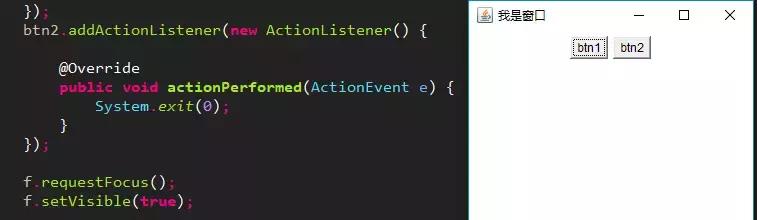
JLabel是用于显示文本或图像的Swing组件,通过setHorizontalAlignment()方法,可以设置标签文本的水平对齐方式。
示例代码:
import javax.swing.; import java.awt.; public class RightAlignedLabel { public static void main(String[] args) { JFrame frame = new JFrame("Right Aligned JLabel"); frame.setDefaultCloseOperation(JFrame.EXIT_ON_CLOSE); frame.setSize(400, 200); JLabel label = new JLabel("Right-aligned text"); label.setHorizontalAlignment(JLabel.RIGHT); // 设置右对齐 frame.add(label); frame.setVisible(true); } }
解释:
- label.setHorizontalAlignment(JLabel.RIGHT):将JLabel中的文本设置为右对齐。
- JLabel默认的对齐方式是居中,可以通过此方法更改。
使用String.format()或printf()方法
在控制台输出或字符串处理中,可以使用String.format()或printf()方法来实现右对齐。
示例代码:
public class RightAlignedString { public static void main(String[] args) { String text = "Right-aligned"; String formattedText = String.format("%-20s", text); // 右对齐,宽度为20 System.out.println(formattedText); // 或者使用printf System.out.printf("%-20s ", text); } }
解释:
- String.format("%-20s", text):将字符串text格式化为右对齐,总宽度为20个字符。
- System.out.printf("%-20s ", text):直接在控制台输出右对齐的字符串。
使用GridBagLayout实现复杂布局中的右对齐
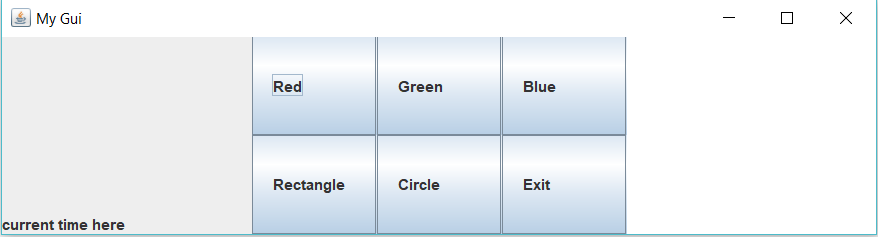
GridBagLayout是Java中最灵活的布局管理器之一,适用于复杂的布局需求,通过设置GridBagConstraints的anchor属性,可以实现组件的右对齐。
示例代码:
import javax.swing.; import java.awt.; public class RightAlignedGridBagLayout { public static void main(String[] args) { JFrame frame = new JFrame("Right Aligned GridBagLayout"); frame.setDefaultCloseOperation(JFrame.EXIT_ON_CLOSE); frame.setSize(400, 200); JPanel panel = new JPanel(new GridBagLayout()); GridBagConstraints gbc = new GridBagConstraints(); gbc.gridx = 0; gbc.gridy = 0; gbc.anchor = GridBagConstraints.WEST; // 左对齐 panel.add(new JLabel("Label:"), gbc); gbc.gridx = 1; gbc.anchor = GridBagConstraints.EAST; // 右对齐 panel.add(new JTextField("Right-aligned text"), gbc); frame.add(panel); frame.setVisible(true); } }
解释:
- gbc.anchor = GridBagConstraints.EAST:将组件(如JTextField)在单元格内右对齐。
- GridBagLayout允许在同一布局中混合使用不同的对齐方式。
使用HTML标签在JLabel中实现右对齐
在JLabel中,可以使用HTML标签来设置文本的对齐方式。
示例代码:
import javax.swing.; import java.awt.; public class RightAlignedHTMLLabel { public static void main(String[] args) { JFrame frame = new JFrame("Right Aligned HTML Label"); frame.setDefaultCloseOperation(JFrame.EXIT_ON_CLOSE); frame.setSize(400, 200); JLabel label = new JLabel("<html><div style='text-align: right;'>Right-aligned HTML text</div></html>"); frame.add(label); frame.setVisible(true); } }
解释:
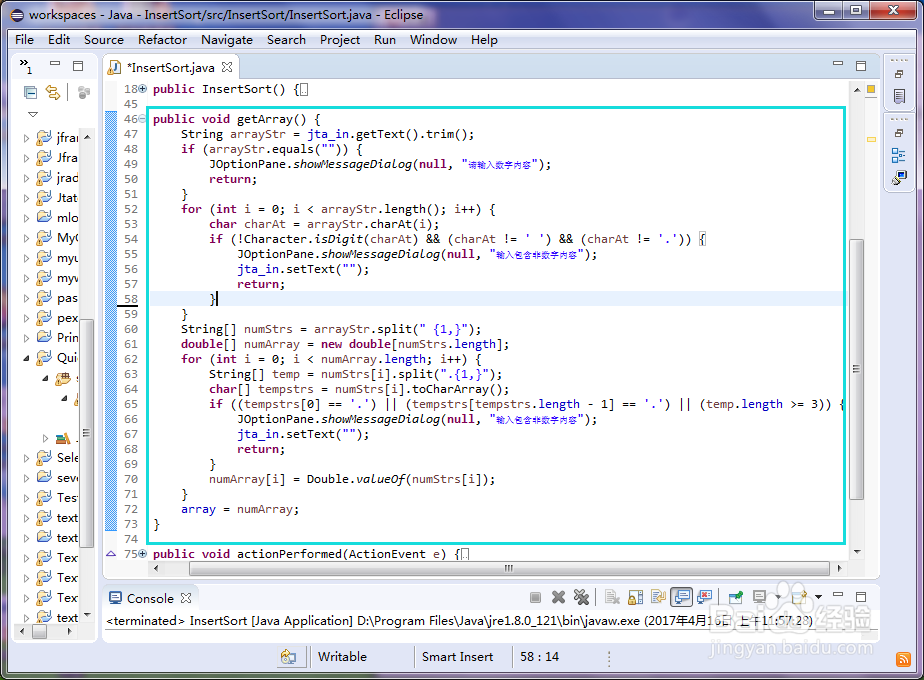
- <html><div style='text-align: right;'>Right-aligned HTML text</div></html>:使用HTML标签将文本设置为右对齐。
- JLabel支持HTML格式的文本,因此可以直接嵌入HTML标签。
使用自定义面板实现右对齐
在某些情况下,可能需要创建一个自定义面板来实现特定的对齐需求,通过继承JPanel并重写paintComponent()方法,可以实现自定义的右对齐逻辑。
示例代码:
import javax.swing.; import java.awt.; public class RightAlignedPanel extends JPanel { private JLabel label; public RightAlignedPanel(String text) { this.label = new JLabel(text); this.label.setHorizontalAlignment(JLabel.RIGHT); this.add(this.label); } @Override protected void paintComponent(Graphics g) { super.paintComponent(g); // 自定义绘制逻辑,例如背景颜色等 } public static void main(String[] args) { JFrame frame = new JFrame("Right Aligned Custom Panel"); frame.setDefaultCloseOperation(JFrame.EXIT_ON_CLOSE); frame.setSize(400, 200); RightAlignedPanel panel = new RightAlignedPanel("Custom Right-aligned Panel"); frame.add(panel); frame.setVisible(true); } }
解释:
- RightAlignedPanel继承自JPanel,并在构造函数中添加了一个右对齐的JLabel。
- 通过重写paintComponent()方法,可以添加自定义的绘制逻辑。
使用BoxLayout实现垂直或水平右对齐
BoxLayout可以将组件沿着一个方向(水平或垂直)排列,并通过设置Component.RIGHT_ALIGNMENT来实现右对齐。
示例代码:
import javax.swing.; import java.awt.; public class RightAlignedBoxLayout { public static void main(String[] args) { JFrame frame = new JFrame("Right Aligned BoxLayout"); frame.setDefaultCloseOperation(JFrame.EXIT_ON_CLOSE); frame.setSize(400, 200); JPanel panel = new JPanel(); panel.setLayout(new BoxLayout(panel, BoxLayout.X_AXIS)); // 水平排列 JButton button1 = new JButton("Button 1"); JButton button2 = new JButton("Button 2"); JButton button3 = new JButton("Button 3"); panel.add(button1); panel.add(button2); panel.add(button3); // 设置面板内组件的对齐方式为右对齐 panel.setAlignmentX(Component.RIGHT_ALIGNMENT); frame.add(panel); frame.setVisible(true); } }
解释:
- new BoxLayout(panel, BoxLayout.X_AXIS):将组件水平排列。
- panel.setAlignmentX(Component.RIGHT_ALIGNMENT):将面板内的组件右对齐。
使用SpringLayout实现精确控制右对齐
SpringLayout是Java中一种基于弹簧模型的布局管理器,允许开发者精确控制组件的位置和大小,通过设置弹簧的约束条件,可以实现右对齐。
示例代码:
import javax.swing.; import java.awt.; import java.awt.event.; import java.util.; import javax.swing.Spring; // 需要导入Spring类库,通常与SpringLayout一起使用 import javax.swing.SpringLayout; // SpringLayout类库通常包含在JDK中,但需要显式导入 import javax.swing.border.; // Border类库用于设置边框,可选但常用以增强视觉效果 import javax.swing.event.; // EventListenerList类库用于事件监听,可选但常用于复杂交互设计中,此处未直接使用但提及以供参考扩展功能时可能用到















