
上一篇
Java中使用绝对路径的方法有哪些疑问?
在Java中,使用绝对路径通常是为了指定文件或目录的完整路径,这样无论程序运行在哪个目录下,都能正确地访问到指定的资源,以下是一些在Java中使用绝对路径的方法:
使用File类
Java的File类提供了构造函数来创建绝对路径的File对象。
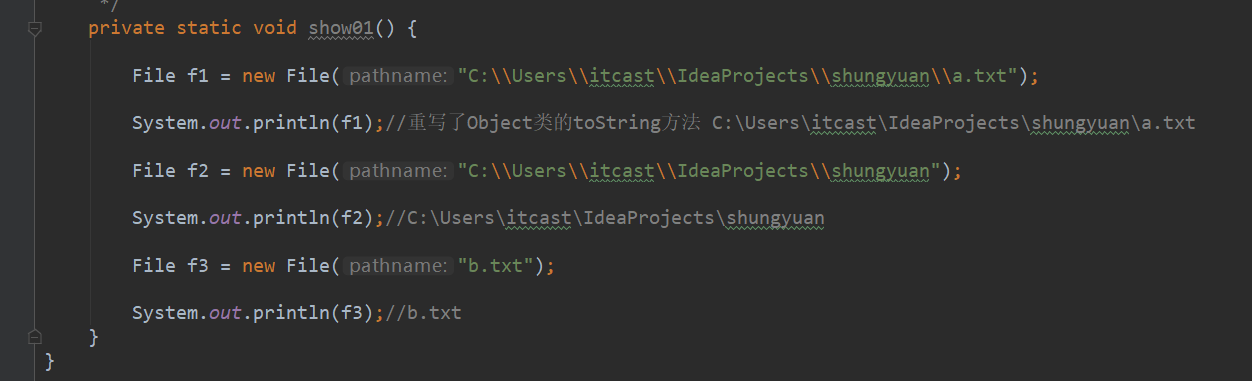
示例代码
import java.io.File; public class AbsolutePathExample { public static void main(String[] args) { // 使用File类的构造函数创建绝对路径 File file = new File("/path/to/your/file.txt"); // 输出绝对路径 System.out.println("Absolute Path: " + file.getAbsolutePath()); } }
使用System.getProperty()方法
Java提供了System.getProperty()方法来获取系统属性,其中包括当前用户的家目录路径。
示例代码
import java.io.File; public class AbsolutePathExample { public static void main(String[] args) { // 获取用户家目录的绝对路径 String homePath = System.getProperty("user.home"); // 构建完整的绝对路径 File file = new File(homePath + "/path/to/your/file.txt"); // 输出绝对路径 System.out.println("Absolute Path: " + file.getAbsolutePath()); } }
使用java.io.File.separator常量
在构建路径时,可以使用File.separator来确保路径分隔符与操作系统的兼容性。

示例代码
import java.io.File; public class AbsolutePathExample { public static void main(String[] args) { // 获取用户家目录的绝对路径 String homePath = System.getProperty("user.home"); // 使用File.separator构建路径 String filePath = homePath + File.separator + "path" + File.separator + "to" + File.separator + "your" + File.separator + "file.txt"; // 输出绝对路径 System.out.println("Absolute Path: " + filePath); } }
使用java.nio.file.Paths类
Java 7及以上版本提供了java.nio.file.Paths类来处理文件路径。
示例代码
import java.nio.file.Paths; public class AbsolutePathExample { public static void main(String[] args) { // 使用Paths.get()方法构建绝对路径 String absolutePath = Paths.get("/path", "to", "your", "file.txt").toString(); // 输出绝对路径 System.out.println("Absolute Path: " + absolutePath); } }
| 方法 | 描述 | 示例代码 |
|---|---|---|
| File构造函数 | 直接传入绝对路径字符串 | File file = new File("/path/to/your/file.txt"); |
| System.getProperty() | 获取系统属性(如家目录) | String homePath = System.getProperty("user.home"); |
| File.separator | 使用路径分隔符 | String filePath = homePath + File.separator + "path" + ... |
| Paths.get() | 使用方法构建路径 | String absolutePath = Paths.get("/path", "to", ...) |
FAQs
Q1: 在Windows和Linux系统中,如何使用相同的代码获取绝对路径?
A1: 在Java中,使用File.separator可以确保路径分隔符与操作系统的兼容性,在Windows系统中,路径分隔符是反斜杠,而在Linux系统中是正斜杠。
Q2: 如果我需要访问一个位于网络共享上的文件,应该如何在Java中指定路径?
A2: 如果文件位于网络共享上,你可以使用类似于网络URL的路径格式,如果网络共享的路径是\serversharefile.txt,你可以这样访问它:
import java.io.File; public class NetworkPathExample { public static void main(String[] args) { // 使用网络共享路径 File file = new File("\\server\share\file.txt"); // 输出绝对路径 System.out.println("Absolute Path: " + file.getAbsolutePath()); } }















