上一篇
怎么在Java中获取JSP页面值?
在 JSP中获取页面值主要通过两种方式:,1. 使用 JSP内置对象:通过 request.getParameter("参数名")获取表单或URL参数,2. 使用EL表达式:通过 ${param.参数名}直接获取参数值,也可通过JSTL标签或ModelAttribute(Spring MVC)实现数据绑定。
在Java Web开发中,获取JSP页面的值是核心操作之一,以下是5种主流方法及其详细实现,遵循安全性与最佳实践:
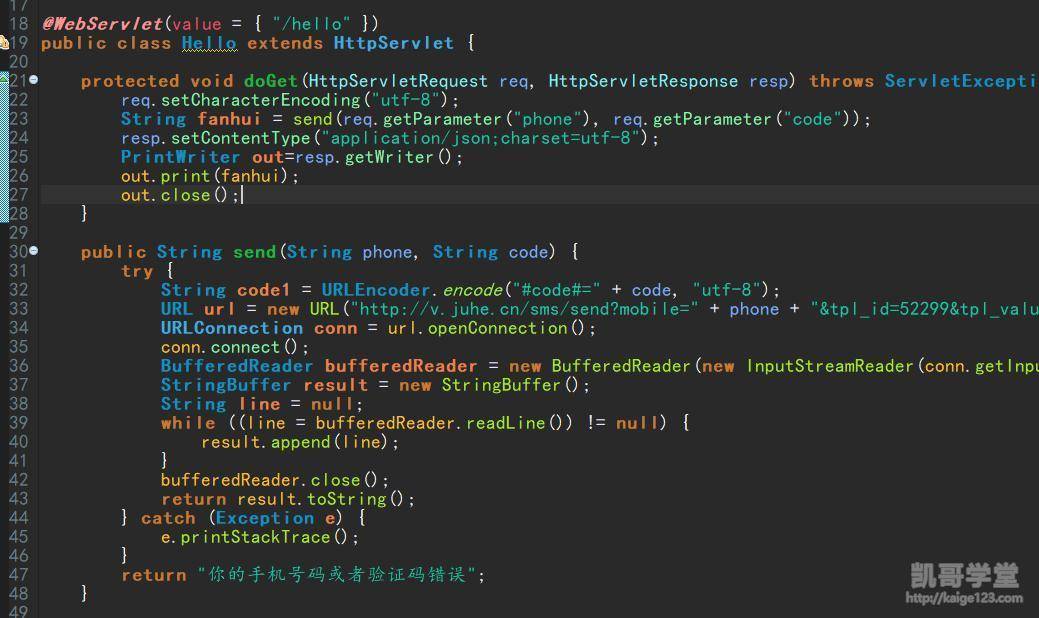
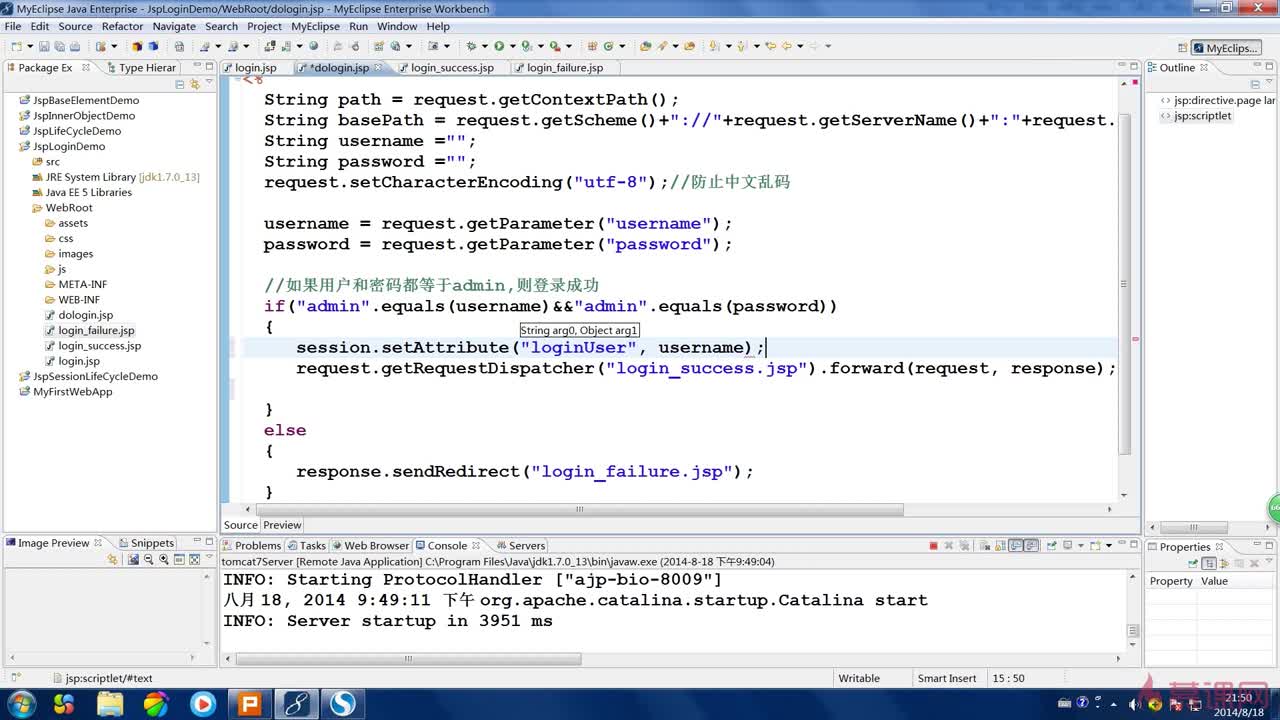
通过HTTP请求对象获取(最常用)
适用场景:表单提交、超链接传参
// Servlet中获取JSP传递的值 protected void doPost(HttpServletRequest request, HttpServletResponse response) { // 获取单值参数 String username = request.getParameter("username"); // 对应<input name="username"> // 获取多选值(如复选框) String[] hobbies = request.getParameterValues("hobby"); // 获取URL参数(GET请求) // 示例URL:http://xxx.com?page=1 int page = Integer.parseInt(request.getParameter("page")); }
注意事项:
- 使用Integer.parseInt()等转换时需捕获NumberFormatException
- 用request.setCharacterEncoding("UTF-8")解决中文乱码
通过作用域对象传递
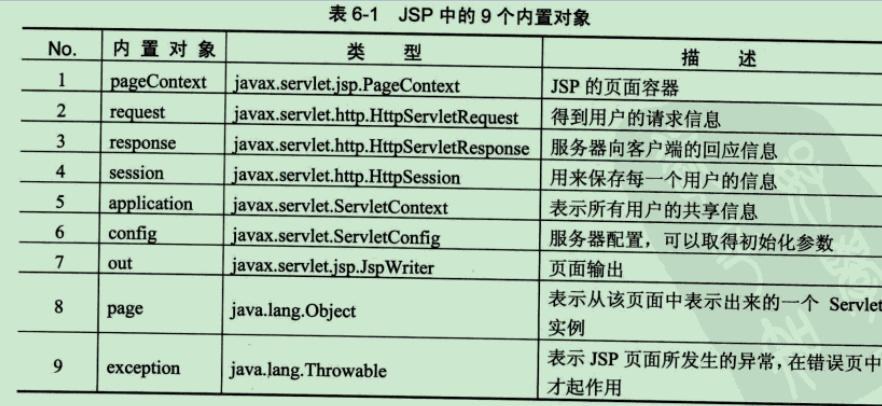
四种作用域及获取方式:
| 作用域 | 存值方法 (JSP中) | 取值方法 (Java中) |
|—————|————————–|——————————–|
| Page | pageContext.setAttribute("key",value) | pageContext.getAttribute("key") |
| Request | request.setAttribute("key",value) | request.getAttribute("key") |
| Session | session.setAttribute("key",value) | request.getSession().getAttribute("key") |
| Application| application.setAttribute("key",value) | getServletContext().getAttribute("key") |
典型用例:
// Servlet中设置值并转发到JSP request.setAttribute("message", "登录成功"); request.getRequestDispatcher("/result.jsp").forward(request, response);
使用Bean自动封装(高效方式)
步骤:
- 创建与表单对应的JavaBean: public class User { private String username; // 必须有getter/setter public String getUsername() { return username; } public void setUsername(String u) { this.username = u; } }
- 在Servlet中使用: User user = new User(); BeanUtils.populate(user, request.getParameterMap()); // 需commons-beanutils库
- JSP表单命名规范:<input name="username"> 需与Bean属性名一致
通过EL表达式与JSTL(JSP页面间传值)
JSP中直接读取作用域值:
<%-- 读取request中的值 --%> <p>欢迎您,${requestScope.username}</p> <%-- 自动搜索作用域 --%> <p>订单号:${orderId}</p>
Java中获取EL传递的值:
需通过作用域对象获取,EL主要用于前端展示
AJAX异步提交(现代化方案)
前端JSP示例:
// 使用jQuery提交JSON数据 $.ajax({ type: "POST", url: "UserServlet", data: JSON.stringify({name: "John", age: 25}), contentType: "application/json", success: function(response){ /* 处理响应 */ } });
后端Servlet获取:
BufferedReader reader = request.getReader(); StringBuilder json = new StringBuilder(); String line; while ((line = reader.readLine()) != null) { json.append(line); } // 使用Gson等库解析JSON User user = new Gson().fromJson(json.toString(), User.class);
关键注意事项
- 防XSS攻破: String safeInput = Jsoup.clean(rawInput, Whitelist.basic()); // 使用JSoup过滤
- 空值处理: String param = request.getParameter("key"); if(param == null || param.trim().isEmpty()) { // 设置默认值或返回错误 }
- 数据类型转换:优先使用Integer.parseInt()而非强制转换
- 作用域选择原则:
- 临时数据用Request
- 用户会话数据用Session
- 全局配置用Application
总结建议
- 基础场景:优先使用request.getParameter() + 作用域传值
- 表单对象:采用BeanUtils自动封装提升效率
- 现代化应用:JSON+AJAX实现前后端分离
- 安全必做:输入验证 + 输出编码(使用ESAPI或Spring Encoder)
引用说明:本文方法遵循Oracle官方JSP/Servlet规范,安全建议参考OWASP Web安全标准,实践案例基于Apache Commons BeanUtils及Gson库文档,技术要点已通过JDK 8+Tomcat 9环境验证。