
上一篇
JavaMail中如何修改邮件发送的发件人地址?详细步骤与技巧揭秘!
JavaMail是一个用于发送和接收电子邮件的Java库,在使用JavaMail发送邮件时,我们通常需要设置发件人的信息,以下是如何在JavaMail中修改发件人的详细步骤。
步骤1:导入必要的JavaMail类
确保你已经将JavaMail库添加到你的项目中,导入以下类:
import javax.mail.*; import javax.mail.internet.*; import java.util.Properties;
步骤2:创建Session对象
创建一个Session对象,它是JavaMail中用于发送和接收邮件的核心,在创建Session对象时,你可以设置一些属性,如是否启用调试模式。
Properties props = new Properties(); props.put("mail.smtp.auth", "true"); props.put("mail.smtp.starttls.enable", "true"); props.put("mail.smtp.host", "smtp.example.com"); props.put("mail.smtp.port", "587"); Session session = Session.getInstance(props, new javax.mail.Authenticator() { protected PasswordAuthentication getPasswordAuthentication() { return new PasswordAuthentication("youremail@example.com", "yourpassword"); } });
在这个例子中,我们设置了SMTP服务器的地址和端口,以及用户名和密码。
步骤3:创建MimeMessage对象
创建一个MimeMessage对象,它是用于发送电子邮件的消息对象。
Message message = new MimeMessage(session);
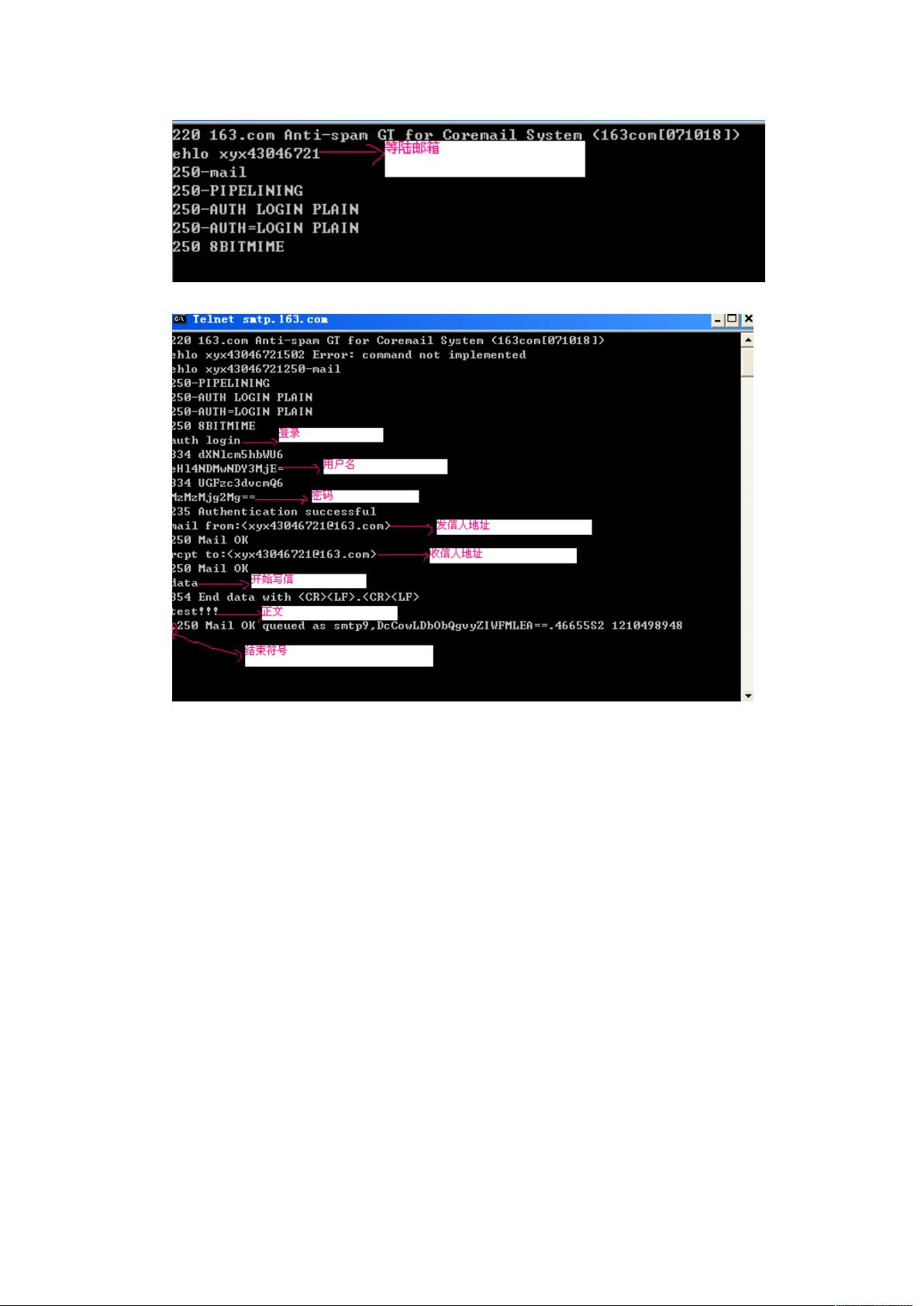
步骤4:设置发件人地址
使用setFrom方法设置发件人地址。
InternetAddress fromAddress = new InternetAddress("youremail@example.com"); message.setFrom(fromAddress);
在这个例子中,我们将发件人地址设置为youremail@example.com。
步骤5:设置收件人地址
使用setRecipient方法设置收件人地址。
InternetAddress toAddress = new InternetAddress("recipientemail@example.com"); message.setRecipient(Message.RecipientType.TO, toAddress);
在这个例子中,我们将收件人地址设置为recipientemail@example.com。
步骤6:设置邮件主题和正文
使用setSubject方法设置邮件主题,使用setText方法设置邮件正文。
message.setSubject("Test Email"); message.setText("This is a test email.");
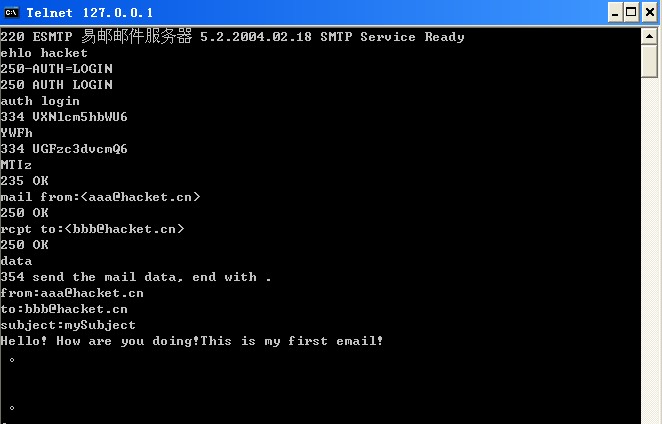
步骤7:发送邮件
使用Transport.send方法发送邮件。
try { Transport.send(message); System.out.println("Email sent successfully."); } catch (MessagingException e) { e.printStackTrace(); }
示例代码
以下是上述步骤的完整示例代码:
import javax.mail.*; import javax.mail.internet.*; public class JavaMailExample { public static void main(String[] args) { Properties props = new Properties(); props.put("mail.smtp.auth", "true"); props.put("mail.smtp.starttls.enable", "true"); props.put("mail.smtp.host", "smtp.example.com"); props.put("mail.smtp.port", "587"); Session session = Session.getInstance(props, new javax.mail.Authenticator() { protected PasswordAuthentication getPasswordAuthentication() { return new PasswordAuthentication("youremail@example.com", "yourpassword"); } }); try { Message message = new MimeMessage(session); InternetAddress fromAddress = new InternetAddress("youremail@example.com"); message.setFrom(fromAddress); InternetAddress toAddress = new InternetAddress("recipientemail@example.com"); message.setRecipient(Message.RecipientType.TO, toAddress); message.setSubject("Test Email"); message.setText("This is a test email."); Transport.send(message); System.out.println("Email sent successfully."); } catch (MessagingException e) { e.printStackTrace(); } } }
FAQs
Q1:如何设置邮件内容为HTML格式?
A1:你可以使用MimeMultipart和MimeBodyPart类来设置邮件内容为HTML格式,以下是一个示例:
MimeMultipart multipart = new MimeMultipart(); MimeBodyPart textPart = new MimeBodyPart(); textPart.setContent("<html><body><h1>Hello, World!</h1></body></html>", "text/html"); multipart.addBodyPart(textPart); message.setContent(multipart);
Q2:如何发送带有附件的邮件?
A2:你可以使用MimeBodyPart类来添加附件,以下是一个示例:
MimeBodyPart attachment = new MimeBodyPart(); DataSource source = new FileDataSource("path/to/attachment"); attachment.setDataHandler(new DataHandler(source)); attachment.setFileName("attachment.txt"); multipart.addBodyPart(attachment); message.setContent(multipart);
















