上一篇
linux的nfs如何启动
Linux中启动NFS服务,首先确保已安装相关软件包,然后执行`systemctl
Linux系统中,NFS(Network File System)是一种用于在网络上共享文件和目录的服务,以下是如何在Linux上启动和管理NFS服务的详细步骤:
安装NFS服务
-
Debian/Ubuntu系统:
- 更新软件包列表:sudo apt update
- 安装NFS服务器软件包:sudo apt install nfs-kernel-server
- 如果需要客户端工具,可以安装:sudo apt install nfs-common
-
RHEL/CentOS系统:
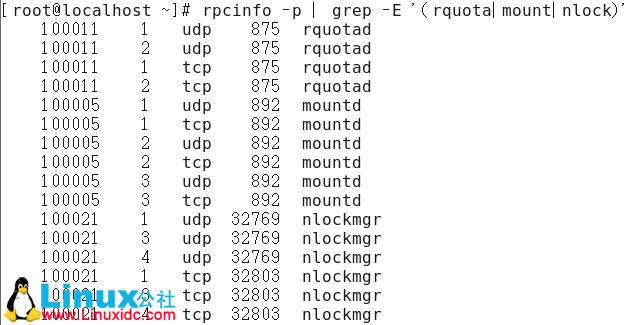
- 安装NFS和rpcbind服务:sudo yum install nfs-utils rpcbind
配置NFS共享目录
-
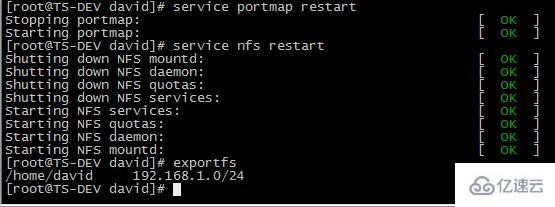
编辑配置文件:打开并编辑/etc/exports文件,添加需要共享的目录及其权限,将/home/nfs/share目录共享给所有主机,并允许读写访问:
参数说明:
- rw:读写权限。
- sync:同步写入磁盘。
- no_root_squash:不限制root用户的权限。
- no_subtree_check:禁用子目录检查。
-
设置共享目录权限:确保共享目录具有适当的权限,
sudo chmod -R 777 /home/nfs/share -
启动NFS服务:
- Debian/Ubuntu:sudo systemctl start nfs-kernel-server
- RHEL/CentOS:sudo systemctl start nfs-server 和 sudo systemctl start rpcbind
-
设置开机自启:
- Debian/Ubuntu:sudo systemctl enable nfs-kernel-server
- RHEL/CentOS:sudo systemctl enable nfs-server 和 sudo systemctl enable rpcbind
-
验证服务状态:
- 查看NFS服务状态:sudo systemctl status nfs-kernel-server(Debian/Ubuntu)或 sudo systemctl status nfs-server(RHEL/CentOS)
- 查看rpcbind服务状态(如果适用):sudo systemctl status rpcbind
- 开放NFS端口:
- UFW(Debian/Ubuntu):sudo ufw allow from <IP范围> to any port nfs
- firewalld(RHEL/CentOS): sudo firewall-cmd --permanent --add-service=nfs sudo firewall-cmd --reload
-
安装客户端工具:
- Debian/Ubuntu:sudo apt install nfs-common
- RHEL/CentOS:sudo yum install nfs-utils
-
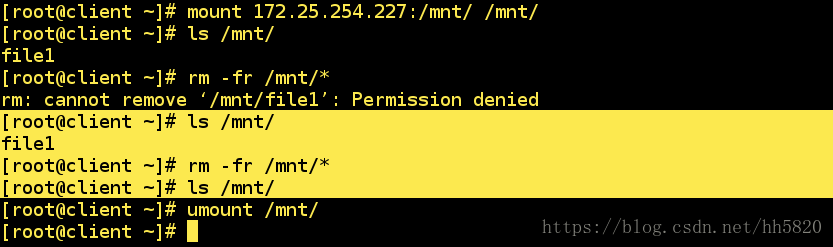
创建挂载点并挂载:
sudo mkdir -p /mnt/nfs_share sudo mount <服务器IP>:/home/nfs/share /mnt/nfs_share -
设置开机自动挂载:编辑/etc/fstab文件,添加以下行:
<服务器IP>:/home/nfs/share /mnt/nfs_share nfs defaults 0 0
防火墙配置
客户端挂载NFS共享
常见问题及解决
问题 解决方案 NFS服务无法启动 确保已安装rpcbind服务,并先启动rpcbind再启动NFS服务,检查防火墙是否放行了NFS端口(默认2049)。 客户端无法挂载共享目录 检查服务器端的防火墙设置,确保NFS端口已开放,确认客户端安装了nfs-common或nfs-utils包。 权限不足导致无法写入 确保共享目录的权限设置正确,或者调整/etc/exports中的权限参数。
启动和管理NFS服务