
上一篇
HTML ul元素实现水平居中的方法有哪些?
HTML中的<ul>元素用于创建无序列表,但是默认情况下,<ul>元素是不会居中的,如果你想要使<ul>元素在页面上居中显示,你可以使用以下几种方法:
使用CSS的textalign属性
通过设置<ul>元素的父元素的textalign属性为center,可以使<ul>元素在父元素中水平居中。
使用CSS的margin属性
通过设置<ul>元素的margin属性为auto,可以使<ul>元素在父元素中水平居中。
<!DOCTYPE html> <html lang="en"> <head> <meta charset="UTF8">Centered Unordered List with Margin</title> <style> .centerul { margin: 0 auto; } </style> </head> <body> <div class="centerul"> <ul> <li>Item 1</li> <li>Item 2</li> <li>Item 3</li> </ul> </div> </body> </html>
使用CSS的display属性和flexbox
使用CSS的display: flex;属性和justifycontent: center;属性,可以使<ul>元素在父元素中水平居中。
<!DOCTYPE html> <html lang="en"> <head> <meta charset="UTF8">Centered Unordered List with Flexbox</title> <style> .flexcontainer { display: flex; justifycontent: center; } </style> </head> <body> <div class="flexcontainer"> <ul> <li>Item 1</li> <li>Item 2</li> <li>Item 3</li> </ul> </div> </body> </html>
使用CSS的display属性和grid
使用CSS的display: grid;属性和justifycontent: center;属性,可以使<ul>元素在父元素中水平居中。
<!DOCTYPE html> <html lang="en"> <head> <meta charset="UTF8">Centered Unordered List with Grid</title> <style> .gridcontainer { display: grid; justifycontent: center; } </style> </head> <body> <div class="gridcontainer"> <ul> <li>Item 1</li> <li>Item 2</li> <li>Item 3</li> </ul> </div> </body> </html>
使用CSS的position属性
通过设置<ul>元素的position属性为absolute,然后使用left和right属性设置为50%,并通过transform属性进行水平居中。
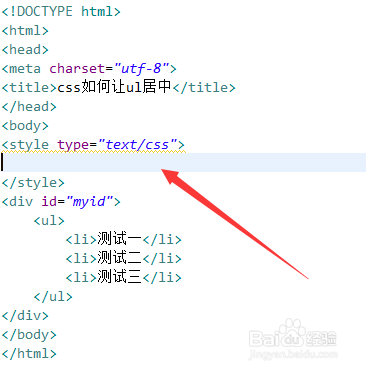
<!DOCTYPE html> <html lang="en"> <head> <meta charset="UTF8">Centered Unordered List with Position</title> <style> .positionul { position: absolute; left: 50%; transform: translateX(50%); } </style> </head> <body> <div class="positionul"> <ul> <li>Item 1</li> <li>Item 2</li> <li>Item 3</li> </ul> </div> </body> </html>
FAQs
Q1: 如果我想使<ul>元素在垂直方向上居中,应该怎么做?
A1: 要使<ul>元素在垂直方向上居中,你可以使用CSS的display: flex;属性和alignitems: center;属性,或者使用display: grid;属性和placeitems: center;属性。
Q2: 如果<ul>元素包含多个子元素,使用上述哪种方法可以保证所有子元素都居中?
A2: 使用display: flex;属性和justifycontent: center;属性,或者使用display: grid;属性和justifycontent: center;属性,可以确保<ul>元素中的所有子元素(如<li>元素)都水平居中,如果还需要垂直居中,可以添加alignitems: center;属性。















