
上一篇
Java登录时间如何高效、简洁地实现与记录?
在Java中,记录登录时间通常涉及以下几个步骤:
- 获取当前时间
- 将时间格式化为可读的字符串
- 将时间字符串存储到数据库或文件中
- (可选)将时间显示在用户界面上
以下是一个简单的示例,展示如何在Java中实现这些步骤:
获取当前时间
Java提供了java.time包来处理日期和时间,使用LocalDateTime类可以轻松获取当前时间。
import java.time.LocalDateTime;
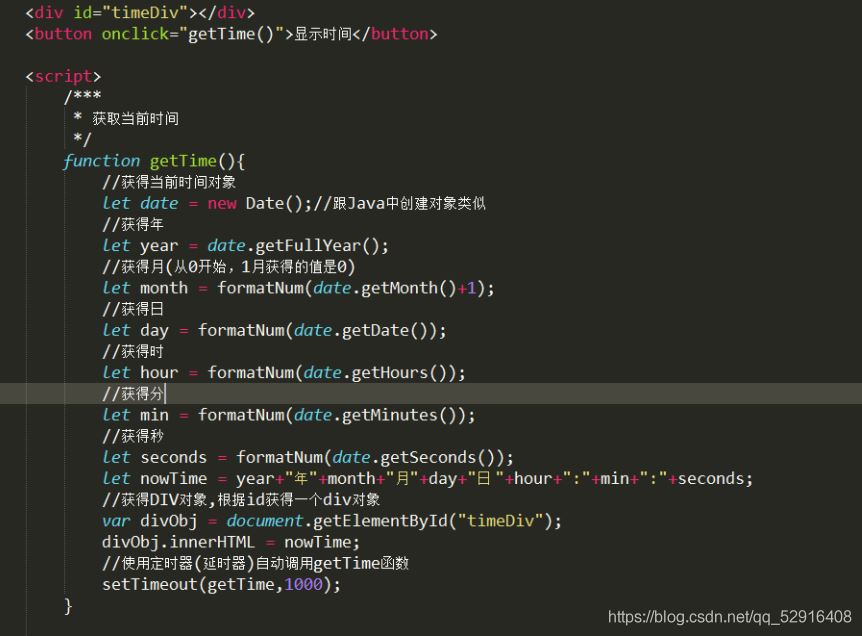
将时间格式化为可读的字符串
可以使用DateTimeFormatter类将LocalDateTime对象格式化为字符串。
将时间字符串存储到数据库或文件中
存储时间的方式取决于你的需求,以下是将时间存储到数据库和文件中的示例。
存储到数据库
假设你使用的是MySQL数据库,以下是一个简单的示例:
import java.sql.Connection; import java.sql.DriverManager; import java.sql.PreparedStatement; Connection conn = DriverManager.getConnection("jdbc:mysql://localhost:3306/your_database", "username", "password"); String sql = "INSERT INTO login_times (user_id, login_time) VALUES (?, ?)"; PreparedStatement pstmt = conn.prepareStatement(sql); pstmt.setInt(1, userId); // 假设userId是用户的ID pstmt.setString(2, formattedDateTime); pstmt.executeUpdate(); pstmt.close(); conn.close();
存储到文件
以下是将时间存储到文本文件的示例:
(可选)将时间显示在用户界面上
如果你需要在用户界面上显示登录时间,可以使用Swing或JavaFX等图形用户界面库。
以下是一个使用Swing的简单示例:
import javax.swing.*; import java.awt.*; public class LoginTimeDisplay { public static void main(String[] args) { JFrame frame = new JFrame("Login Time"); frame.setDefaultCloseOperation(JFrame.EXIT_ON_CLOSE); frame.setSize(300, 100); JLabel label = new JLabel("Last Login: " + formattedDateTime); frame.add(label); frame.setVisible(true); } }
表格示例
以下是一个表格,展示了上述步骤的代码:
| 步骤 | 代码示例 |
|---|---|
| 获取当前时间 | LocalDateTime now = LocalDateTime.now(); |
| 格式化时间 | DateTimeFormatter formatter = DateTimeFormatter.ofPattern("yyyyMMdd HH:mm:ss");<br>String formattedDateTime = now.format(formatter); |
| 存储到数据库 | Connection conn = DriverManager.getConnection(...);<br>String sql = "INSERT INTO login_times (user_id, login_time) VALUES (?, ?)";<br>PreparedStatement pstmt = conn.prepareStatement(sql);<br>pstmt.setInt(1, userId);<br>pstmt.setString(2, formattedDateTime);<br>pstmt.executeUpdate();<br>pstmt.close();<br>conn.close(); |
| 存储到文件 | BufferedWriter writer = new BufferedWriter(new FileWriter("login_times.txt", true));<br>writer.write(userId + " " + formattedDateTime + "n");<br>writer.close(); |
| 显示在用户界面上 | JFrame frame = new JFrame("Login Time");<br>frame.setDefaultCloseOperation(JFrame.EXIT_ON_CLOSE);<br>frame.setSize(300, 100);<br>JLabel label = new JLabel("Last Login: " + formattedDateTime);<br>frame.add(label);<br>frame.setVisible(true); |
FAQs
Q1: 如何在Java中获取当前时间?
A1: 使用java.time.LocalDateTime类可以获取当前时间,以下是一个示例:
LocalDateTime now = LocalDateTime.now();
Q2: 如何将Java中的时间格式化为字符串?
A2: 使用java.time.format.DateTimeFormatter类可以将时间格式化为字符串,以下是一个示例:
DateTimeFormatter formatter = DateTimeFormatter.ofPattern("yyyyMMdd HH:mm:ss"); String formattedDateTime = now.format(formatter);
















