上一篇
HTML表格内容居中怎么设置?
在HTML中设置 表格内容居中,可通过CSS实现:为` 或 元素添加style=”text-align:center;” 实现水平居中;添加style=”vertical-align:middle;”`实现垂直居中,也可使用类或全局样式批量控制。
水平居中(最常用)
<style> td, th { text-align: center; /* 文字水平居中 */ } </style> <table border="1"> <tr> <th>姓名</th> <th>年龄</th> </tr> <tr> <td>张三</td> <!-- 内容将居中显示 --> <td>25</td> </tr> </table>
垂直居中
<style> td, th { height: 60px; /* 设置行高 */ vertical-align: middle; /* 文字垂直居中 */ } </style>
水平+垂直双居中
<style> td, th { text-align: center; vertical-align: middle; height: 60px; } </style>
整表在页面居中
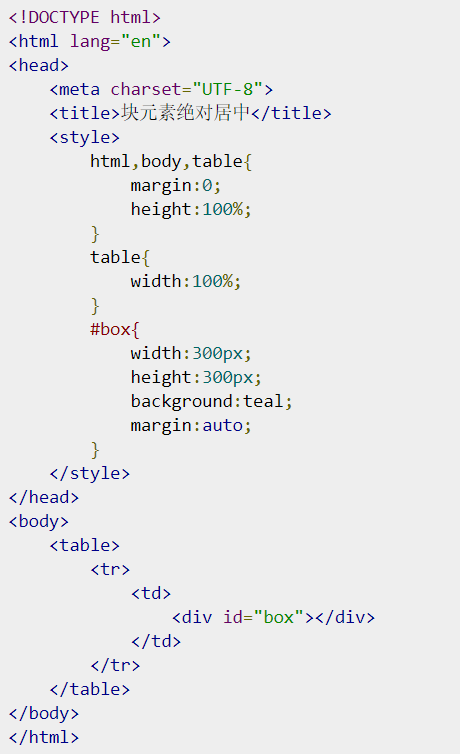
<style> table { margin: 0 auto; /* 表格整体水平居中 */ width: 80%; /* 需设置宽度 */ } </style>
Flexbox实现完美居中(推荐响应式布局)
<div style="display: flex; justify-content: center; align-items: center; height: 200px;"> <table> <tr><td>用Flex容器实现表格内容完全居中</td></tr> </table> </div>
注意事项:
- 避免过时属性:
不要使用已废弃的HTML属性(如<td align="center">),不符合现代网页标准。
- 优先使用CSS:
样式与结构分离便于维护,推荐使用外部样式表:
<link rel="stylesheet" href="styles.css">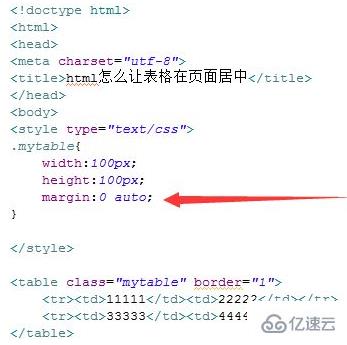
- 响应式适配:
移动端建议添加媒体查询:
@media (max-width: 600px) { table { width: 100%; } }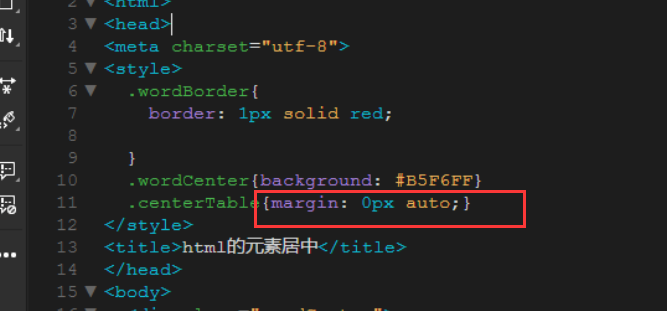
| 需求 | 方案 | 代码示例 |
|---|---|---|
| 文字水平居中 | text-align: center | 适用于td/th |
| 文字垂直居中 | vertical-align: middle | 需设置height |
| 表格整体居中 | margin: 0 auto | 需设置width |
| 复杂布局 | Flexbox/Grid | 嵌套容器实现 |
参考来源:MDN Web文档 – CSS表格样式、W3C CSS规范、Google Web开发最佳实践。
专业提示:始终通过W3C验证工具(validator.w3.org)检查代码合规性。