
上一篇
Java中实现记住账号功能的具体技术方法是什么?
Java记住账号的实现通常涉及使用Cookies或LocalStorage来存储用户信息,以下是一种实现方法,我们将使用Cookies来记住账号。
使用Cookies记住账号
前端代码
在前端,我们需要创建一个表单,让用户输入账号和密码,当用户点击登录按钮时,我们将账号和密码发送到服务器。
<form id="loginForm"> <label for="username">账号:</label> <input type="text" id="username" name="username" required> <label for="password">密码:</label> <input type="password" id="password" name="password" required> <button type="submit">登录</button> </form>
后端代码
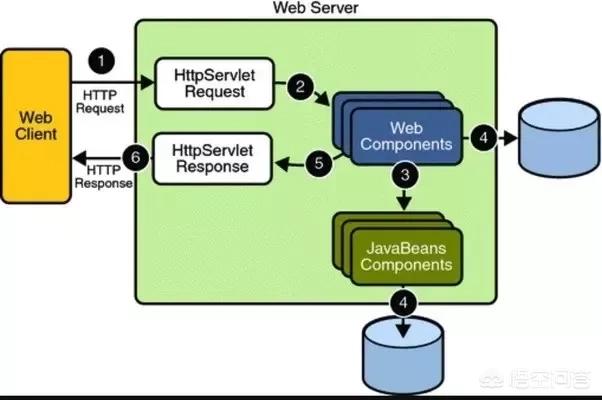
在后端,我们需要验证用户的账号和密码,如果验证成功,我们将创建一个Cookie,并设置其过期时间为24小时。
import javax.servlet.http.Cookie; import javax.servlet.http.HttpServletResponse; import org.springframework.web.bind.annotation.PostMapping; import org.springframework.web.bind.annotation.RequestParam; import org.springframework.web.bind.annotation.RestController; @RestController public class LoginController { @PostMapping("/login") public String login(@RequestParam("username") String username, @RequestParam("password") String password, HttpServletResponse response) { // 验证账号和密码 if ("admin".equals(username) && "123456".equals(password)) { // 创建Cookie Cookie cookie = new Cookie("username", username); cookie.setMaxAge(24 * 60 * 60); // 设置过期时间为24小时 response.addCookie(cookie); return "登录成功"; } else { return "账号或密码错误"; } } }
前端代码(JavaScript)
在登录成功后,我们需要检查是否存在名为username的Cookie,如果存在,我们将将其显示在页面上。
document.addEventListener("DOMContentLoaded", function() { // 检查是否存在名为username的Cookie if (document.cookie.includes("username=")) { // 获取Cookie值 var cookieValue = document.cookie.split(";")[0].split("=")[1]; // 显示账号 document.getElementById("username").value = cookieValue; } });
表格
| 步骤 | 代码 | 说明 |
|---|---|---|
| 1 | HTML表单 | 创建一个表单,让用户输入账号和密码 |
| 2 | Spring Boot后端 | 验证账号和密码,创建Cookie |
| 3 | JavaScript | 检查并显示账号 |
FAQs
问题1:如何删除Cookie?
解答:要删除Cookie,我们可以设置其过期时间为0。
Cookie cookie = new Cookie("username", ""); cookie.setMaxAge(0); response.addCookie(cookie);
问题2:如何修改Cookie的值?
解答:要修改Cookie的值,我们可以创建一个新的Cookie,并设置其过期时间和值。
Cookie cookie = new Cookie("username", "newUsername"); cookie.setMaxAge(24 * 60 * 60); // 设置过期时间为24小时 response.addCookie(cookie);















