
上一篇
Java正则表达式入门,从基础用法到高级技巧,有哪些疑问?
Java正则表达式是一种强大的文本处理工具,它可以用来匹配字符串中的复杂模式,在Java中,正则表达式主要用于java.util.regex包中的Pattern和Matcher类,以下是如何在Java中使用正则表达式的一些基本步骤和示例。
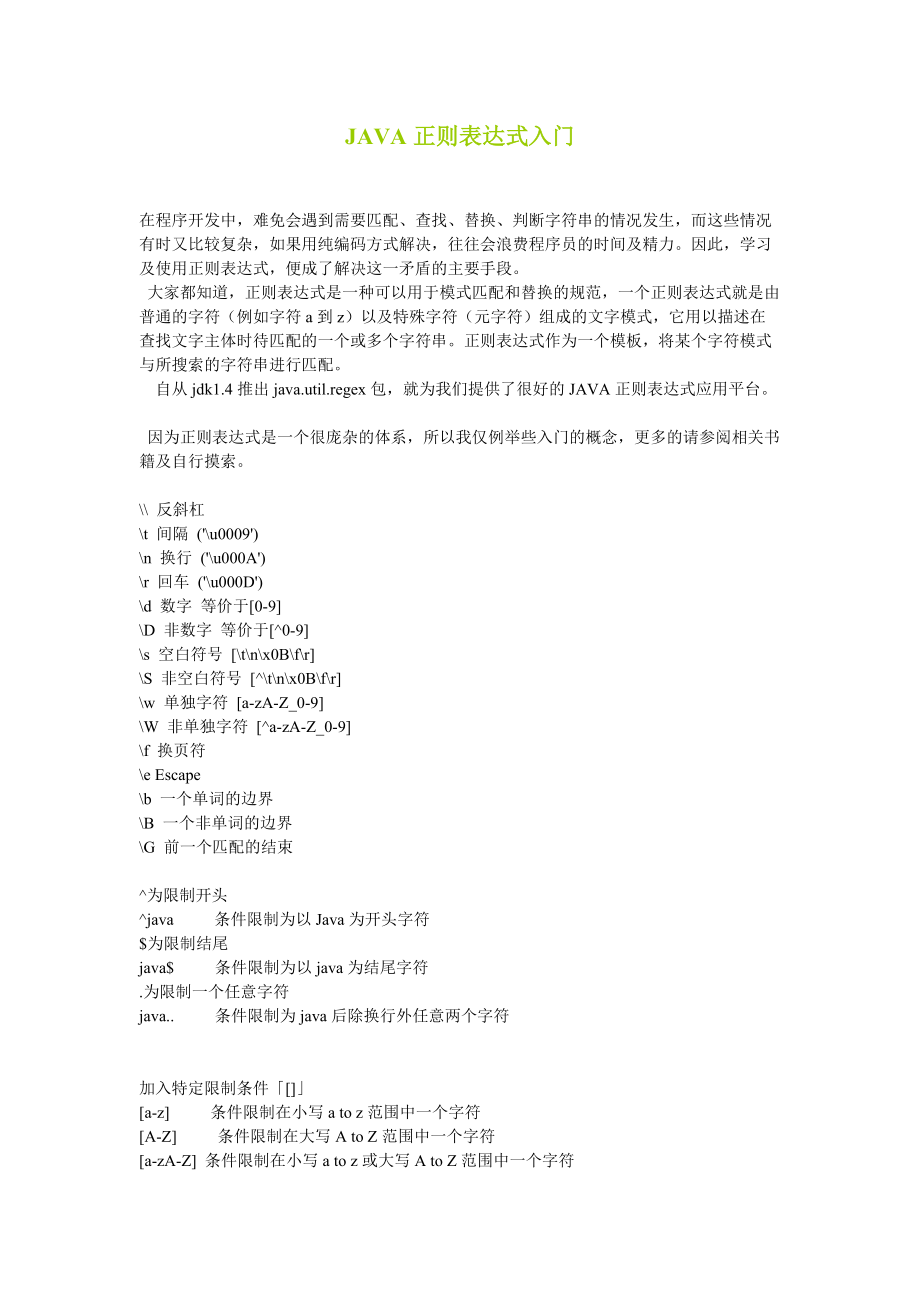
Java正则表达式基本语法
| 元素 | 说明 |
|---|---|
| 匹配除换行符以外的任意字符 | |
| 匹配前面的子表达式零次或多次 | |
| 匹配前面的子表达式一次或多次 | |
| 匹配前面的子表达式零次或一次 | |
| ^ | 匹配输入字符串的开始位置 |
| 匹配输入字符串的结束位置 | |
| [] | 匹配括号内的任意一个字符(字符类) |
| [^] | 匹配不在括号内的任意一个字符(否定字符类) |
| 匹配左右任意一个表达式(或运算符) |
示例
以下是一些使用Java正则表达式的示例:
匹配任意字符
String regex = "."; String input = "Hello World!"; Pattern pattern = Pattern.compile(regex); Matcher matcher = pattern.matcher(input); while (matcher.find()) { System.out.println("Found '" + matcher.group() + "' at index " + matcher.start()); }
匹配任意字符多次
String regex = "a*"; String input = "aaab"; Pattern pattern = Pattern.compile(regex); Matcher matcher = pattern.matcher(input); while (matcher.find()) { System.out.println("Found '" + matcher.group() + "' at index " + matcher.start()); }
匹配特定字符
String regex = "[az]"; String input = "Hello World!"; Pattern pattern = Pattern.compile(regex); Matcher matcher = pattern.matcher(input); while (matcher.find()) { System.out.println("Found '" + matcher.group() + "' at index " + matcher.start()); }
匹配字符串开头
String regex = "^Hello"; String input = "Hello World!"; Pattern pattern = Pattern.compile(regex); Matcher matcher = pattern.matcher(input); if (matcher.matches()) { System.out.println("The string starts with 'Hello'"); }
匹配字符串结尾
String regex = "World!$"; String input = "Hello World!"; Pattern pattern = Pattern.compile(regex); Matcher matcher = pattern.matcher(input); if (matcher.matches()) { System.out.println("The string ends with 'World!' "); }
FAQs
Q1:如何使用正则表达式匹配电子邮件地址?
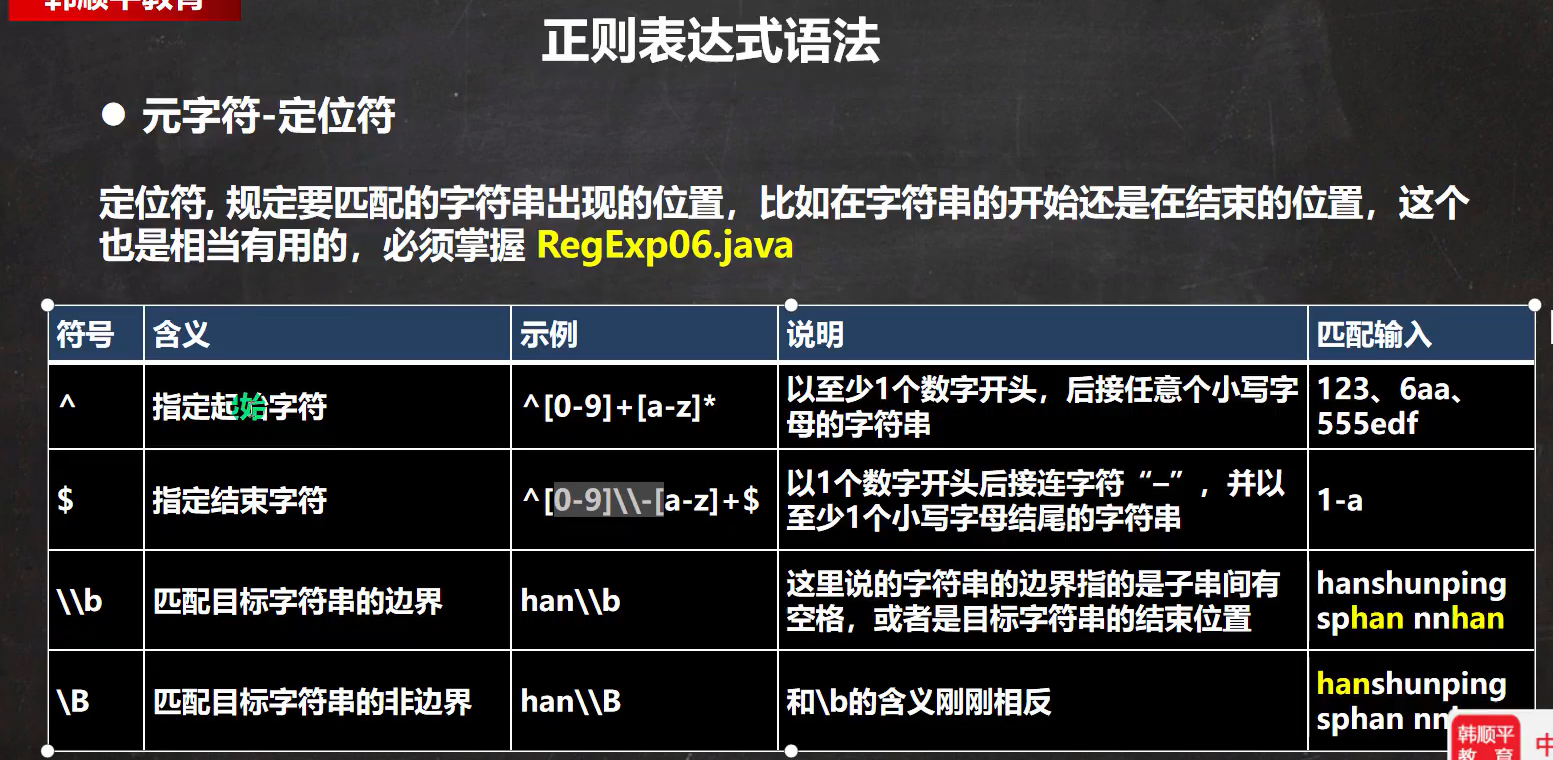
A1:可以使用以下正则表达式来匹配电子邮件地址:
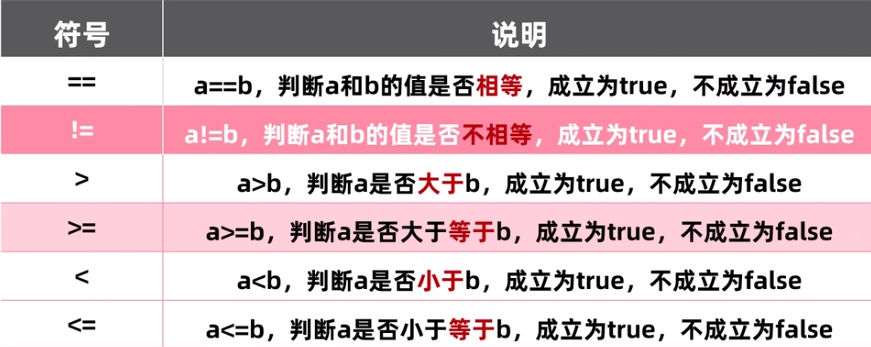
String regex = "\b[AZaz09._%+]+@[AZaz09.]+\.[AZ|az]{2,}\b"; String input = "example@example.com"; Pattern pattern = Pattern.compile(regex); Matcher matcher = pattern.matcher(input); if (matcher.matches()) { System.out.println("The input is a valid email address."); }
Q2:如何使用正则表达式匹配手机号码?
A2:手机号码的格式因国家和地区而异,以下是一个简单的示例,用于匹配中国大陆的手机号码:
String regex = "^1[39]\d{9}$"; String input = "13800138000"; Pattern pattern = Pattern.compile(regex); Matcher matcher = pattern.matcher(input); if (matcher.matches()) { System.out.println("The input is a valid Chinese mobile number."); }








