
上一篇
Java读取服务器路径的方法是什么?如何正确获取服务器文件路径?
Java读取服务器路径的方法有很多种,以下是一些常见的方法和示例代码。
使用System.getProperty()方法
System.getProperty()方法可以获取系统属性,其中包含服务器的路径信息,以下是一些常用的系统属性:
| 系统属性 | 说明 |
|---|---|
| java.home | Java安装目录 |
| java.io.tmpdir | Java临时文件目录 |
| user.dir | 当前工作目录 |
| user.home | 用户主目录 |
| os.name | 操作系统名称 |
| os.arch | 操作系统架构 |
| os.version | 操作系统版本 |
以下是一个示例代码,演示如何获取Java安装目录:
使用File类
File类可以用来表示文件或目录路径,以下是如何使用File类获取当前工作目录:
public class ServerPathExample { public static void main(String[] args) { File currentDir = new File("."); System.out.println("当前工作目录: " + currentDir.getAbsolutePath()); } }
使用Runtime类
Runtime类提供了访问Java运行时环境的工具,以下是如何使用Runtime类获取当前工作目录:
使用System.getenv()方法
System.getenv()方法可以获取环境变量,以下是如何获取环境变量PATH:
public class ServerPathExample { public static void main(String[] args) { String path = System.getenv("PATH"); System.out.println("PATH环境变量: " + path); } }
使用URI类
URI类可以用来解析统一资源标识符(URI),以下是如何使用URI类获取当前工作目录:
public class ServerPathExample { public static void main(String[] args) { try { URI currentDir = new URI("file:", "", ""); System.out.println("当前工作目录: " + currentDir.getPath()); } catch (URISyntaxException e) { e.printStackTrace(); } } }
FAQs
Q1:如何获取Java虚拟机的安装路径?
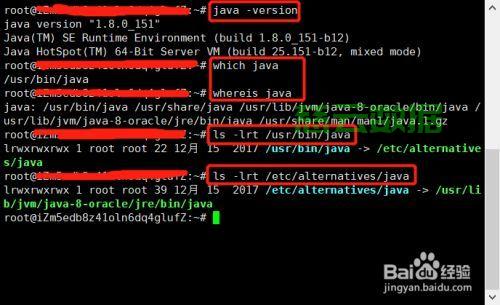
A1:可以使用System.getProperty("java.home")方法获取Java虚拟机的安装路径。
Q2:如何获取当前工作目录?
A2:可以使用以下方法获取当前工作目录:
- 使用File类:File currentDir = new File(".");
- 使用Runtime类:String workingDir = System.getProperty("user.dir");
- 使用System.getenv()方法:String currentDir = System.getenv("PWD");(在某些操作系统中有效)
就是Java读取服务器路径的几种方法,您可以根据实际需求选择合适的方法。















