
上一篇
Java中如何构建JSON数组?最佳实践与示例解析?
在Java中,处理JSON数组通常需要使用JSON处理库,如Jackson或Gson,以下是如何使用Jackson库来构建JSON数组的步骤:
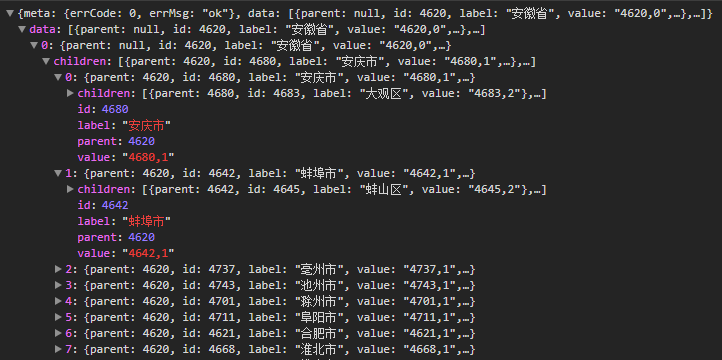
使用Jackson构建JSON数组
| 步骤 | 说明 |
|---|---|
| 添加依赖 | 在你的项目中添加Jackson库的依赖,如果你使用Maven,可以在pom.xml文件中添加以下依赖: |
| “`xml | |
| | |
| | |
| | |
| “` | |
| 创建一个Java对象 | 创建一个Java类,该类包含你想要在JSON数组中表示的字段。 |
| “`java | |
| public class Item { | |
| private String name; | |
| private int quantity; | |
| // 构造函数、getter和setter省略 | |
| “` | |
| 创建一个列表 | 创建一个包含上述Java对象的列表。 |
| “`java | |
| List | |
| items.add(new Item(“Apple”, 10)); | |
| items.add(new Item(“Banana”, 20)); | |
| “` | |
| 使用ObjectMapper | 创建一个ObjectMapper实例,它是Jackson库的主要入口点。 |
| “`java | |
| ObjectMapper mapper = new ObjectMapper(); | |
| “` | |
| 将列表转换为JSON字符串 | 使用ObjectMapper的writeValueAsString方法将列表转换为JSON字符串。 |
| “`java | |
| String json = mapper.writeValueAsString(items); | |
| “` | |
| 输出JSON字符串 | 你可以将JSON字符串输出到控制台或写入文件。 |
| “`java | |
| System.out.println(json); | |
| “` |
示例代码
以下是完整的示例代码:
import com.fasterxml.jackson.core.JsonProcessingException; import com.fasterxml.jackson.databind.ObjectMapper; import java.io.IOException; import java.util.ArrayList; import java.util.List; public class JsonArrayExample { public static void main(String[] args) { // 创建一个列表 List<Item> items = new ArrayList<>(); items.add(new Item("Apple", 10)); items.add(new Item("Banana", 20)); // 创建ObjectMapper实例 ObjectMapper mapper = new ObjectMapper(); try { // 将列表转换为JSON字符串 String json = mapper.writeValueAsString(items); // 输出JSON字符串 System.out.println(json); } catch (JsonProcessingException e) { e.printStackTrace(); } } // 创建一个Java对象 public static class Item { private String name; private int quantity; public Item(String name, int quantity) { this.name = name; this.quantity = quantity; } // getter和setter省略 } }
FAQs
Q1: 如果我想将JSON数组写入文件,应该怎么做?
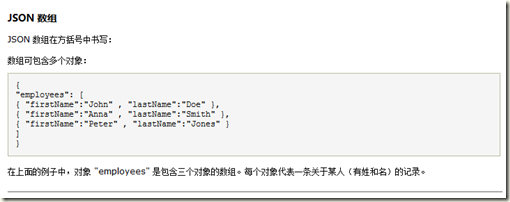
A1: 你可以使用ObjectMapper的writeValueToFile方法将JSON数组写入文件,以下是一个示例:
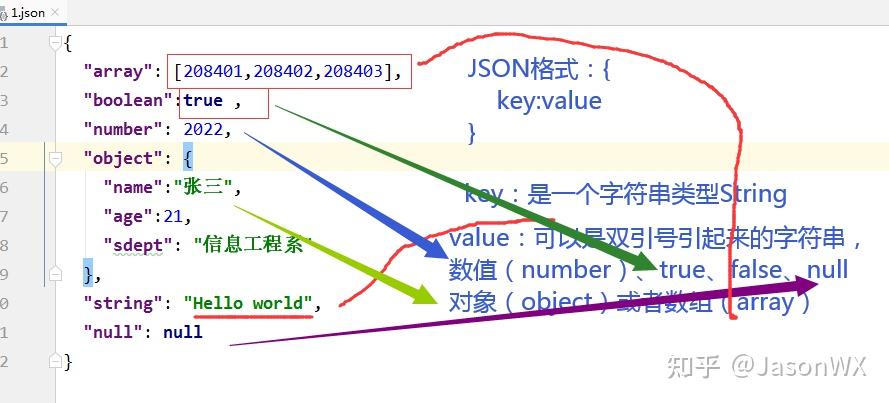
try { mapper.writeValue(new File("items.json"), items); } catch (IOException e) { e.printStackTrace(); }
Q2: 我可以使用其他库来构建JSON数组吗?
A2: 是的,除了Jackson,你也可以使用Gson库来构建JSON数组,以下是如何使用Gson库的示例:
import com.google.gson.Gson; import java.util.Arrays; public class GsonExample { public static void main(String[] args) { List<Item> items = Arrays.asList(new Item("Apple", 10), new Item("Banana", 20)); Gson gson = new Gson(); String json = gson.toJson(items); System.out.println(json); } public static class Item { private String name; private int quantity; public Item(String name, int quantity) { this.name = name; this.quantity = quantity; } // getter和setter省略 } }















