
上一篇
linux如何安装web服务器
Linux上安装Web服务器,首先更新系统,然后根据需求选择安装Apache或Nginx,在Ubuntu上安装Apache可使用命令 sudo apt update和 sudo apt install apache2,安装完成后启动服务并设置为开机自启
Linux系统上安装Web服务器是搭建网站和网络应用服务的关键步骤,以下是详细的安装与配置指南,涵盖主流Web服务器软件(如Apache和Nginx)的安装、配置、优化及常见问题解决方案。
选择Web服务器软件
| 软件 | 特点 | 适用场景 |
|---|---|---|
| Apache | 模块化设计、功能丰富、社区支持强大 | 复杂Web应用、动态脚本支持(如PHP) |
| Nginx | 高性能、低资源消耗、高并发处理 | 静态资源服务、反向代理、负载均衡 |
| Lighttpd | 轻量级、内存占用低 | 小型网站或低资源服务器 |
安装Web服务器
安装Apache
-
Ubuntu/Debian:
sudo apt update sudo apt install apache2 -y- 启动并设置自启: sudo systemctl start apache2 sudo systemctl enable apache2
-
CentOS/RHEL:
sudo yum update sudo yum install httpd -y- 启动并设置自启: sudo systemctl start httpd sudo systemctl enable httpd
安装Nginx
-
Ubuntu/Debian:
sudo apt update sudo apt install nginx -y- 启动并设置自启: sudo systemctl start nginx sudo systemctl enable nginx
-
CentOS/RHEL:
- 添加EPEL仓库(若未添加): sudo yum install epel-release -y
- 安装Nginx: sudo yum install nginx -y
- 启动并设置自启: sudo systemctl start nginx sudo systemctl enable nginx
配置Web服务器
Apache配置
-
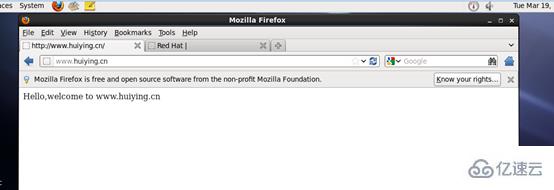
主配置文件:/etc/apache2/apache2.conf(Ubuntu)或 /etc/httpd/conf/httpd.conf(CentOS)。
-
常见配置项:
- ServerName:定义服务器主机名(如 ServerName www.example.com)。
- DocumentRoot:设置网站根目录(如 DocumentRoot /var/www/html)。
- Directory:配置目录访问权限(如允许索引、符号链接等)。
-
示例配置:
ServerName www.example.com DocumentRoot /var/www/html <Directory /var/www/html> Options Indexes FollowSymLinks AllowOverride None Require all granted </Directory>
Nginx配置
-
主配置文件:/etc/nginx/nginx.conf。
-
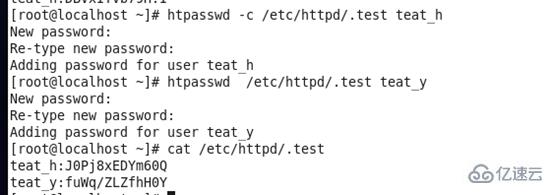
虚拟主机配置:通过 /etc/nginx/sites-available/ 目录管理,启用后链接到 /etc/nginx/sites-enabled/。
-
常见配置项:
- server:定义虚拟主机(如端口、服务器名称)。
- location:处理URL路径(如静态文件、代理规则)。
- root:设置网站根目录。
-
示例配置:
server { listen 80; server_name www.example.com; location / { root /var/www/html; index index.html index.htm; } }
设置防火墙规则
-
使用UFW(Ubuntu):
sudo ufw allow 'Apache Full' # 允许Apache全部服务 sudo ufw allow 'Nginx Full' # 允许Nginx全部服务 -
使用FirewallD(CentOS):
sudo firewall-cmd --permanent --add-service=http sudo firewall-cmd --permanent --add-service=https sudo firewall-cmd --reload
测试Web服务器
- 访问默认页面:在浏览器输入服务器IP或域名,查看是否显示默认欢迎页。
- 检查服务状态: sudo systemctl status apache2 # 检查Apache状态 sudo systemctl status nginx # 检查Nginx状态
扩展与优化
安装SSL证书(以Let’s Encrypt为例)
-
Apache:
sudo apt install certbot python3-certbot-apache -y sudo certbot --apache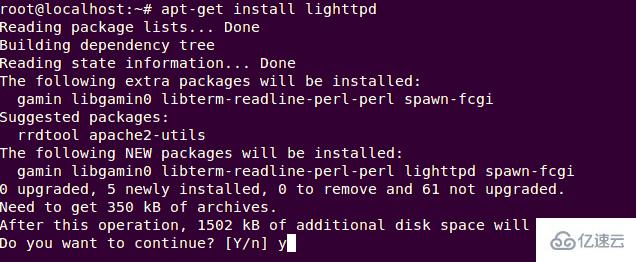
-
Nginx:
sudo apt install certbot python3-certbot-nginx -y sudo certbot --nginx
性能优化
-
Nginx启用Gzip压缩:
http { gzip on; gzip_types text/plain application/xml; }
-
Apache缓存配置:修改 apache2.conf,启用 mod_cache 模块。
设置虚拟主机(以Apache为例)
<VirtualHost :80> ServerName www.site1.com DocumentRoot /var/www/site1 </VirtualHost> <VirtualHost :80> ServerName www.site2.com DocumentRoot /var/www/site2 </VirtualHost>
监控与维护
- 日志监控:
- Apache日志:/var/log/apache2/access.log、error.log。
- Nginx日志:/var/log/nginx/access.log、error.log。
- 监控工具:使用Nagios、Zabbix等工具实时监控服务器状态。
相关问答FAQs
Q1:如何为Apache配置SSL证书?
A1:使用Certbot自动申请并配置Let’s Encrypt证书:
sudo apt install certbot python3-certbot-apache -y sudo certbot --apache
按提示完成域名验证和证书安装,重启Apache服务即可生效。
Q2:Nginx如何配置反向代理?
A2:在 /etc/nginx/sites-available/ 中创建配置文件,
server { listen 80; server_name example.com; location / { proxy_pass http://127.0.0.1:8080; # 转发到后端服务 proxy_set_header Host $host; proxy_set_header X-Real-IP $remote_addr; } }
启用配置后重启Nginx:`sudo systemctl restart nginx
- 日志监控:








