
上一篇
Java实现手机短信发送的详细步骤及方法是什么?
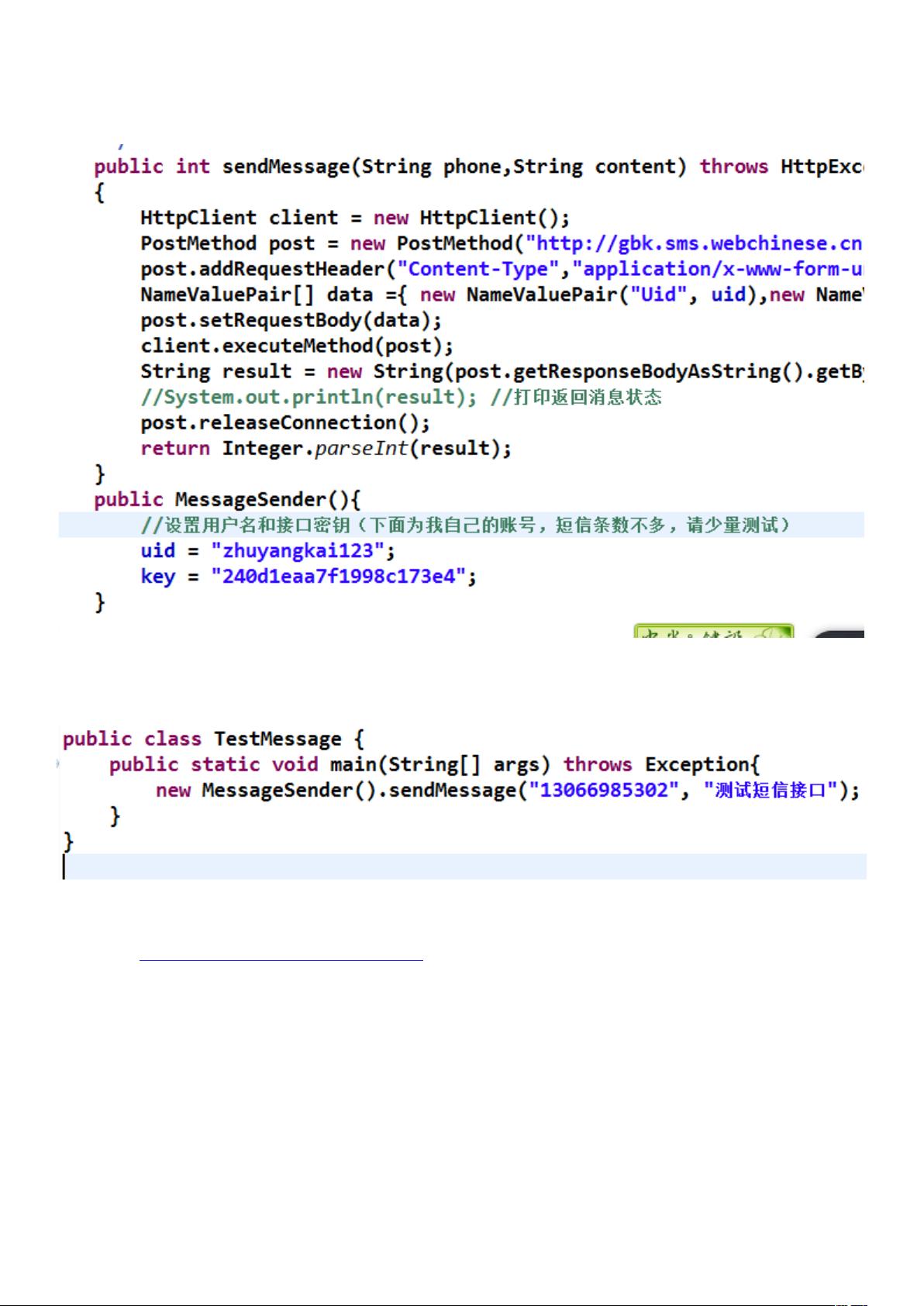
在Java中实现发送手机短信可以通过多种方式完成,以下是一些常见的方法和步骤:
使用第三方短信服务提供商API
许多短信服务提供商(如阿里云、腾讯云、中国移动等)都提供了API接口,可以通过这些API来发送短信,以下以阿里云短信服务为例进行说明。
1 注册阿里云账号并开通短信服务
- 访问阿里云官网(https://www.aliyun.com/),注册账号并登录。
- 在控制台中找到“短信服务”并开通。
- 开通后,获取AccessKey ID和AccessKey Secret。
2 引入阿里云短信服务SDK
在项目中引入阿里云短信服务SDK,可以通过以下方式:
<dependency> <groupId>com.aliyun</groupId> <artifactId>aliyunjavasdkcore</artifactId> <version>4.5.3</version> </dependency> <dependency> <groupId>com.aliyun</groupId> <artifactId>aliyunjavasdkdysmsapi</artifactId> <version>1.1.0</version> </dependency>
3 发送短信
import com.aliyuncs.DefaultAcsClient; import com.aliyuncs.IAcsClient; import com.aliyuncs.dysmsapi.model.v20170525.SendSmsRequest; import com.aliyuncs.dysmsapi.model.v20170525.SendSmsResponse; import com.aliyuncs.profile.DefaultProfile; public class SmsSend { public static void main(String[] args) { // 设置参数 DefaultProfile profile = DefaultProfile.getProfile("cnhangzhou", "AccessKeyID", "AccessKeySecret"); IAcsClient client = new DefaultAcsClient(profile); SendSmsRequest request = new SendSmsRequest(); request.setPhoneNumbers("手机号码"); request.setSignName("签名"); request.setTemplateCode("模板ID"); request.setTemplateParam("{"code":"123456"}"); try { SendSmsResponse response = client.getAcsResponse(request); System.out.println(response.getMessage()); } catch (Exception e) { e.printStackTrace(); } } }
使用HTTP请求发送短信
可以使用HTTP请求发送短信,以下以发送HTTP POST请求为例。
1 准备短信发送接口
- 在短信服务提供商的官网中找到短信发送接口。
- 获取接口的URL、API Key和API Secret。
2 发送短信
import java.io.BufferedReader; import java.io.InputStreamReader; import java.net.HttpURLConnection; import java.net.URL; public class SmsSend { public static void main(String[] args) { try { String url = "短信发送接口URL"; String apiKey = "API Key"; String apiSecret = "API Secret"; String phoneNumber = "手机号码"; String message = "短信内容"; String params = "apiKey=" + apiKey + "&apiSecret=" + apiSecret + "&phoneNumber=" + phoneNumber + "&message=" + message; URL urlObj = new URL(url); HttpURLConnection connection = (HttpURLConnection) urlObj.openConnection(); connection.setRequestMethod("POST"); connection.setRequestProperty("ContentType", "application/xwwwformurlencoded"); connection.setDoOutput(true); connection.getOutputStream().write(params.getBytes()); BufferedReader reader = new BufferedReader(new InputStreamReader(connection.getInputStream())); String line; while ((line = reader.readLine()) != null) { System.out.println(line); } reader.close(); } catch (Exception e) { e.printStackTrace(); } } }
FAQs
Q1:如何在Java中发送短信?
A1:在Java中发送短信可以通过以下几种方式实现:
- 使用第三方短信服务提供商API,如阿里云、腾讯云等。
- 使用HTTP请求发送短信。
Q2:使用阿里云短信服务API发送短信时,需要注意什么?
A2:使用阿里云短信服务API发送短信时,需要注意以下几点:
- 确保已经开通短信服务并获取AccessKey ID和AccessKey Secret。
- 设置正确的手机号码、签名、模板ID和模板参数。
- 检查短信发送结果,确保短信已成功发送。
















