
上一篇
JavaMail读取邮件附件的具体步骤和注意事项有哪些?
JavaMail 是一个用于发送和接收电子邮件的 Java API,使用 JavaMail 读取邮件附件,你需要使用 javax.mail 包中的类和方法,以下是一个详细的步骤,帮助你使用 JavaMail 读取邮件附件:
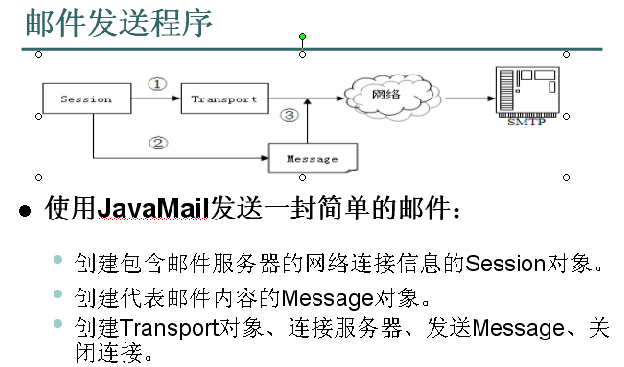
创建邮件会话
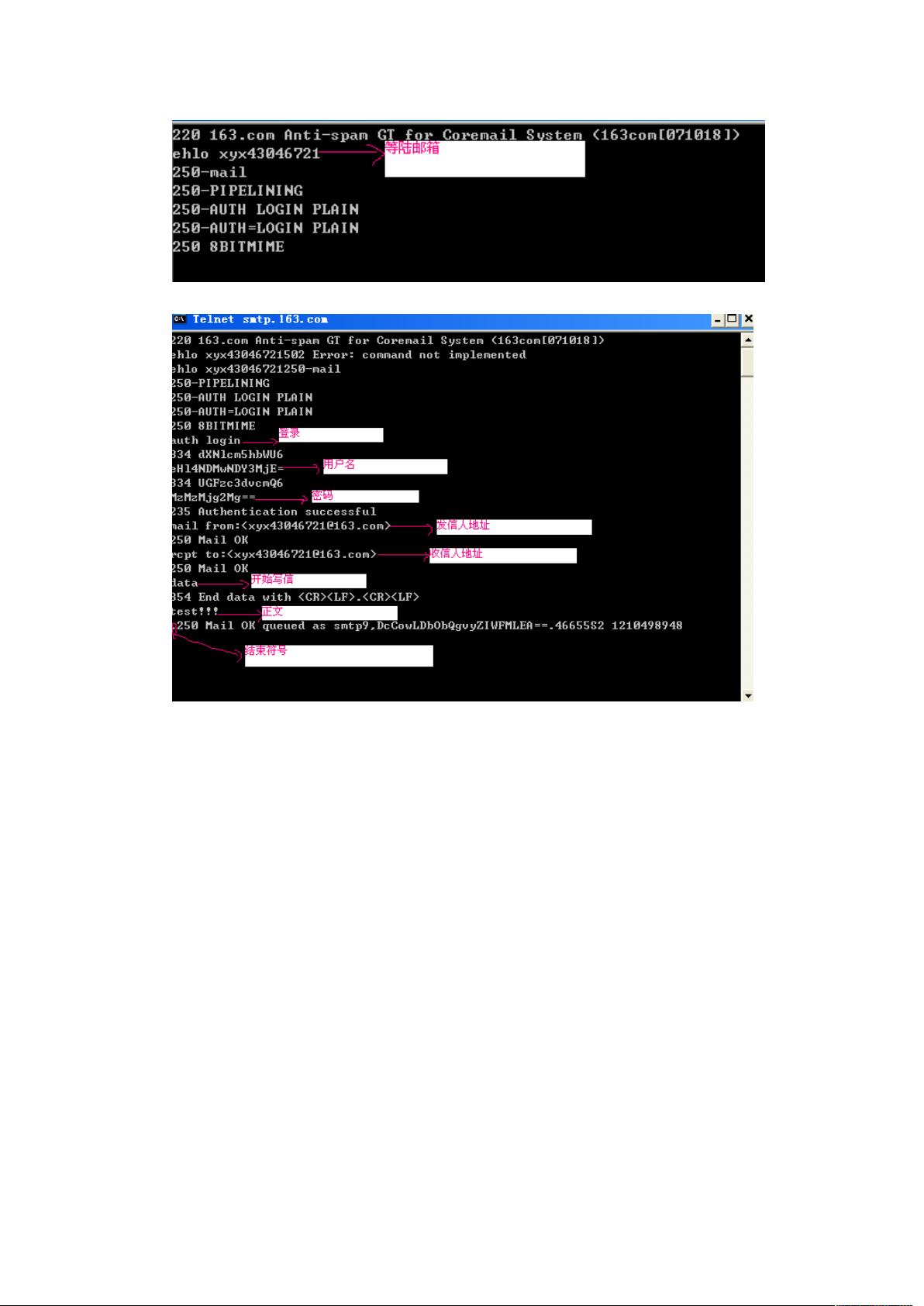
你需要创建一个邮件会话,邮件会话用于连接到邮件服务器,并管理邮件操作。
Properties props = new Properties(); props.put("mail.smtp.host", "smtp.example.com"); props.put("mail.smtp.port", "587"); props.put("mail.smtp.auth", "true"); Session session = Session.getInstance(props, new javax.mail.Authenticator() { protected PasswordAuthentication getPasswordAuthentication() { return new PasswordAuthentication("username", "password"); } });
在这个例子中,我们设置了 SMTP 服务器的主机和端口,并启用了身份验证。
获取邮件内容
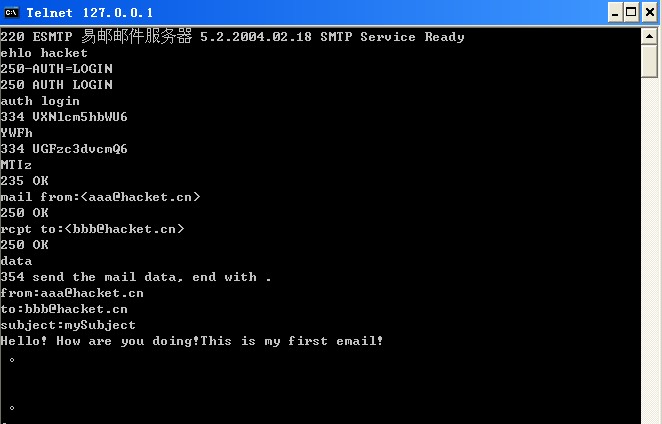
你需要获取邮件内容,可以使用 InternetAddress 和 Message 类来获取邮件地址和消息。
String email = "recipient@example.com"; InternetAddress address = new InternetAddress(email); Message message = new MimeMessage(session); try { message.setFrom(new InternetAddress("sender@example.com")); message.setRecipients(Message.RecipientType.TO, InternetAddress.parse(email)); message.setSubject("Test Email"); message.setText("This is a test email."); Transport.send(message); } catch (MessagingException e) { e.printStackTrace(); }
在这个例子中,我们创建了一个简单的文本邮件,并使用 Transport.send(message) 方法发送邮件。
读取邮件附件
要读取邮件附件,你需要使用 MimeMessage 类中的 getAttachments() 方法,以下是如何读取邮件附件的步骤:
String inboxPath = "/path/to/inbox"; String username = "your_username"; String password = "your_password"; props.put("mail.store.protocol", "imap"); props.put("mail.imap.host", "imap.example.com"); props.put("mail.imap.port", "993"); props.put("mail.imap.user", username); props.put("mail.imap.password", password); Store store = Session.getInstance(props).getStore("imap"); store.connect(); Folder inbox = store.getFolder("INBOX"); inbox.open(Folder.READ_ONLY); Message[] messages = inbox.search(new String[] {"FROM"}, new String[] {email}, null); for (Message message : messages) { System.out.println("Subject: " + message.getSubject()); System.out.println("From: " + message.getFrom()[0]); System.out.println("Date: " + message.getSentDate()); if (message.getContentType().contains("multipart")) { Multipart multipart = (Multipart) message.getContent(); for (int i = 0; i < multipart.getCount(); i++) { BodyPart bodyPart = multipart.getBodyPart(i); if (bodyPart.getContentType().contains("application/octetstream")) { String fileName = bodyPart.getFileName(); if (fileName != null) { System.out.println("Attachment: " + fileName); try (InputStream inputStream = bodyPart.getInputStream()) { // 处理附件内容 byte[] buffer = new byte[1024]; int bytesRead; while ((bytesRead = inputStream.read(buffer)) != 1) { // 处理读取的字节 } } catch (IOException e) { e.printStackTrace(); } } } } } } inbox.close(false); store.close();
在这个例子中,我们连接到 IMAP 服务器,并打开 “INBOX” 文件夹,我们搜索邮件,并遍历邮件内容,如果邮件包含附件,我们使用 getAttachments() 方法获取附件列表,并处理每个附件。
表格:JavaMail 读取邮件附件步骤归纳
| 步骤 | 描述 |
|---|---|
| 1 | 创建邮件会话 |
| 2 | 获取邮件内容 |
| 3 | 读取邮件附件 |
FAQs
Q1: 如何处理附件中的数据?
A1: 附件中的数据通常以二进制形式存储,你可以使用 InputStream 读取数据,并将其转换为所需的格式,如果你需要将附件保存为文件,可以使用以下代码:
FileOutputStream outputStream = new FileOutputStream("outputFile"); byte[] buffer = new byte[1024]; int bytesRead; while ((bytesRead = inputStream.read(buffer)) != 1) { outputStream.write(buffer, 0, bytesRead); } outputStream.close();
Q2: 如何处理不同类型的附件?
A2: JavaMail 使用 MIME 类型来标识附件类型,你可以使用 getContentType() 方法获取附件的 MIME 类型,并根据类型处理附件,以下是一些常见附件类型的处理方法:
- 文本文件:使用 InputStreamReader 读取文本内容。
- 图片文件:使用 ImageIO 读取和显示图片。
- PDF 文件:使用 PDFRenderer 读取和显示 PDF 内容。
希望这个指南能帮助你使用 JavaMail 读取邮件附件,如果你有任何其他问题,请随时提问。















