
上一篇
Java中获取语音的方法有哪些?详细步骤与实现技巧揭秘!
在Java中获取语音可以通过多种方式实现,以下是一些常见的方法和步骤:
使用Java Sound API
Java Sound API是Java平台的一部分,可以用来播放和录制音频。
步骤:
- 添加依赖:确保你的项目中已经添加了Java Sound API的依赖。
- 创建AudioClip对象:使用AudioSystem类加载音频文件。
- 播放音频:使用play()方法播放音频。
- 停止播放:使用stop()方法停止播放。
示例代码:
import javax.sound.sampled.AudioSystem; import javax.sound.sampled.Clip; import javax.sound.sampled.AudioInputStream; import java.io.File; public class AudioPlayer { public static void main(String[] args) { try { File audioFile = new File("path/to/your/audiofile.wav"); AudioInputStream audioStream = AudioSystem.getAudioInputStream(audioFile); Clip clip = AudioSystem.getClip(); clip.open(audioStream); clip.play(); Thread.sleep(10000); // 播放10秒 clip.stop(); } catch (Exception ex) { ex.printStackTrace(); } } }
使用TTS(TexttoSpeech)
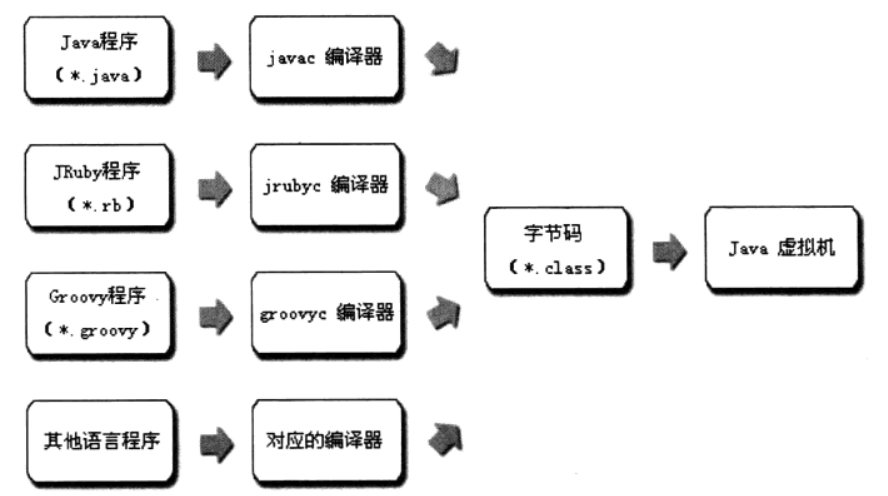
Java提供TTS功能,可以将文本转换为语音。

步骤:
- 添加依赖:确保你的项目中已经添加了TTS库的依赖。
- 创建TTS对象:使用javax.speech.synthesis.Synthesizer类。
- 设置语音属性:设置语音的速度、音量等。
- 播放语音:使用synthesizer.speak()方法。
示例代码:
import javax.speech.synthesis.Synthesizer; import javax.speech.synthesis.SynthesizerModeDesc; import javax.speech.synthesis.Voice; import javax.speech.synthesis.VoiceManager; public class TextToSpeech { public static void main(String[] args) { try { Synthesizer synthesizer = VoiceManager.getInstance().getSynthesizer(new SynthesizerModeDesc(SynthesizerModeDesc.DEFAULT)); synthesizer.allocate(); synthesizer.setRate(150); synthesizer.speak("Hello, this is a texttospeech example."); synthesizer.deallocate(); } catch (Exception e) { e.printStackTrace(); } } }
使用第三方库
有许多第三方库可以用来处理语音,例如FreeTTS、eSpeak等。
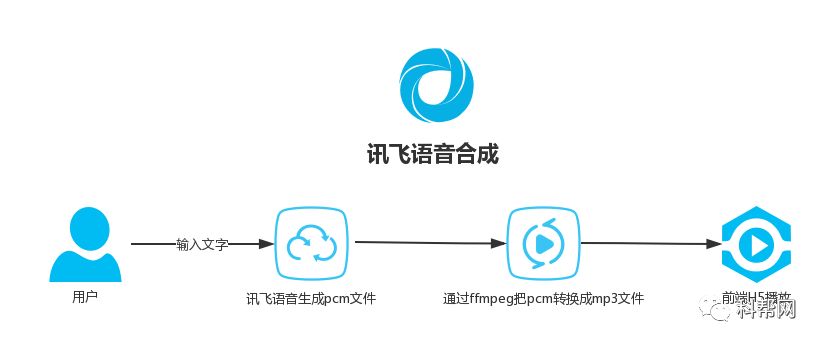
示例(使用FreeTTS):
import com.sun.speech.freetts.Voice; import com.sun.speech.freetts.VoiceManager; public class FreeTTSExample { public static void main(String[] args) { Voice voice = VoiceManager.getInstance().getVoice("kevin16"); voice.allocate(); voice.speak("Hello, this is a FreeTTS example."); voice.deallocate(); } }
FAQs
Q1:Java Sound API和TTS哪个更适合用于语音合成?
A1: 这取决于你的具体需求,Java Sound API主要用于播放和录制音频文件,而TTS用于将文本转换为语音,如果你需要播放或录制音频,Sound API更适合;如果你需要将文本转换为语音,TTS更合适。
Q2:如何在Java中实现语音识别?
A2: Java中实现语音识别可以使用第三方库,如CMU Sphinx或Google Cloud SpeechtoText,这些库通常需要安装额外的依赖和配置,具体实现方式取决于所选库的文档。















