上一篇
Java IO流复制操作有哪些具体方法和技巧?
Java中的IO流是处理输入输出操作的一种机制,它包括字节流、字符流、文件流等,复制文件是IO流中常见的一个操作,下面将详细介绍如何在Java中使用IO流来复制文件。
字节流复制
字节流复制是最基础的一种复制方式,它适用于处理任意类型的文件,下面是一个使用字节流复制文件的示例:
import java.io.*; public class ByteStreamCopy { public static void main(String[] args) { String sourcePath = "source.txt"; String targetPath = "target.txt"; try (InputStream in = new FileInputStream(sourcePath); OutputStream out = new FileOutputStream(targetPath)) { byte[] buffer = new byte[1024]; int length; while ((length = in.read(buffer)) > 0) { out.write(buffer, 0, length); } } catch (IOException e) { e.printStackTrace(); } } }
字符流复制
字符流复制适用于处理文本文件,它比字节流复制更加高效,因为它可以直接处理文本数据,下面是一个使用字符流复制文件的示例:

import java.io.*; public class CharStreamCopy { public static void main(String[] args) { String sourcePath = "source.txt"; String targetPath = "target.txt"; try (Reader reader = new FileReader(sourcePath); Writer writer = new FileWriter(targetPath)) { char[] buffer = new char[1024]; int length; while ((length = reader.read(buffer)) > 0) { writer.write(buffer, 0, length); } } catch (IOException e) { e.printStackTrace(); } } }
文件流复制
文件流复制是一种更高级的复制方式,它允许我们在复制过程中对文件进行更多的操作,例如重命名、删除等,下面是一个使用文件流复制文件的示例:
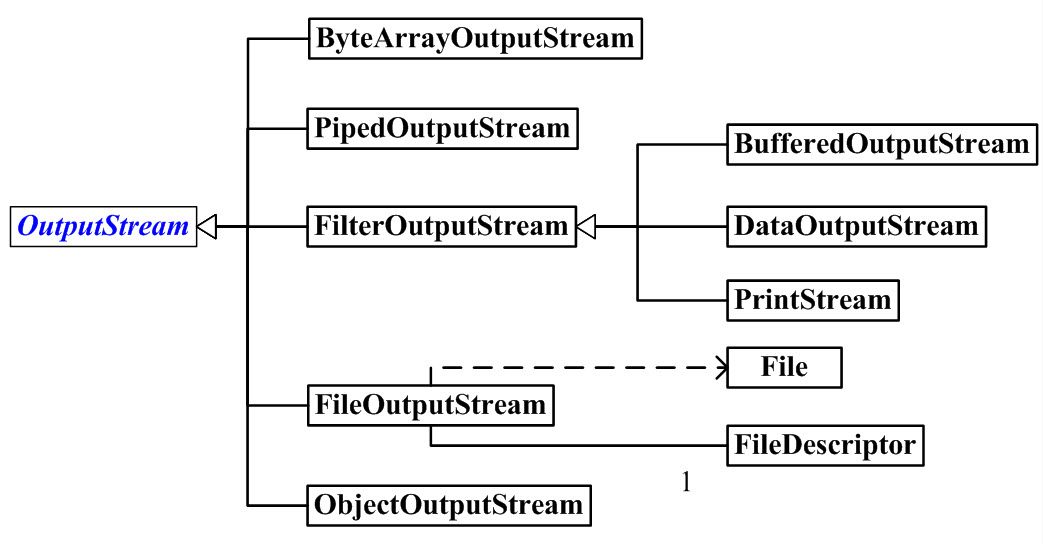
import java.io.*; public class FileCopy { public static void main(String[] args) { String sourcePath = "source.txt"; String targetPath = "target.txt"; try (FileInputStream in = new FileInputStream(sourcePath); FileOutputStream out = new FileOutputStream(targetPath)) { byte[] buffer = new byte[1024]; int length; while ((length = in.read(buffer)) > 0) { out.write(buffer, 0, length); } } catch (IOException e) { e.printStackTrace(); } } }
表格对比
| 复制方式 | 优点 | 缺点 |
|---|---|---|
| 字节流 | 适用于任意类型的文件 | 处理文本数据时效率较低 |
| 字符流 | 适用于文本文件,效率较高 | 适用于文本文件 |
| 文件流 | 功能强大,可进行更多操作 | 代码较为复杂 |
FAQs
Q1:如何处理复制过程中出现的异常?
A1: 在复制文件时,可能会遇到各种异常,如文件不存在、权限不足等,为了处理这些异常,我们可以使用trycatch语句捕获异常,并根据异常类型进行相应的处理。
Q2:如何实现文件的断点续传功能?
A2: 实现文件的断点续传功能需要记录已复制的数据量,并在下次复制时从上次断点的位置开始,这可以通过在文件开头添加一个标记来实现,或者在内存中记录已复制的数据量。