
上一篇
Java如何直接通过文件路径实现高效文件上传?
在Java中,直接通过路径上传文件通常涉及到使用Java的文件I/O操作和HTTP客户端库,以下是一个简单的示例,展示如何通过指定文件路径来上传文件到服务器。
示例步骤
-
导入必要的库:确保你已经在项目中包含了必要的库,如java.net.HttpURLConnection和java.io.File。
-
创建HTTP连接:使用HttpURLConnection来创建一个与服务器的连接。
-
设置请求方法:将请求方法设置为POST,因为上传文件通常使用POST请求。
-
设置请求头:设置适当的请求头,如ContentType和ContentLength。
-
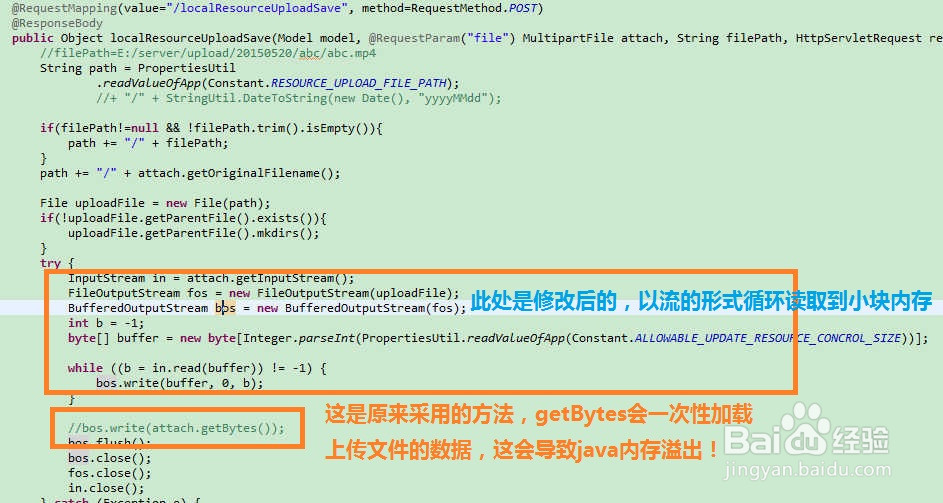
读取文件并写入输出流:使用FileInputStream读取本地文件,并通过HttpURLConnection的输出流写入。
-
获取响应:读取服务器的响应。
示例代码
import java.io.*; import java.net.HttpURLConnection; import java.net.URL; public class FileUpload { public static void uploadFile(String fileToUpload, String serverURL) { HttpURLConnection connection = null; try { // 创建URL对象 URL url = new URL(serverURL); // 打开连接 connection = (HttpURLConnection) url.openConnection(); // 设置请求方法为POST connection.setRequestMethod("POST"); // 设置请求头 connection.setRequestProperty("ContentType", "multipart/formdata; boundary=BoundaryString"); connection.setRequestProperty("ContentLength", Integer.toString(fileToUpload.length())); // 打开输出流 OutputStream outputStream = connection.getOutputStream(); // 创建边界字符串 String boundary = "BoundaryString"; // 写入请求头 outputStream.write(("" + boundary + "rn").getBytes()); outputStream.write(("ContentDisposition: formdata; name="file"; " + "filename="" + fileToUpload + ""rn").getBytes()); outputStream.write(("ContentType: " + getContentType(fileToUpload) + "rnrn").getBytes()); // 读取文件并写入输出流 FileInputStream fileInputStream = new FileInputStream(fileToUpload); byte[] buffer = new byte[4096]; int bytesRead; while ((bytesRead = fileInputStream.read(buffer)) != 1) { outputStream.write(buffer, 0, bytesRead); } fileInputStream.close(); // 写入请求结束符 outputStream.write(("rn" + boundary + "rn").getBytes()); // 获取响应 int responseCode = connection.getResponseCode(); System.out.println("Response Code: " + responseCode); // 读取响应 BufferedReader in = new BufferedReader(new InputStreamReader(connection.getInputStream())); String inputLine; StringBuffer response = new StringBuffer(); while ((inputLine = in.readLine()) != null) { response.append(inputLine); } in.close(); // 打印响应 System.out.println(response.toString()); } catch (Exception e) { e.printStackTrace(); } finally { if (connection != null) { connection.disconnect(); } } } private static String getContentType(String fileName) { String mimeType = "application/octetstream"; int dotIndex = fileName.lastIndexOf('.'); if (dotIndex > 0) { String fileExtension = fileName.substring(dotIndex + 1); mimeType = getMIMEType(fileExtension); } return mimeType; } private static String getMIMEType(String fileExtension) { // 这里可以根据需要扩展更多文件类型 switch (fileExtension.toLowerCase()) { case "pdf": return "application/pdf"; case "doc": case "docx": return "application/msword"; case "jpg": case "jpeg": return "image/jpeg"; case "png": return "image/png"; case "txt": return "text/plain"; default: return "application/octetstream"; } } public static void main(String[] args) { String fileToUpload = "path/to/your/file"; String serverURL = "http://yourserver.com/upload"; uploadFile(fileToUpload, serverURL); } }
FAQs
Q1: 如何处理文件上传过程中可能出现的异常?
A1: 在示例代码中,异常处理是通过trycatch块实现的,在catch块中,你可以添加日志记录、错误消息通知或其他异常处理逻辑。
Q2: 如果文件上传失败,如何检查错误原因?
A2: 你可以通过检查HttpURLConnection的getResponseCode()方法返回的响应代码来确定上传是否成功,200表示成功,而4xx或5xx表示错误,你可以根据响应代码进一步分析错误原因。















