
上一篇
java 怎么将程序中断
Java中,可通过 System.exit(int status)方法正常退出程序,或抛出未捕获异常异常终止,也可通过线程中断机制如调用 Thread.currentThread().interrupt()来优雅停止程序执行
Java编程中,有时需要中断程序的执行,无论是为了正常退出、处理异常情况,还是优雅地终止线程,以下是几种常见的中断程序的方法及其详细说明:
| 方法 | 描述 | 适用场景 | 示例代码 |
|---|---|---|---|
| System.exit(int status) | 立即终止JVM,结束所有线程和资源释放操作 | 需要立即终止整个应用程序时,如遇到无法恢复的错误或用户主动退出 | java public static void main(String[] args) { System.exit(0); // 正常退出 } |
| Runtime.getRuntime().halt(int status) | 立即终止JVM,不执行任何关闭钩子或shutdown hooks | 需要更快速地终止程序,且不需要执行清理工作时 | java Runtime.getRuntime().halt(0); |
| Thread.interrupt() | 中断线程,设置中断标志位为true | 需要中断特定线程时,如等待任务完成或响应中断信号 | java Thread mainThread = Thread.currentThread(); mainThread.interrupt(); |
| throw new Exception() | 抛出异常,导致程序异常终止 | 遇到未预期的错误情况,需要立即停止程序并处理异常 | java throw new RuntimeException("强制终止"); |
详细解释与示例
使用 System.exit(int status)
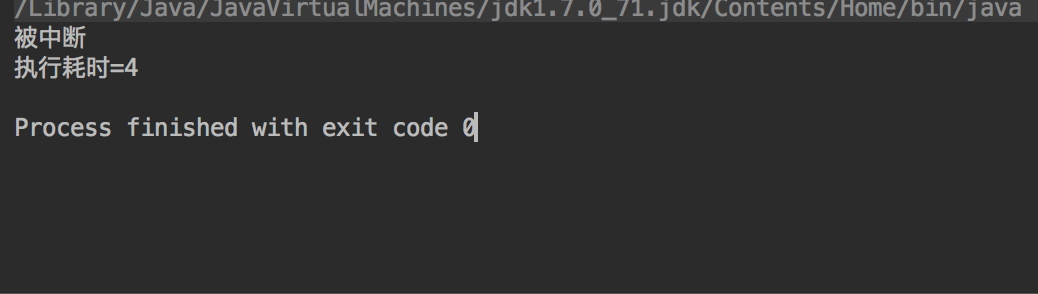
System.exit(int status) 是最直接的方法来终止Java程序,它会立即终止当前运行的Java虚拟机(JVM),status 是一个状态码,通常用于表示程序的退出状态。status 为0,通常表示程序正常结束;如果为非零值,则表示程序异常结束。
示例代码:
使用 Runtime.getRuntime().halt(int status)
Runtime.getRuntime().halt(int status) 也会立即终止JVM,并且不会执行任何关闭钩子或shutdown hooks,它直接调用底层操作系统来终止程序。
示例代码:
public class HaltExample { public static void main(String[] args) { Runtime.getRuntime().halt(0); // 立即终止程序 } }
使用 Thread.interrupt()
虽然这不是直接终止程序的方法,但你可以通过中断主线程来优雅地停止程序的执行,通过调用 Thread.currentThread().interrupt() 可以中断当前线程,然后在代码中检查中断状态并做出相应处理。
示例代码:
public class Main { public static void main(String[] args) { Thread mainThread = Thread.currentThread(); new Thread(() -> { try { // 模拟一些工作 Thread.sleep(5000); mainThread.interrupt(); // 中断主线程 } catch (InterruptedException e) { e.printStackTrace(); } }).start(); try { while (!Thread.currentThread().isInterrupted()) { // 主线程的工作 System.out.println("Main thread is running..."); Thread.sleep(1000); // 模拟一些延迟 } System.out.println("Main thread is interrupted and exiting..."); } catch (InterruptedException e) { e.printStackTrace(); } } }
抛出异常导致程序终止
如果你希望因为一些未预期的情况导致程序停止,可以在代码中抛出未捕获的异常。System.exit(-1) 也可以由用户触发异常。
示例代码:
public class ExceptionTerminateExample { public static void main(String[] args) { try { // 如果这里发生异常,程序将停止并打印堆栈跟踪 throw new RuntimeException("强制终止"); } catch (Exception e) { e.printStackTrace(); // 打印异常信息 System.exit(-1); // 异常终止 } } }
FAQs
Q1: System.exit(int status) 和 Runtime.getRuntime().halt(int status) 有什么区别?
A1: System.exit(int status) 会触发关闭钩子(shutdown hooks),这些钩子可以用于清理工作,比如保存数据到磁盘或者记录日志文件,而 Runtime.getRuntime().halt(int status) 会立即终止JVM,不会执行任何关闭钩子或shutdown hooks,因此它更快速但不适合需要执行清理工作的场景。
Q2: 如何在多线程环境中优雅地中断线程?
A2: 在多线程环境中,可以通过调用 Thread.interrupt() 方法来中断线程,被中断的线程会在合适的时机检查中断状态,并在必要时终止自身的执行,可以在阻塞方法(如 Thread.sleep()、Object.wait()、Thread.join())中捕获 InterruptedException 异常,并在捕获异常后执行必要的中断处理逻辑
















