上一篇
Java如何设置中文环境
Java原生支持中文编程,包括用中文命名变量、方法、类等标识符(需UTF-8编码),并可直接处理中文字符串操作,使用时确保开发环境和文件编码统一(如UTF-8),避免乱码问题。
Java源代码中的中文
直接在代码中使用中文时,需确保文件编码与编译环境一致(推荐UTF-8):
public class HelloChina { public static void main(String[] args) { String 问候 = "你好,世界!"; // 直接使用中文变量名 System.out.println(问候); } }
关键操作:
- IDE设置:在IntelliJ/Eclipse中,进入 File > Settings > Editor > File Encodings,将全局编码、项目编码和默认编码均设为 UTF-8。
- 编译命令:使用-encoding参数指定编码: javac -encoding UTF-8 HelloChina.java
控制台输入输出中文
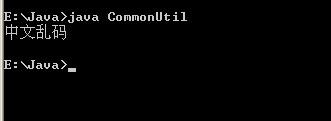
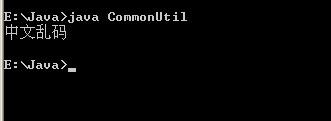
控制台乱码通常因系统编码与Java程序不匹配导致。
解决方案
import java.util.Scanner; public class ConsoleChinese { public static void main(String[] args) { // 设置控制台输入输出流编码为UTF-8 try { System.setOut(new PrintStream(System.out, true, "UTF-8")); Scanner scanner = new Scanner(System.in, "UTF-8"); System.out.print("请输入中文:"); String input = scanner.nextLine(); System.out.println("您输入的是:" + input); } catch (Exception e) { e.printStackTrace(); } } }
系统适配:
- Windows:需将控制台编码改为UTF-8(命令:chcp 65001)。
- Linux/macOS:默认UTF-8,通常无需调整。
文件读写中文
文件读写必须显式指定编码,避免使用默认编码。
写文件(UTF-8)
try (BufferedWriter writer = Files.newBufferedWriter( Paths.get("test.txt"), StandardCharsets.UTF_8)) { writer.write("这是中文内容"); }
读文件(UTF-8)
try (BufferedReader reader = Files.newBufferedReader( Paths.get("test.txt"), StandardCharsets.UTF_8)) { String line; while ((line = reader.readLine()) != null) { System.out.println(line); } }
网络传输中文处理
HTTP请求/响应需统一编码:
// 发送请求(设置UTF-8编码) String postData = "参数=" + URLEncoder.encode("中文值", "UTF-8"); // 接收响应 byte[] responseBytes = httpResponse.getEntity().getContent(); String result = new String(responseBytes, StandardCharsets.UTF_8);
数据库连接中文
JDBC需在连接字符串中指定编码:
String url = "jdbc:mysql://localhost:3306/db?useUnicode=true&characterEncoding=UTF-8"; Connection conn = DriverManager.getConnection(url, "user", "password");
Web应用中的中文
Servlet处理
// 在doPost/doGet方法开头添加 request.setCharacterEncoding("UTF-8"); response.setCharacterEncoding("UTF-8"); response.setContentType("text/html;charset=UTF-8");
JSP页面
在页面顶部添加:
<%@ page contentType="text/html;charset=UTF-8" language="java" %> <meta charset="UTF-8">
避坑指南:乱码根源与解决
-
“问号?或菱形�”乱码:
→ 数据解码/编码不一致(如用ISO-8859-1读UTF-8数据)。
修复:用new String(byteData, "UTF-8")转换。
-
编译错误:非法字符
→ 源文件编码未设为UTF-8。
修复:通过IDE或编译参数-encoding UTF-8解决。
-
数据库乱码
→ 表字段字符集非UTF-8(MySQL需utf8mb4)。
修复:检查数据库、表、字段三级字符集设置。
- 统一编码:全系统强制使用UTF-8(代码、文件、网络、数据库)。
- 显式指定:在IO操作中永远不依赖默认编码,主动传递StandardCharsets.UTF_8。
- 验证工具:
- 用System.getProperty("file.encoding")检查JVM默认编码。
- 使用十六进制工具查看文件真实编码。
最佳实践总结
引用说明:
本文技术要点参考Oracle官方文档《The Java™ Tutorials》字符编码章节,并结合Unicode联盟推荐的UTF-8最佳实践,数据库配置依据MySQL 8.0官方手册字符集设置指南,Web部分遵循Servlet 4.0规范。