上一篇
Java如何获取字符编码?
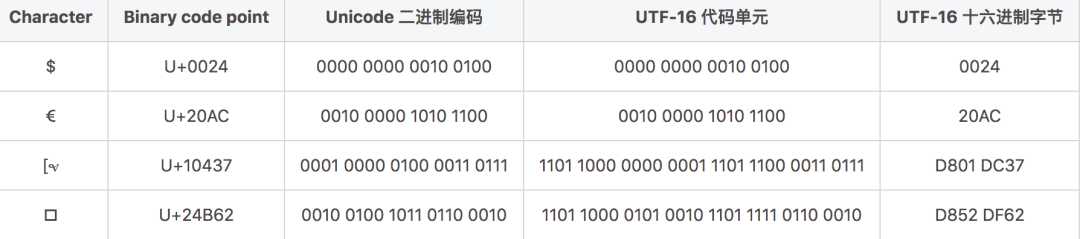
在Java中,可以通过以下方式获取编码:,1. **文件编码**:使用 InputStreamReader结合 CharsetDetector(第三方库)或读取文件的BOM头,2. **字符串编码**:字符串内部存储均为UTF-16,输出时可通过 getBytes()指定目标编码,3. **系统默认编码**: Charset.defaultCharset().displayName()获取JVM默认编码,推荐使用 org.apache.tika或 com.googlecode.juniversalchardet等库进行更精准检测
为什么需要主动获取编码?
- 数据一致性:不同系统默认编码不同(如Windows默认GBK,Linux默认UTF-8)。
- 跨平台兼容:确保应用在不同环境中正确处理字符。
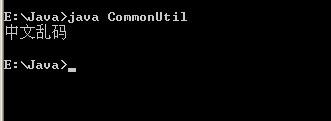
- 乱码预防:明确编码可避免解析错误(如中文乱码)。
获取系统默认编码
通过file.encoding系统属性
String defaultEncoding = System.getProperty("file.encoding"); System.out.println("系统默认编码: " + defaultEncoding); // 输出如 UTF-8
适用场景:快速获取JVM启动时的默认编码。
通过Charset类
Charset defaultCharset = Charset.defaultCharset(); System.out.println("JVM默认编码: " + defaultCharset.displayName());
优势:更规范的API,推荐使用。
获取文件编码
使用第三方库(推荐)
添加Maven依赖:
<dependency> <groupId>com.googlecode.juniversalchardet</groupId> <artifactId>juniversalchardet</artifactId> <version>1.0.3</version> </dependency>
代码示例:
import org.mozilla.universalchardet.UniversalDetector; import java.io.FileInputStream; public String detectFileEncoding(String filePath) throws IOException { byte[] buf = new byte[4096]; try (FileInputStream fis = new FileInputStream(filePath)) { UniversalDetector detector = new UniversalDetector(null); int nread; while ((nread = fis.read(buf)) > 0 && !detector.isDone()) { detector.handleData(buf, 0, nread); } detector.dataEnd(); return detector.getDetectedCharset(); // 返回如 "UTF-8" } }
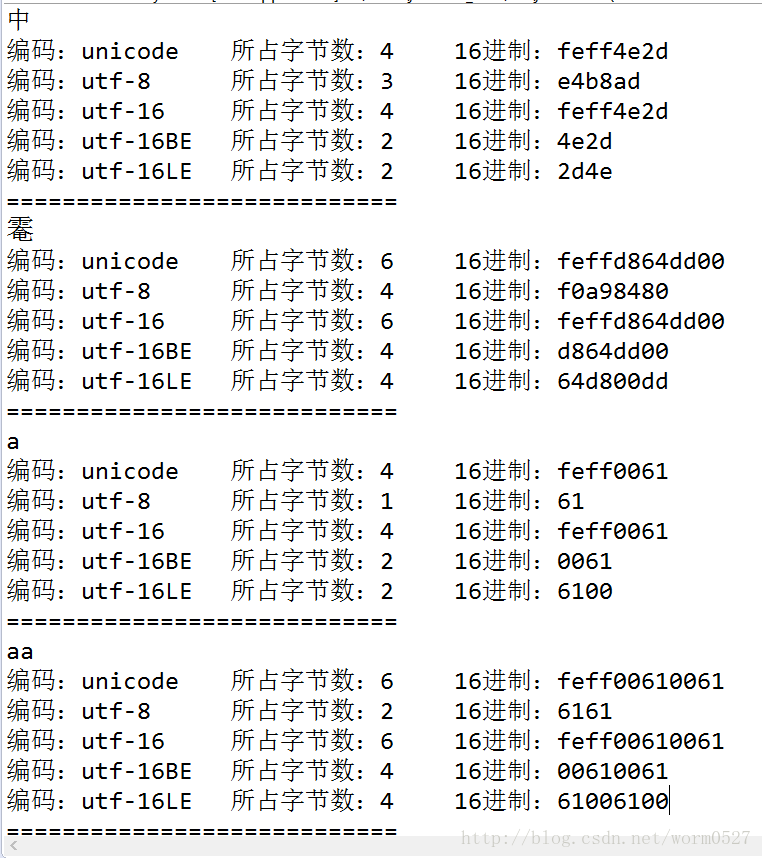
原理:通过分析字节流特征推测编码(如BOM头、字符分布)。
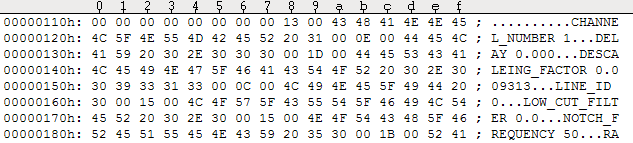
手动检测BOM(字节顺序标记)
public String detectBom(File file) throws IOException { try (BufferedInputStream bis = new BufferedInputStream(new FileInputStream(file))) { byte[] bom = new byte[4]; bis.mark(4); int read = bis.read(bom, 0, 4); if (read >= 3 && bom[0] == (byte) 0xEF && bom[1] == (byte) 0xBB && bom[2] == (byte) 0xBF) { return "UTF-8"; } else if (read >= 2 && bom[0] == (byte) 0xFE && bom[1] == (byte) 0xFF) { return "UTF-16BE"; } // 其他BOM判断... bis.reset(); return null; // 无BOM标记 } }
局限:仅适用于带BOM的文件(部分UTF编码)。
获取HTTP响应编码
从Content-Type头解析
URLConnection conn = new URL("https://example.com").openConnection(); String contentType = conn.getHeaderField("Content-Type"); // 解析形如 "text/html; charset=UTF-8" 的字符串 String encoding = contentType.replaceAll(".*charset=([^;]+).*", "$1");
使用InputStreamReader自动检测
try (InputStreamReader reader = new InputStreamReader( conn.getInputStream(), StandardCharsets.UTF_8 // 备选编码 )) { String actualEncoding = reader.getEncoding(); // 获取实际使用的编码 }
注意:备选编码用于未指定charset时的回退方案。
数据库连接编码获取
JDBC驱动获取(以MySQL为例)
try (Connection conn = DriverManager.getConnection(url, user, password)) { String encoding = conn.getMetaData().getURL() .split("\?")[1] // 截取参数部分 .split("&") // 分割参数 .filter(param -> param.startsWith("characterEncoding")) .findFirst() .orElse("未指定"); }
关键:检查连接URL中的characterEncoding参数(如jdbc:mysql://...?characterEncoding=UTF-8)。
最佳实践与注意事项
- 明确指定编码: // 读写文件时强制指定 new OutputStreamWriter(new FileOutputStream("file.txt"), StandardCharsets.UTF_8);
- 避免依赖默认编码:
- 使用StandardCharsets.UTF_8替代"UTF-8"字符串。
- 慎用new String(byte[])(依赖系统默认编码)。
- 第三方库选择:
- 文件检测:juniversalchardet
- 流处理:Apache Commons IO BOMInputStream
| 场景 | 推荐方法 | 可靠性 |
|---|---|---|
| 系统默认编码 | Charset.defaultCharset() | |
| 文件编码检测 | juniversalchardet库 | |
| HTTP响应编码 | 解析Content-Type头 | |
| 数据库编码 | 检查JDBC连接参数 |
️ 重要提示:编码检测非100%准确,业务系统应通过协议、配置文件或用户输入明确指定编码。
引用说明:
本文参考了Oracle官方文档《The Java™ Tutorials: Internationalization》,并遵循了Unicode联盟的编码检测规范,第三方库juniversalchardet基于Mozilla的通用字符检测算法实现,广泛应用于开源项目。