上一篇
html表格如何虚线边框
要为 HTML 表格添加虚线边框,可使用 CSS 设置 border-style: dashed 并调整宽度和颜色
在HTML中为表格添加虚线边框,主要通过CSS的border-style属性实现,以下是详细步骤和方法:
基础实现方式
-
使用border-style: dashed
这是最直接且兼容性最好的方法,适用于大多数场景,需结合border-width设置边框宽度,否则可能默认无宽度导致不显示。
<table style="border: 2px dashed #000; border-collapse: collapse;"> <tr><td>数据1</td><td>数据2</td></tr> <tr><td>数据3</td><td>数据4</td></tr> </table>- 关键点:
- border-collapse: collapse:合并单元格边框,避免双线问题。
- 单位可以是px或em。
- 关键点:
-
完整CSS样式表
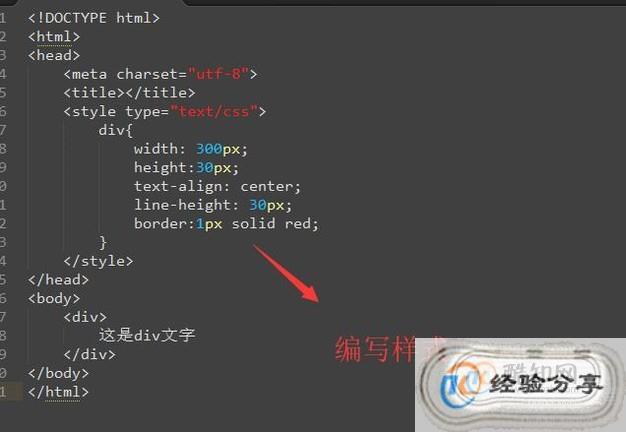
推荐将样式提取到<style>标签或独立CSS文件中,便于维护:
<style> table.dashed-border { border: 1px dashed gray; / 虚线宽度和颜色 / border-collapse: collapse; width: 100%; } / 可选:为单元格添加边框 / table.dashed-border td, table.dashed-border th { border: 1px dashed gray; } </style> <table class="dashed-border"> <!-数据 --> </table>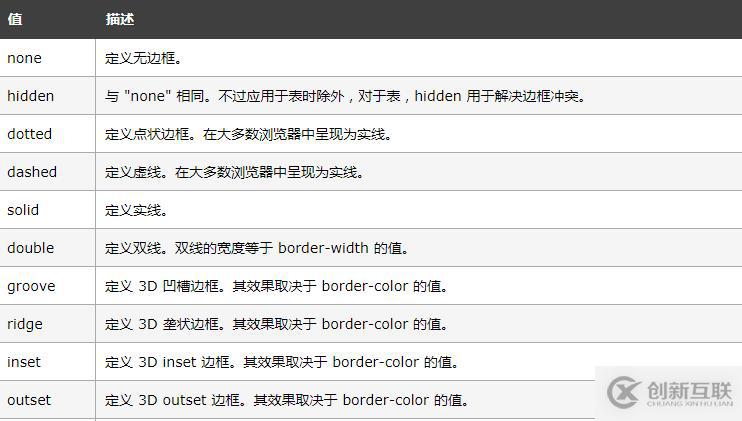
扩展实现方法
-
仅特定边框为虚线
若只需上下或左右边框为虚线,可针对性设置:
-
利用border-image实现自定义虚线
通过图片模拟虚线边框,适合特殊视觉效果:
table { border: 10px solid transparent; border-image: url('dashed-border.png') 30 round; / 图片需自行设计 / }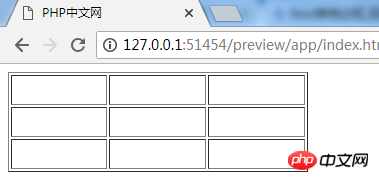
- 注意:需准备带有虚线的SVG或PNG图片,且浏览器兼容性较好。
-
伪元素动态生成虚线
通过::before或::after创建虚线背景:
table { position: relative; } table::after { content: ""; position: absolute; top: -2px; left: 0; right: 0; border-bottom: 1px dashed red; }- 适用场景:需动态控制虚线位置或叠加效果时。
-
虚线显示为实线?
- 检查border-width是否过小(建议≥1px)。
- 确保border-style值为dashed而非dotted(后者为点状)。
- 避免border-collapse: separate导致边框断裂。
-
表格内部线条不虚化?
需为<td>或<th>单独设置虚线边框:
table { border-collapse: collapse; } td, th { border: 1px dashed black; / 单元格边框 / }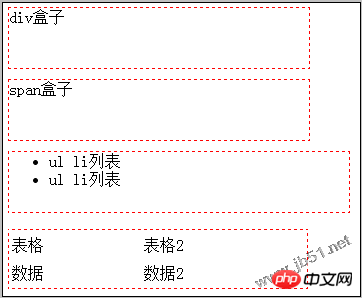
-
跨浏览器兼容性问题
- 现代浏览器均支持border-style: dashed,但老旧IE版本可能存在渲染差异。
- 建议搭配border-width和DOCTYPE声明使用标准模式。
-
如何让表格只有外框为虚线,内部线条为实线?
仅设置表格的border,不为单元格添加边框:
table { border: 2px dashed black; border-collapse: collapse; } td, th { border: none; / 取消单元格边框 / } -
虚线边框在不同设备上显示不一致怎么办?
- 使用相对单位(如em或rem)替代固定像素。
- 检查是否启用了border-collapse: collapse,确保边框合并逻辑
完整代码示例
<!DOCTYPE html> <html lang="zh"> <head> <meta charset="UTF-8">虚线表格示例</title> <style> .dashed-table { border: 2px dashed #333; border-collapse: collapse; width: 80%; margin: 20px auto; } .dashed-table td, .dashed-table th { border: 1px dashed #666; padding: 10px; text-align: center; } .dashed-table th { background-color: #f5f5f5; } </style> </head> <body> <table class="dashed-table"> <thead> <tr><th>序号</th><th>姓名</th><th>年龄</th></tr> </thead> <tbody> <tr><td>1</td><td>张三</td><td>25</td></tr> <tr><td>2</td><td>李四</td><td>30</td></tr> </tbody> </table> </body> </html>
FAQs
常见问题与解决方案