上一篇
Java中获取HTTP参数的最佳实践与技巧详解?
在Java中获取HTTP请求参数的方式有多种,以下是一些常用的方法:
使用Servlet API
在Servlet中,可以通过HttpServletRequest对象来获取HTTP请求参数。
代码示例:
import javax.servlet.http.HttpServlet; import javax.servlet.http.HttpServletRequest; import javax.servlet.http.HttpServletResponse; import java.io.IOException; public class MyServlet extends HttpServlet { @Override protected void doGet(HttpServletRequest request, HttpServletResponse response) throws IOException { // 获取请求参数 String name = request.getParameter("name"); String age = request.getParameter("age"); // 输出参数 response.getWriter().println("Name: " + name + ", Age: " + age); } }
使用Spring MVC
在Spring MVC中,可以通过@RequestParam注解来获取请求参数。
代码示例:
import org.springframework.stereotype.Controller; import org.springframework.web.bind.annotation.GetMapping; import org.springframework.web.bind.annotation.RequestParam; @Controller public class MyController { @GetMapping("/getRequestParam") public String getRequestParam(@RequestParam("name") String name, @RequestParam("age") String age) { // 处理业务逻辑 return "result"; } }
使用Spring WebFlux
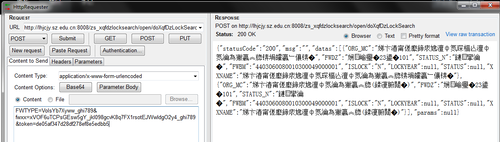
在Spring WebFlux中,可以通过ServerHttpRequest对象来获取请求参数。

代码示例:
import org.springframework.web.bind.annotation.GetMapping; import org.springframework.web.bind.annotation.RestController; import reactor.core.publisher.Mono; @RestController public class MyController { @GetMapping("/getRequestParam") public Mono<String> getRequestParam(ServerHttpRequest request) { // 获取请求参数 String name = request.getQueryParams().getFirst("name"); String age = request.getQueryParams().getFirst("age"); // 返回结果 return Mono.just("Name: " + name + ", Age: " + age); } }
使用HttpClient
在Java中,可以使用HttpClient来发送HTTP请求,并通过HttpHeaders获取请求参数。
代码示例:
import java.net.URI; import java.net.http.HttpClient; import java.net.http.HttpRequest; import java.net.http.HttpResponse; import java.net.http.HttpRequest.BodyPublishers; import java.net.http.HttpResponse.BodyHandlers; import java.util.List; import java.util.Map; public class MyHttpClient { public static void main(String[] args) throws Exception { HttpClient client = HttpClient.newHttpClient(); HttpRequest request = HttpRequest.newBuilder() .uri(URI.create("http://example.com")) .header("ContentType", "application/json") .build(); HttpResponse<String> response = client.send(request, BodyHandlers.ofString()); // 获取请求参数 Map<String, List<String>> headers = response.headers().map(); headers.forEach((key, value) > System.out.println(key + ": " + value)); } }
FAQs
Q1:如何在Servlet中获取HTTP请求体参数?
A1: 在Servlet中,可以通过HttpServletRequest对象的getReader()方法来获取HTTP请求体参数。
import javax.servlet.http.HttpServlet; import javax.servlet.http.HttpServletRequest; import javax.servlet.http.HttpServletResponse; import java.io.BufferedReader; import java.io.IOException; public class MyServlet extends HttpServlet { @Override protected void doPost(HttpServletRequest request, HttpServletResponse response) throws IOException { // 获取请求体参数 BufferedReader reader = request.getReader(); String line; StringBuilder sb = new StringBuilder(); while ((line = reader.readLine()) != null) { sb.append(line); } String body = sb.toString(); // 输出参数 response.getWriter().println("Request Body: " + body); } }
Q2:如何在Spring MVC中获取JSON格式的请求体参数?
A2: 在Spring MVC中,可以通过@RequestBody注解来获取JSON格式的请求体参数。
import org.springframework.web.bind.annotation.PostMapping; import org.springframework.web.bind.annotation.RequestBody; import org.springframework.web.bind.annotation.RestController; import com.fasterxml.jackson.databind.ObjectMapper; @RestController public class MyController { @PostMapping("/postRequestBody") public String postRequestBody(@RequestBody Map<String, Object> body) { // 处理业务逻辑 return "Received: " + body; } }