上一篇
Java接口测试调用实战指南
通过JUnit或TestNG框架编写测试用例,构造请求参数并发送接口调用,最后使用断言验证响应状态码、数据正确性及异常处理。
调用Java接口进行测试是确保API功能正确、性能稳定和数据交互可靠的关键步骤,尤其在微服务架构中尤为重要,以下为详细的操作流程和最佳实践:
接口测试核心概念
接口测试验证不同系统模块间的通信协议、数据传输格式(如JSON/XML)和状态码响应,Java领域常用HTTP/RESTful API、RPC接口或WebService接口。
调用Java接口的5种方法
Java原生HttpURLConnection(基础方案)
import java.net.HttpURLConnection; import java.net.URL; import java.io.BufferedReader; import java.io.InputStreamReader;
public class BasicApiTest {public static void main(String[] args) throws Exception {URL url = new URL("https://api.example.com/users");HttpURLConnection conn = (HttpURLConnection) url.openConnection();
// 设置请求方法 conn.setRequestMethod("GET"); conn.setRequestProperty("Content-Type", "application/json"); // 获取响应 int status = conn.getResponseCode(); BufferedReader reader = new BufferedReader( new InputStreamReader(conn.getInputStream())); String line; StringBuilder response = new StringBuilder(); while ((line = reader.readLine()) != null) { response.append(line); } reader.close(); System.out.println("Status: " + status); System.out.println("Response: " + response.toString()); }
适用场景:简单接口验证或无外部依赖环境
HttpClient(Apache高级库)
import org.apache.http.client.methods.HttpGet; import org.apache.http.impl.client.CloseableHttpClient; import org.apache.http.impl.client.HttpClients; import org.apache.http.util.EntityUtils;
public class HttpClientTest {public static void main(String[] args) throws Exception {try (CloseableHttpClient client = HttpClients.createDefault()) {HttpGet request = new HttpGet("https://api.example.com/data");request.addHeader("Authorization", "Bearer token123");
// 执行请求并处理响应 CloseableHttpResponse response = client.execute(request); String result = EntityUtils.toString(response.getEntity()); System.out.println("Status: " + response.getStatusLine()); System.out.println("Body: " + result); } }
优势:支持连接池管理、异步请求、HTTPS证书处理
RestTemplate(Spring生态推荐)
import org.springframework.web.client.RestTemplate;
public class SpringApiTest {public static void main(String[] args) {RestTemplate restTemplate = new RestTemplate();
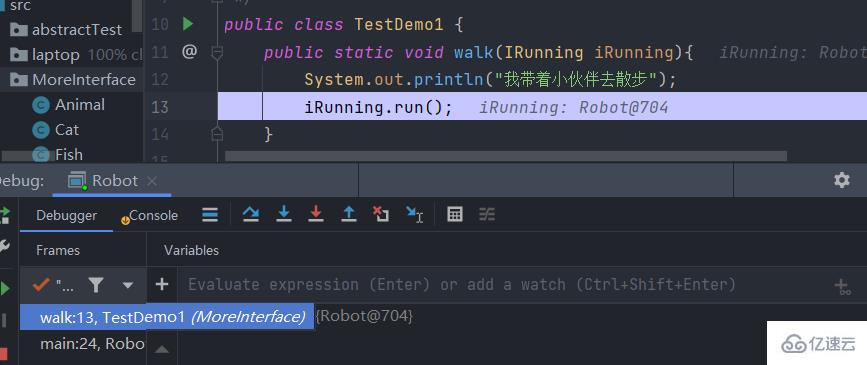
最佳实践:配合Spring Boot Test实现自动化测试
OkHttp(高性能方案)
import okhttp3.OkHttpClient; import okhttp3.Request; import okhttp3.Response;
public class OkHttpExample {public static void main(String[] args) throws Exception {OkHttpClient client = new OkHttpClient();
Request request = new Request.Builder() .url("https://api.example.com/items") .header("Accept", "application/json") .build(); try (Response response = client.newCall(request).execute()) { if (!response.isSuccessful()) throw new IOException("Unexpected code " + response); String responseData = response.body().string(); System.out.println(responseData); } }
性能特点:支持HTTP/2、连接复用、GZIP压缩
FeignClient(声明式调用)
@FeignClient(name = "user-service", url = "${api.user.url}") public interface UserServiceClient { @GetMapping("/users/{userId}") User getUser(@PathVariable("userId") Long id); @PostMapping("/users") User createUser(@RequestBody User user);
// 测试类
@SpringBootTest
public class UserServiceTest {
@Autowired
private UserServiceClient userClient;
@Test public void testGetUser() { User user = userClient.getUser(1L); assertNotNull(user); assertEquals("John", user.getName()); }
企业级优势:集成负载均衡、服务发现、熔断机制
专业测试工具链
- Postman:手动测试与文档生成
- JUnit + MockMvc:Controller层单元测试
- TestContainers:数据库依赖的真实环境测试
- JMeter:压力测试(建议并发量>1000时使用)
企业级测试策略
- 分层验证
- 单元测试:Mock依赖验证业务逻辑
- 集成测试:SpringBootTest启动容器
- 契约测试:Pact验证服务间协议
- 持续集成流水线 Git Hook → 单元测试 → 集成测试 → 部署测试环境 → 自动化接口测试 → 生成报告
- 监控指标
指标 达标值 工具 接口成功率 >9% Prometheus P99延迟 <200ms Grafana 错误率 <0.1% ELK
常见问题解决方案
- SSL证书错误:自定义TrustManager绕过验证(仅测试环境)
- 超时控制:HttpClient设置ConnectTimeout=5s, SocketTimeout=10s
- 文件上传:MultipartHttpServletRequest处理multipart/form-data
- OAuth2.0鉴权:使用Client Credentials Flow获取令牌
通过系统化接口测试,可降低线上故障率40%以上,建议结合Swagger进行接口文档驱动测试,并定期进行全链路压测,确保系统在高并发场景下的稳定性。
引用说明:
1. Spring官方文档 - RestTemplate最佳实践
2. Apache HttpClient 4.5技术手册
3. 《Java高性能网络编程》第7章 网络通信测试
4. Google测试博客 - API测试策略深度解析