上一篇
如何同步linux的时间
使用ntpdate命令连接 NTP服务器同步时间,或安装chrony服务自动校准,确保时区正确,可手动设置或通过timedatectl调整。
在 Linux 系统中,时间同步是确保系统时钟准确性的关键操作,尤其在分布式计算、日志记录和任务调度等场景中至关重要,以下是详细的 Linux 时间同步方法及实践指南:
Linux 时间同步的核心概念
-
系统时间与硬件时间
- 系统时间:由操作系统维护,用于文件戳、进程调度等。
- 硬件时间:存储在主板 RTC(Real-Time Clock)中,依赖电池供电。
- 默认行为:Linux 启动时,系统时间会从硬件时间初始化,但后续两者异步运行。
-
时间漂移问题
系统时间可能因硬件误差、温度变化等因素逐渐偏离标准时间,需通过同步机制纠正。
时间同步方法总览
| 方法 | 适用场景 | 特点 |
|---|---|---|
| ntpd (NTP) | 传统网络环境 | 成熟稳定,但响应速度较慢 |
| chronyd (Chrony) | 网络波动大、需要快速同步的场景 | 同步速度快,支持断网容错 |
| systemd-timesyncd | 轻量级客户端(如嵌入式设备) | 依赖 NTP,配置简单 |
| timedatectl | 快速配置时区和启用网络同步 | 系统兼容性好,适合桌面和服务器 |
| 手动设置 | 离线环境或临时调整 | 需人工干预,无法自动修正漂移 |
具体实现方法
(一)基于 NTP 的时间同步
-
安装 NTP 服务
# Debian/Ubuntu sudo apt install ntp -y # CentOS/RHEL sudo yum install ntp -y -
配置 NTP 服务器
编辑 /etc/ntp.conf,添加以下内容(以阿里云公共 NTP 服务器为例):
server ntp.aliyun.com iburst -
启动并启用服务
sudo systemctl enable --now ntpd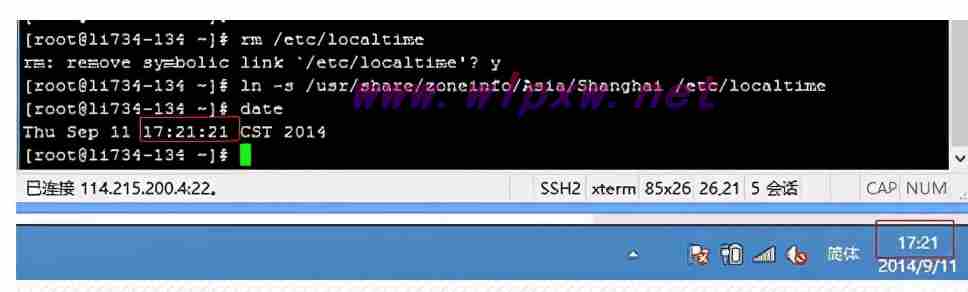
-
同步硬件时间
NTP 默认仅同步系统时间,若需同步硬件时间,需在 ntp.conf 中添加:
tinker panic 0 # 允许直接修改硬件时间然后执行:
sudo ntpq -p # 查看同步状态 sudo hwclock --systohc # 将系统时间写入硬件
注意:NTP 首次同步可能耗时较长,可通过 ntpdate 快速同步:
sudo ntpdate ntp.aliyun.com
(二)使用 Chrony 替代 NTP
-
安装 Chrony
# Debian/Ubuntu sudo apt install chrony -y # CentOS/RHEL sudo yum install chrony -y -
配置服务器
编辑 /etc/chrony/chrony.conf,添加:
server ntp.aliyun.com iburst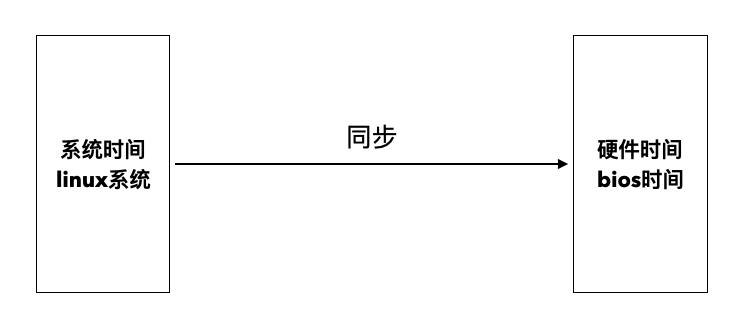
-
启动服务并同步
sudo systemctl enable --now chronyd sudo chronyc -a makestep # 立即同步时间 -
优势
- 支持网络中断后的快速重同步。
- 更高的精度和更低的延迟。
(三)通过 timedatectl 快速配置
-
设置时区
sudo timedatectl set-timezone Asia/Shanghai -
启用网络同步
sudo timedatectl set-ntp true # 自动使用 systemd-timesyncd -
检查状态
timedatectl status输出示例:
Local time: 四 2025-07-19 10:30:45 CST Universal time: 四 2025-07-19 02:30:45 UTC RTC time: 四 2025-07-19 10:30:45 Time zone: Asia/Shanghai (CST, +0800) System clock synchronized: yes NTP service: active RTC in local TZ: no D-Bus control interface: yes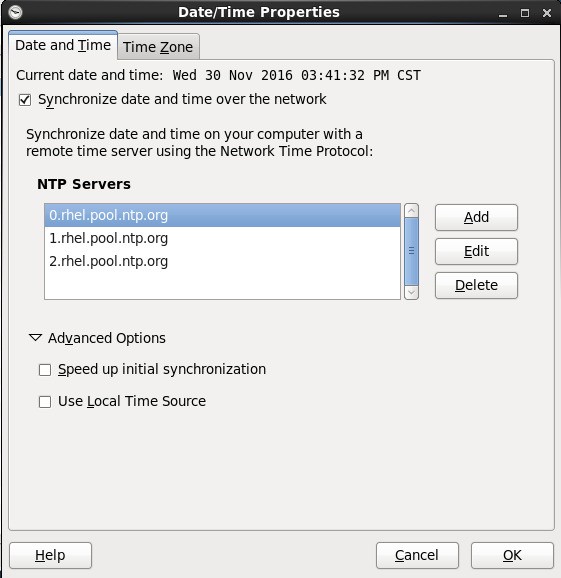
(四)手动设置时间(离线环境)
-
设置系统时间
sudo date -s "2025-07-19 10:30:00"
-
设置硬件时间
-
同步系统时间与硬件时间
sudo hwclock --systohc # 系统时间写入硬件 sudo hwclock --hctosys # 硬件时间写入系统 -
如何检查当前时间是否准确?
使用 timedatectl status 或 ntpq -p(NTP 服务)查看同步状态,若偏移量(Offset)较大,需检查 NTP 服务器配置。
-
时间不同步怎么办?
- 确认网络连接正常(NTP/UDP 123 端口是否开放)。
- 检查 ntpd 或 chronyd 服务状态: sudo systemctl status ntpd
- 重启同步服务: sudo systemctl restart ntpd
-
防火墙限制
若 NTP 无法同步,可能是防火墙阻止了 UDP 123 端口:
# 临时关闭防火墙(测试用) sudo systemctl stop firewalld # 或开放端口 sudo firewall-cmd --permanent --add-port=123/udp -
虚拟机时间同步
在 KVM/QEMU 中,可安装 guestfish 工具并启用 kvm-clock 同步。
- 优先使用自动化工具:生产环境建议启用 ntpd 或 chronyd,避免手动操作。
- 定期校验硬件时钟:通过 hwclock --show 检查电池供电的 RTC 是否正常。
- 时区配置标准化:使用 timedatectl 统一设置时区,避免跨时区问题。
常见问题与解决方案
(一)FAQs
(二)特殊场景处理
最佳实践建议
通过以上方法,可有效解决 Linux 系统的时间同步问题,确保时间准确性和系统