
上一篇
Android从服务器下载文件时,如何确保文件下载的安全性和完整性?
在Android开发中,从服务器下载文件是一个常见的任务,这通常涉及到网络请求、文件流处理以及异常处理,以下是一个详细的步骤指南,帮助你在Android应用程序中实现从服务器下载文件的功能。
准备工作
在开始之前,确保你的Android项目已经配置了网络权限:
创建下载任务
创建一个类来处理下载任务,这个类可以继承AsyncTask或使用Thread和Handler。
使用AsyncTask
public class DownloadTask extends AsyncTask<String, Integer, Long> { @Override protected Long doInBackground(String... urls) { int count = 0; try { URL url = new URL(urls[0]); HttpURLConnection connection = (HttpURLConnection) url.openConnection(); connection.setRequestMethod("GET"); int length = connection.getContentLength(); InputStream input = new BufferedInputStream(connection.getInputStream()); OutputStream output = new FileOutputStream("/path/to/destination/file"); byte data[] = new byte[1024]; while ((count = input.read(data)) != 1) { output.write(data, 0, count); } output.flush(); output.close(); input.close(); } catch (Exception e) { e.printStackTrace(); } return count; } @Override protected void onProgressUpdate(Integer... progress) { // Update progress bar } @Override protected void onPostExecute(Long result) { // Handle download completion } }
使用Thread和Handler
public class DownloadThread extends Thread { private String url; private String destinationPath; public DownloadThread(String url, String destinationPath) { this.url = url; this.destinationPath = destinationPath; } @Override public void run() { try { URL url = new URL(this.url); HttpURLConnection connection = (HttpURLConnection) url.openConnection(); connection.setRequestMethod("GET"); InputStream input = new BufferedInputStream(connection.getInputStream()); OutputStream output = new FileOutputStream(this.destinationPath); byte data[] = new byte[1024]; int count; while ((count = input.read(data)) != 1) { output.write(data, 0, count); } output.flush(); output.close(); input.close(); } catch (Exception e) { e.printStackTrace(); } } }
启动下载任务
在Activity或Fragment中启动下载任务:
DownloadTask task = new DownloadTask(); task.execute("http://example.com/file.zip");
或者,如果你使用Thread和Handler:
DownloadThread thread = new DownloadThread("http://example.com/file.zip", "/path/to/destination/file"); thread.start();
处理异常和进度
确保你的下载任务能够处理网络异常和进度更新,对于AsyncTask,进度更新在onProgressUpdate方法中处理,对于Thread和Handler,你可能需要自己实现进度更新。
保存文件
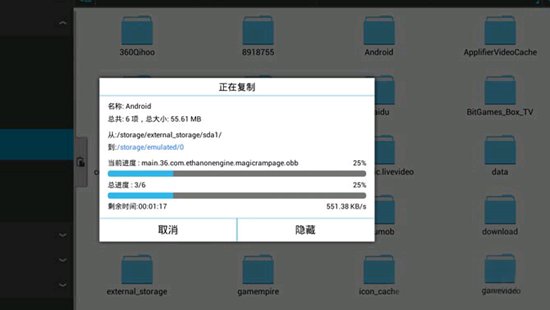
下载完成后,确保文件被保存到正确的位置,你可以使用Environment.getExternalStorageDirectory()或getFilesDir()来获取文件保存的路径。
FAQs
Q1: 如何在下载过程中更新进度条?
A1: 对于AsyncTask,你可以在doInBackground方法中更新进度,然后在onProgressUpdate方法中更新UI,对于Thread和Handler,你需要自己实现进度更新,通常是通过发送消息到主线程。
Q2: 如何处理下载失败的情况?
A2: 在doInBackground方法中,你可以捕获异常并返回一个错误代码,然后在onPostExecute方法中检查返回值,并根据需要处理错误,对于Thread和Handler,你可以使用trycatch块捕获异常,并在UI线程中更新状态。







